
Bundle Deal Overview & Templates
What a Bundle deal is, the six starting templates, and where bundles live in the app.
What is a Bundle deal?
A Bundle deal shows a set of offer tiers on the product page — e.g. Buy 1, Buy 2 get 1 free, Buy 3 get 2 free — so shoppers can pick a bigger deal before adding to cart. One widget can mix:
Quantity break — more units, bigger discount.
Buy X get Y — BOGO on the same item or BXGY with different items.
Product bundle — the viewed product plus other products sold together.
Alternative product — offer a different product as one of the tiers.
Each tier can also carry a free gift, an upsell, a shipping discount or an offer image.
Create a bundle
Go to Campaign and click Create campaign.
Open the Bundle tab and select Bundle deal.
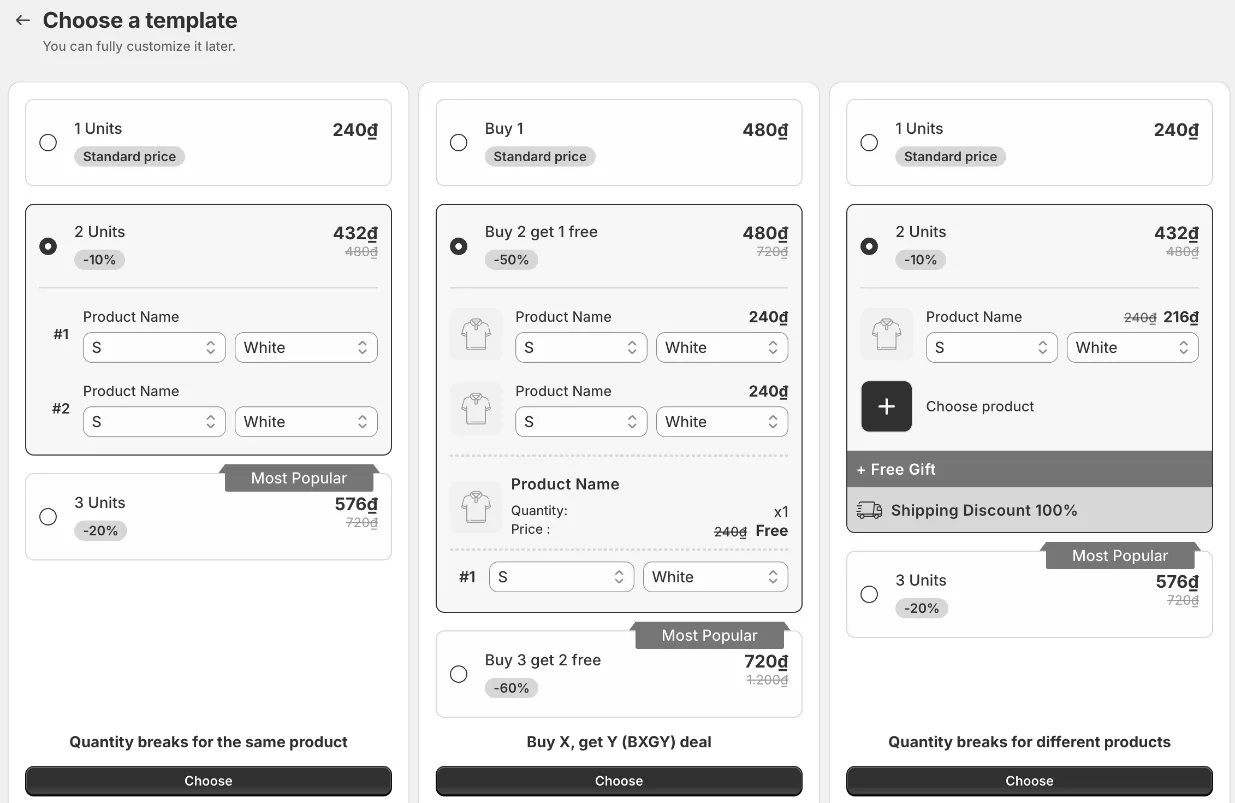
Choose a template — you can fully customize it later.
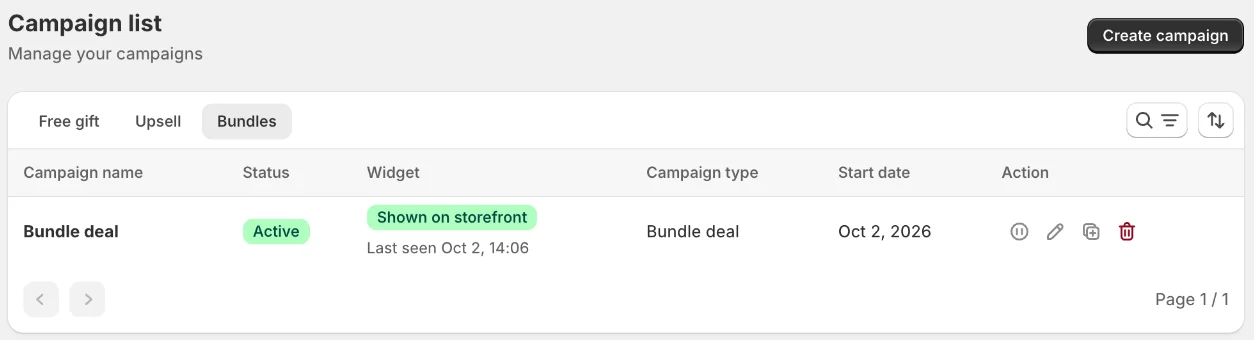
Your bundles are listed on the Bundles tab of the campaign list, with their status and whether the widget is being shown on your storefront.
The templates
Template | What you get |
|---|---|
Quantity breaks for the same product | 1 / 2 / 3 units of the viewed product with growing discounts. |
Buy X, get Y (BXGY) deal | Buy 1 · Buy 2 get 1 free · Buy 3 get 2 free. |
Quantity breaks for different products | Shoppers mix variants or products across the units; a tier can add a free gift and free shipping. |
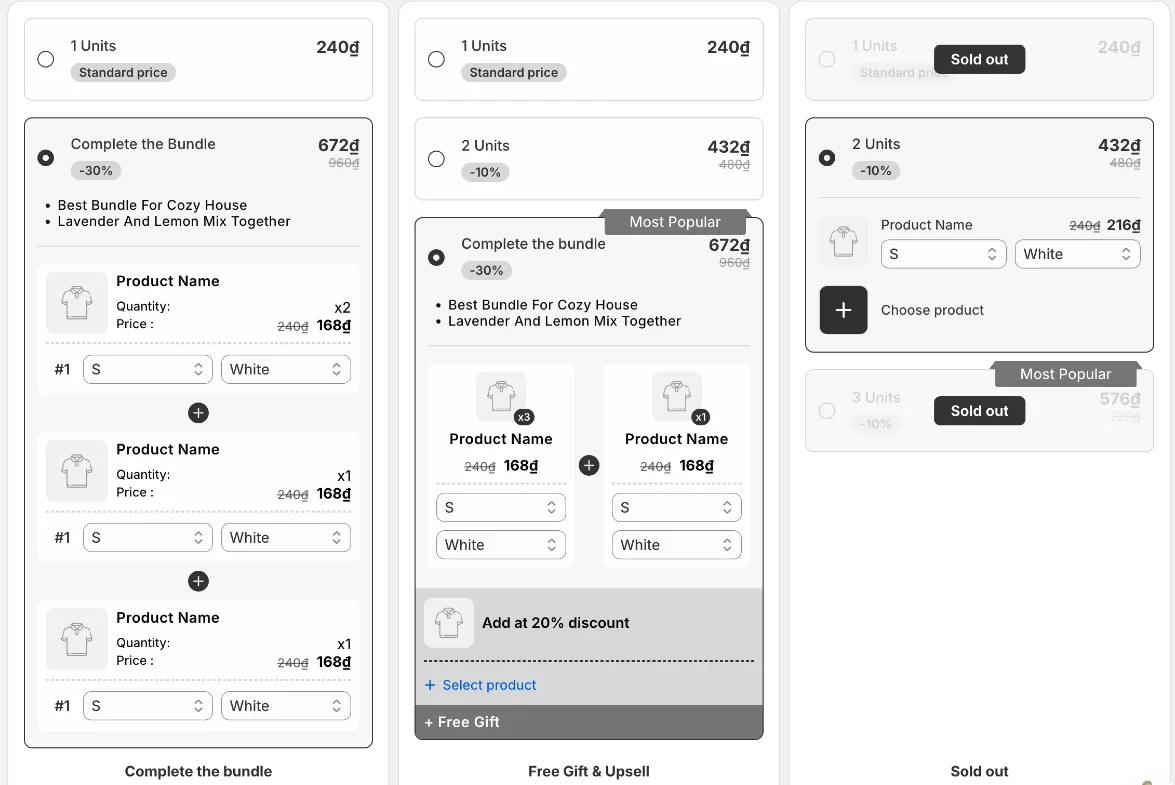
Complete the bundle | The viewed product plus matching products, each discounted. |
Free Gift & Upsell | Quantity tiers plus a bundle tier with an upsell add-on and a free gift. |
Sold out | Shows how tiers look when marked as out of stock. |
Still need help?
Our support team is available 24/7. Contact support →