

Create Feed
Create a product feed to generate a shareable URL that keeps your Shopify products synchronized with Meta and other platforms.
Overview
Create a Feed to generate a product data URL for syncing your Shopify products with external platforms.
From this guide, you will:
Configure your feed settings.
Generate a product feed URL.
Use the feed to keep product data synchronized automatically.
Create a Product Feed
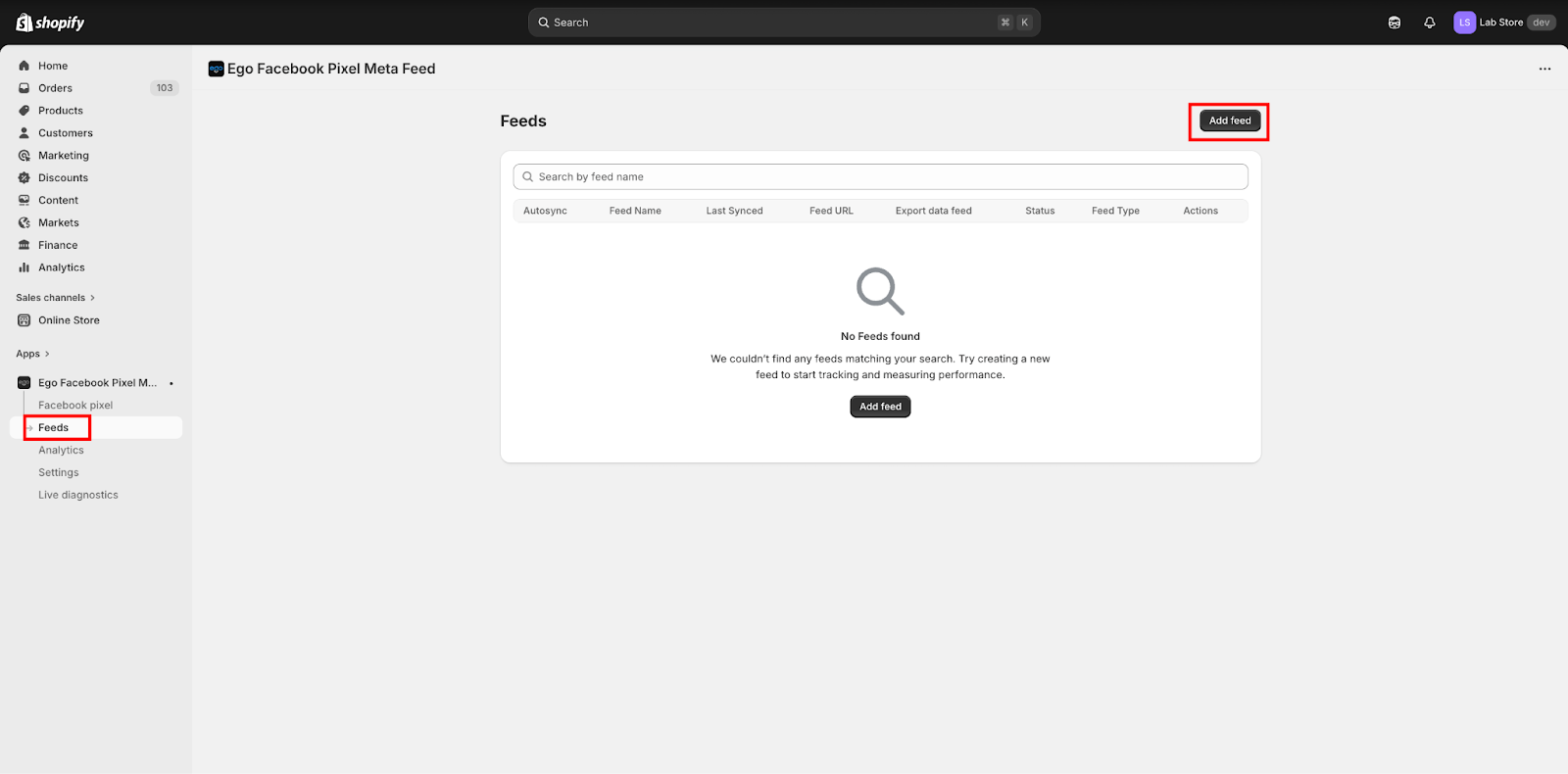
Step 1: Go to Feeds in the app dashboard and click “ Create Feed”
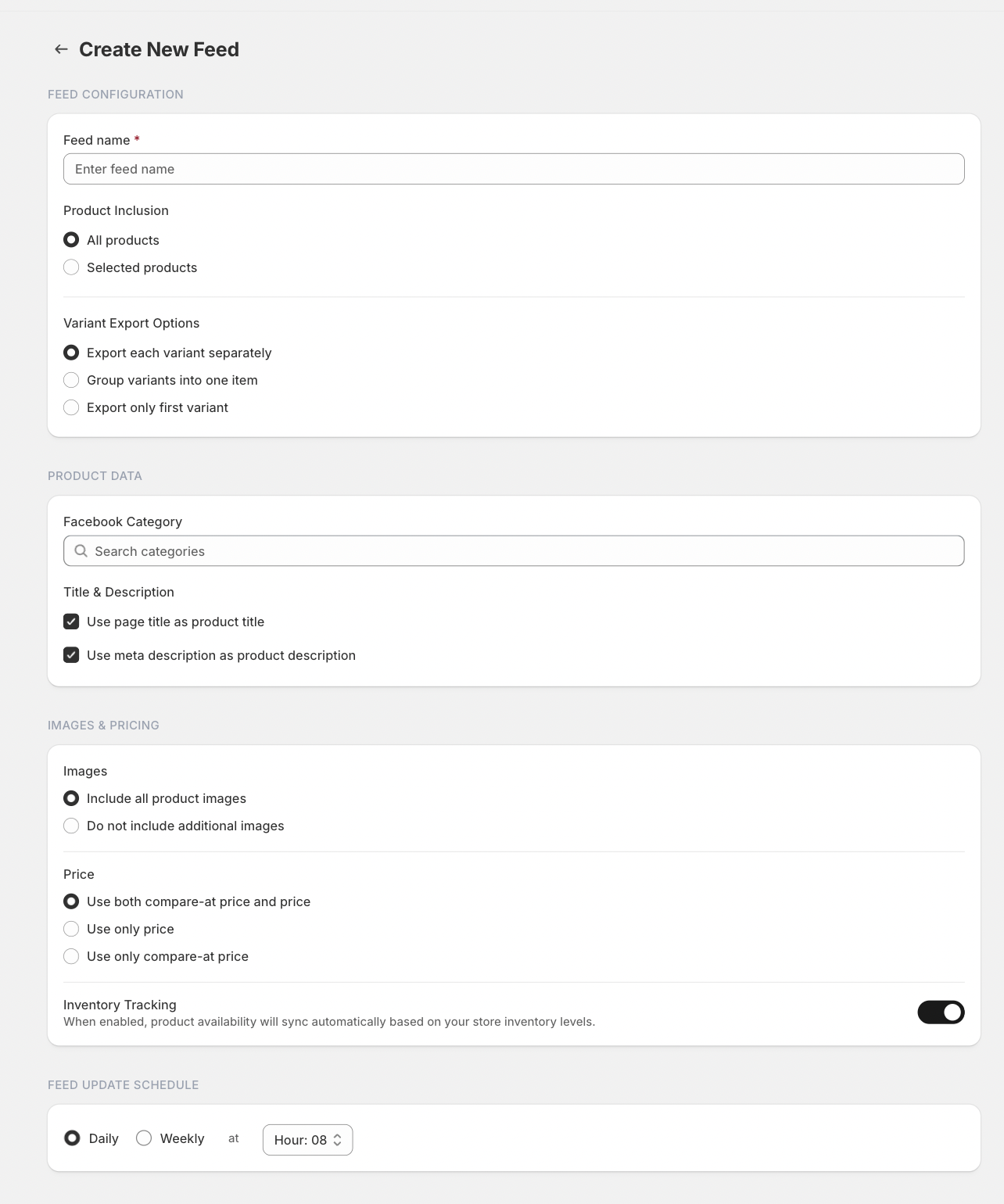
Step 2: Configure the feed settings:
Feed Name – Enter a name for your feed.
Product Source – Select the products you want to include.
Variant Export – Choose how product variants should be exported.
Image Settings – Select which product images will be included.
Pricing Settings – Choose how product prices will be displayed.
Select the Feed Update Schedule (Daily or Weekly).
Step 3: Click Create Feed to generate the feed.
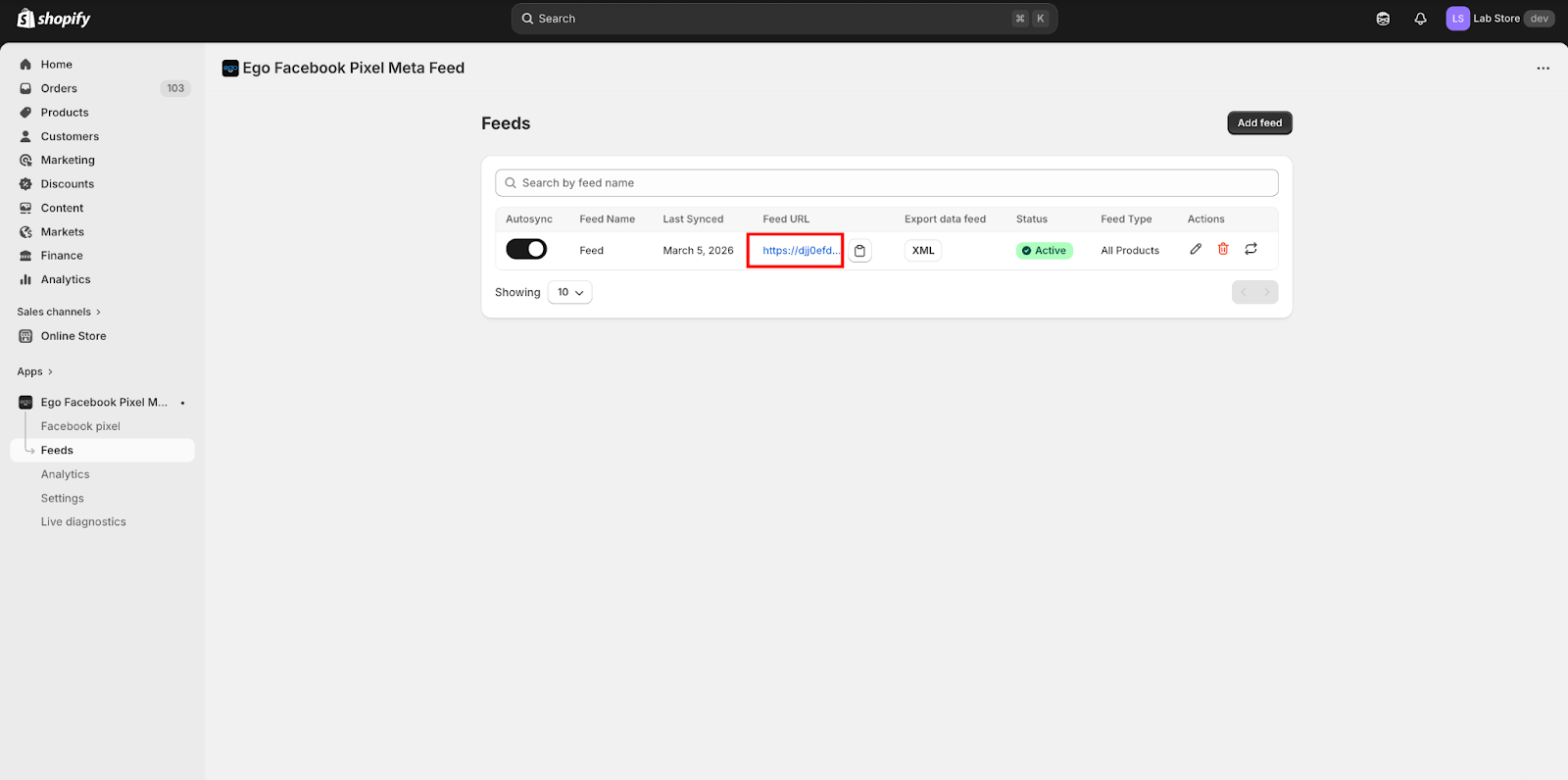
After the feed is created, the system will generate a Feed URL that can be used to sync product data with Meta.
Still need help?
Our support team is available 24/7. Contact support →