

Feed·1 min read
Upload Feed
Upload your product feed to Meta Commerce Manager to keep your catalog synchronized with the latest product data.
Overview
Upload your Feed to connect your Shopify product data with a Meta Catalog.
From this guide, you will:
Copy your generated Feed URL.
Add the feed to your Meta Catalog.
Configure Meta to import products from the feed URL.
Keep your catalog updated automatically with the latest product information.
Import the Feed into Meta Catalog
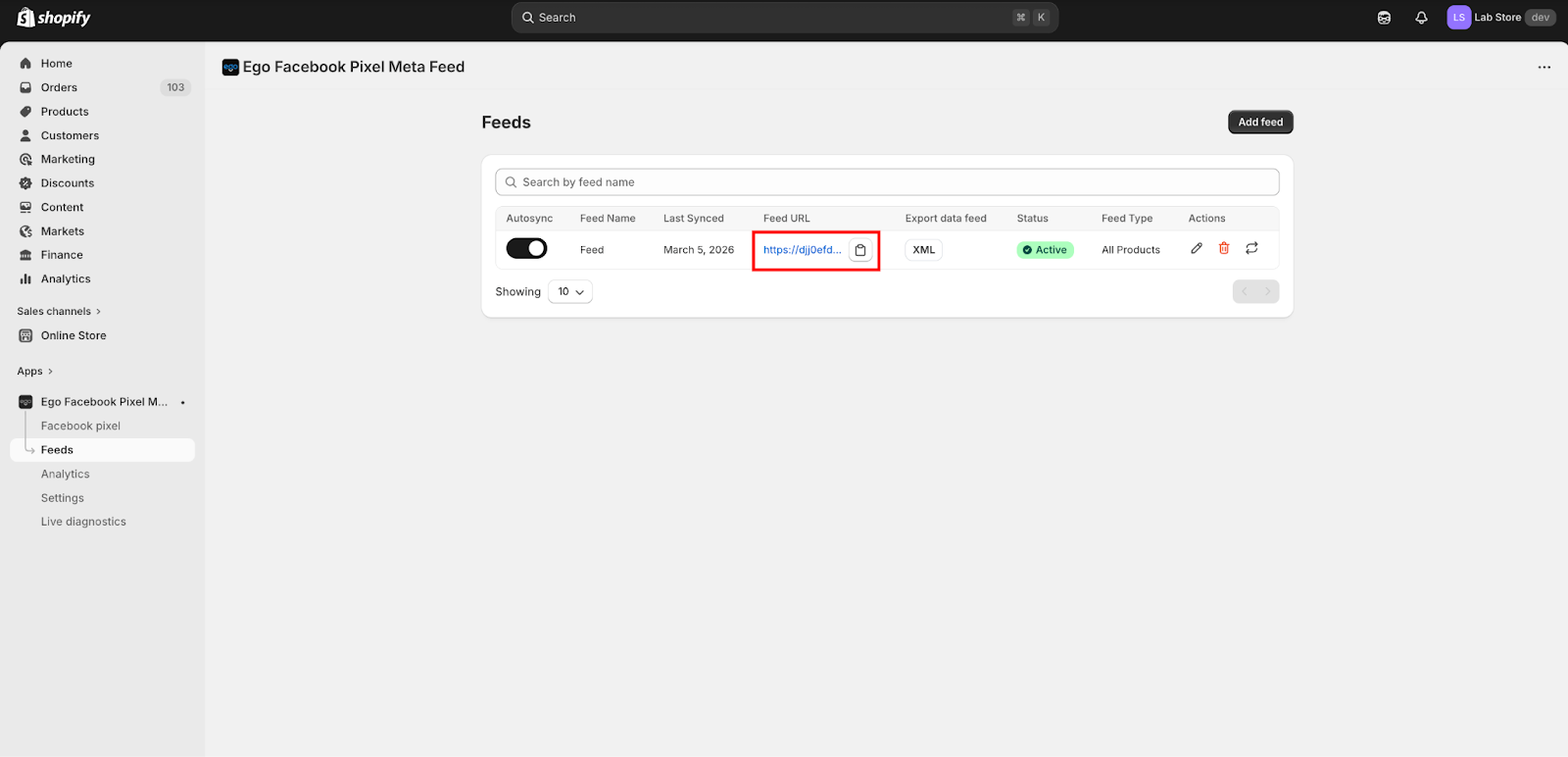
Step 1: Copy the Feed URL generated in the app.
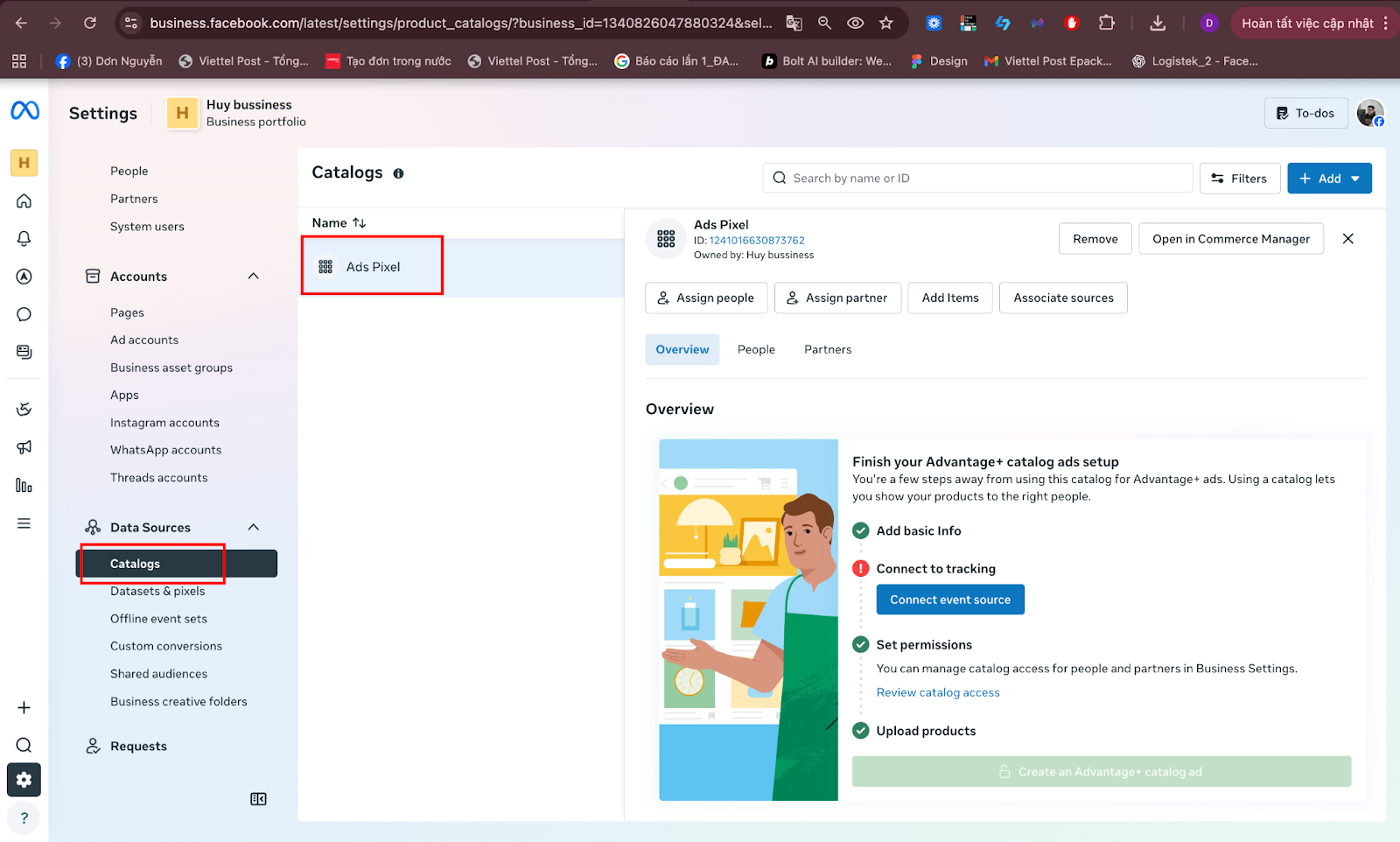
Step 2: Go to Meta Commerce Manager >> Select Data Sources >> Select your Catalog.
https://business.facebook.com/settings/catalogs
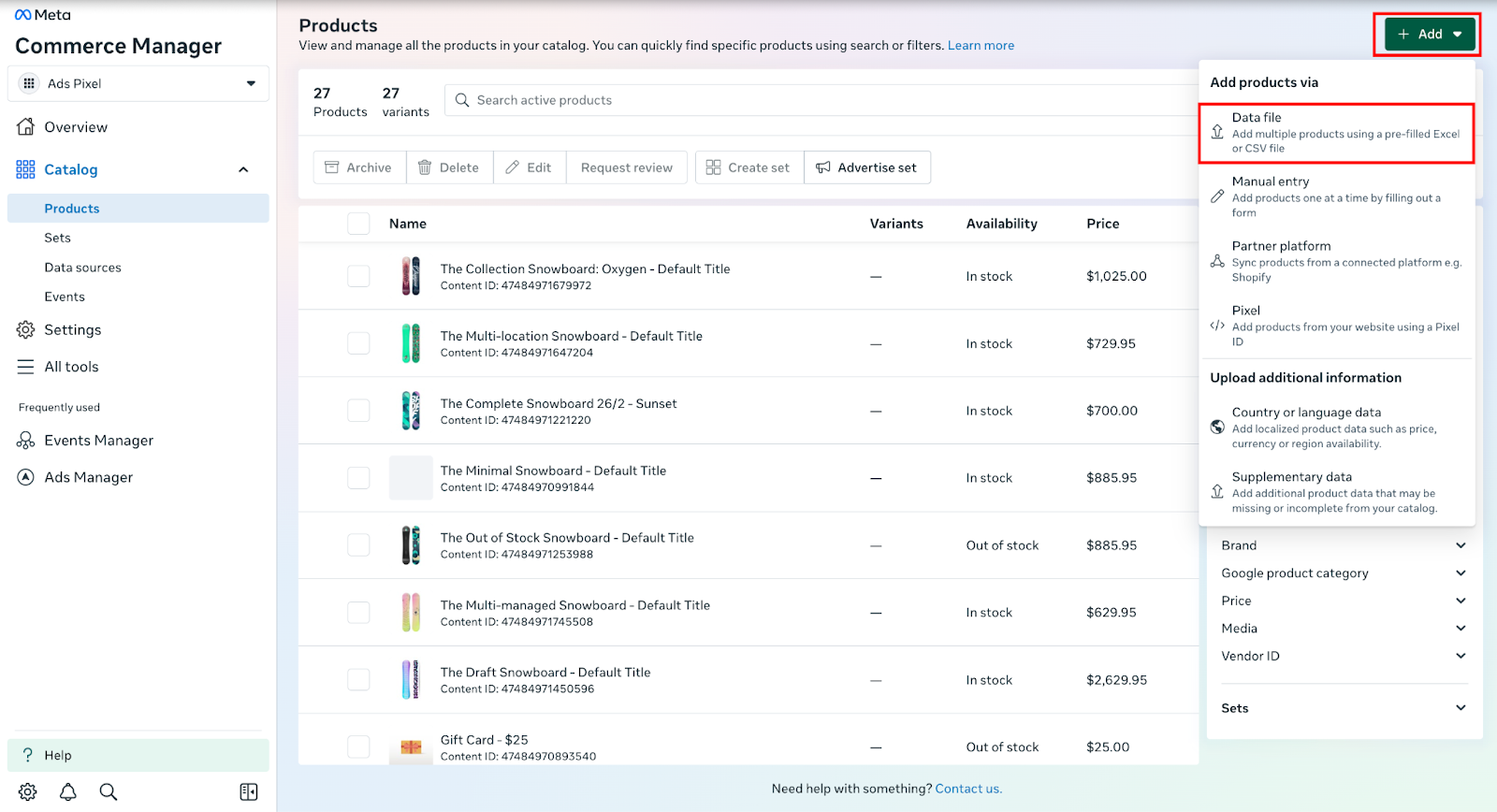
Step 3: Click “ Open in Commerce Manager” >> Click “Add” >> Select “ Data file”
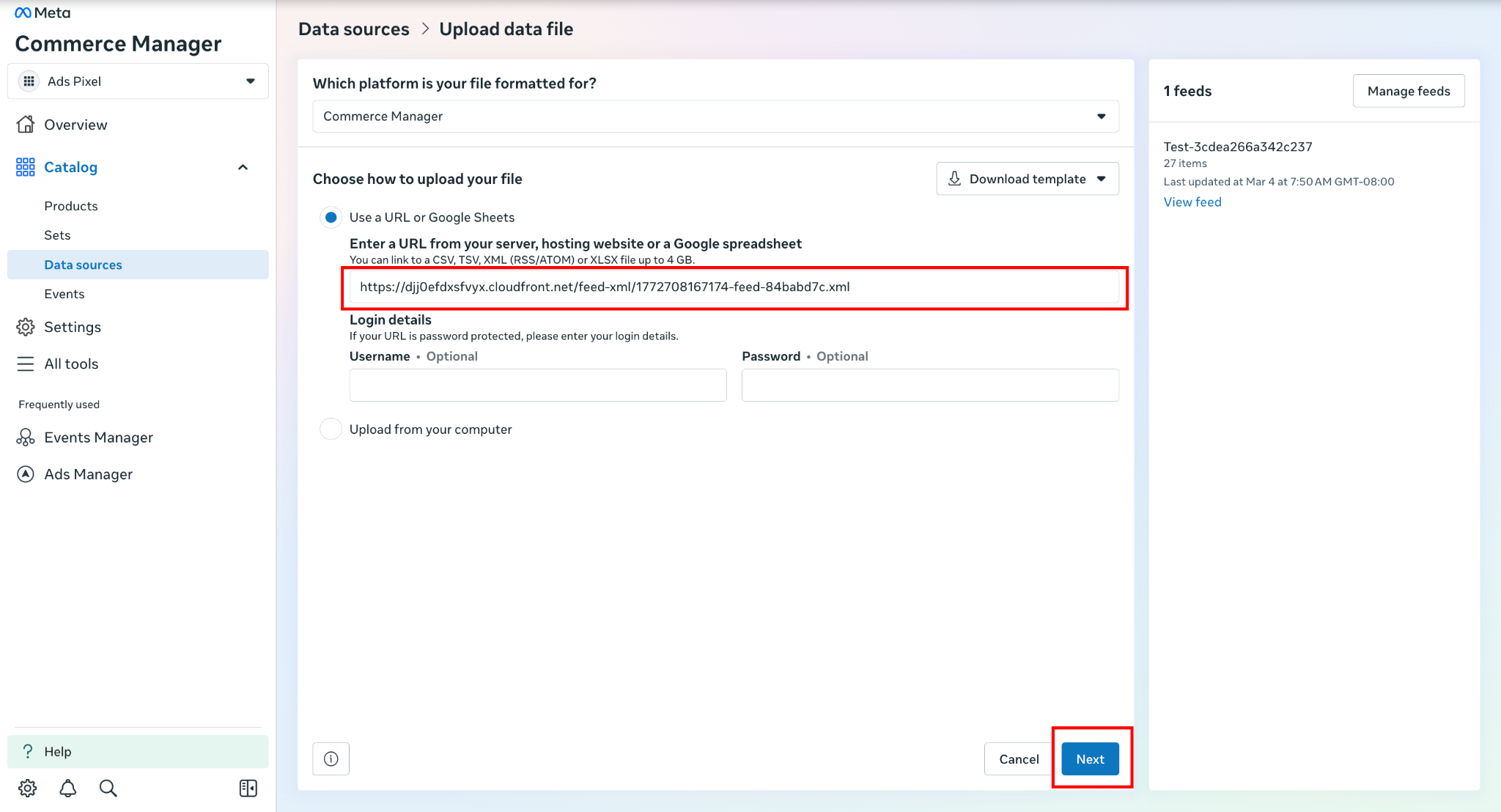
Step 4: Paste link URL into the Use a URL or Google Sheets field and hit Next
Still need help?
Our support team is available 24/7. Contact support →