

How Do I Stop the Same Customer from Claiming the Gift Repeatedly?
You can use Shopify Flow together with customer tags to prevent customers who have already received a gift from qualifying again.
Step 1 — Tag customers who have received the gift
Create a workflow in Shopify Flow that automatically adds a customer tag when an order contains the gift product.
Configure the workflow to:
Trigger when an order is created.
Check whether the order contains the selected gift product.
Add a customer tag, such as gift-claimed, to the customer.
This tag identifies customers who have already received the gift.
Customers must log in and be associated with a Shopify customer profile for the tag to be applied reliably.

Step 2 — Exclude tagged customers from the campaign
In your Ego Free Gift campaign:
Open the campaign settings.
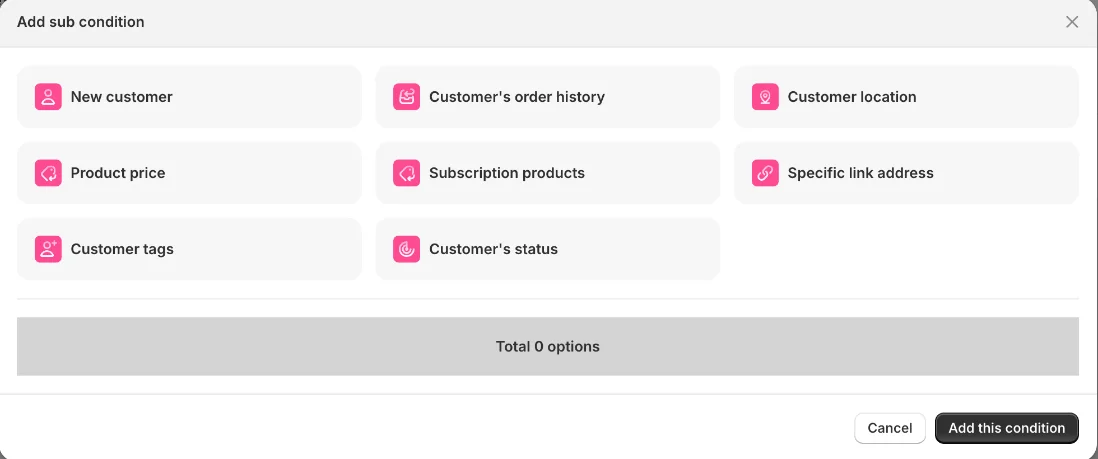
Add a customer-related Sub-condition.
Select Customer tags.
Enter the gift-claimed tag and tick Exclude customers with these tags.
Save and activate the campaign.
Customers with this tag will no longer qualify for the gift.
Make sure the tag used in Ego exactly matches the tag added by your Shopify Flow workflow.
Still need help?
Our support team is available 24/7. Contact support →