

Enable Ego Pixel Theme Extension
Enable the Ego Pixel app embed to activate pixel tracking and other app features on your Shopify storefront.
Overview
Enable the Ego Pixel theme extension to activate the app on your Shopify storefront.
From this guide, you will:
Enable the app embed using the Ego Pixel dashboard.
Enable the app embed from the Shopify Theme Editor.
Method 1: Enable from the Ego Pixel Dashboard
Step 1: Open the Theme Editor
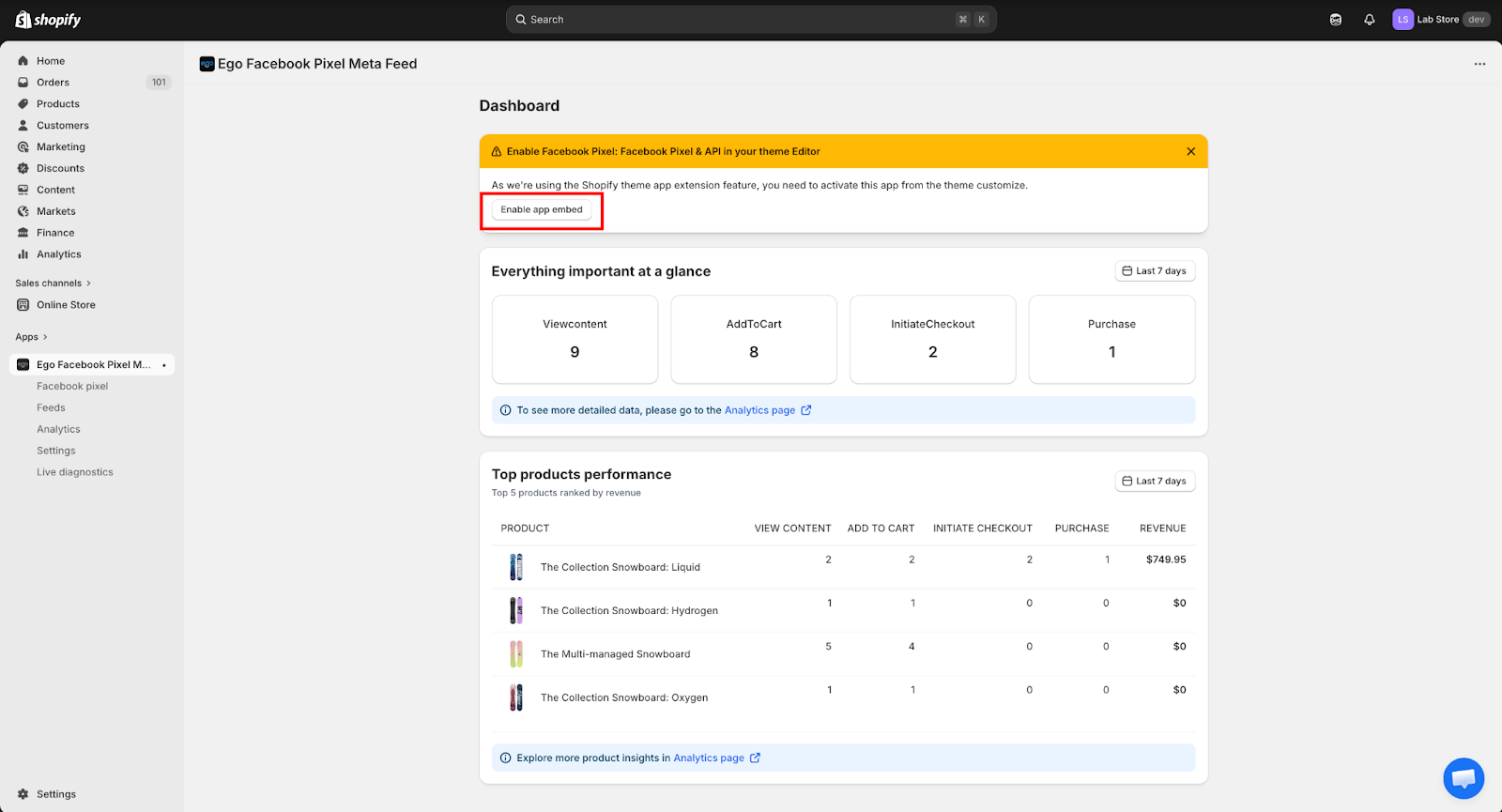
From the app Dashboard, click Enable app embed in the notification banner.
=> You will be redirected to the Shopify Theme Editor.
Step 2: Enable the App Embed
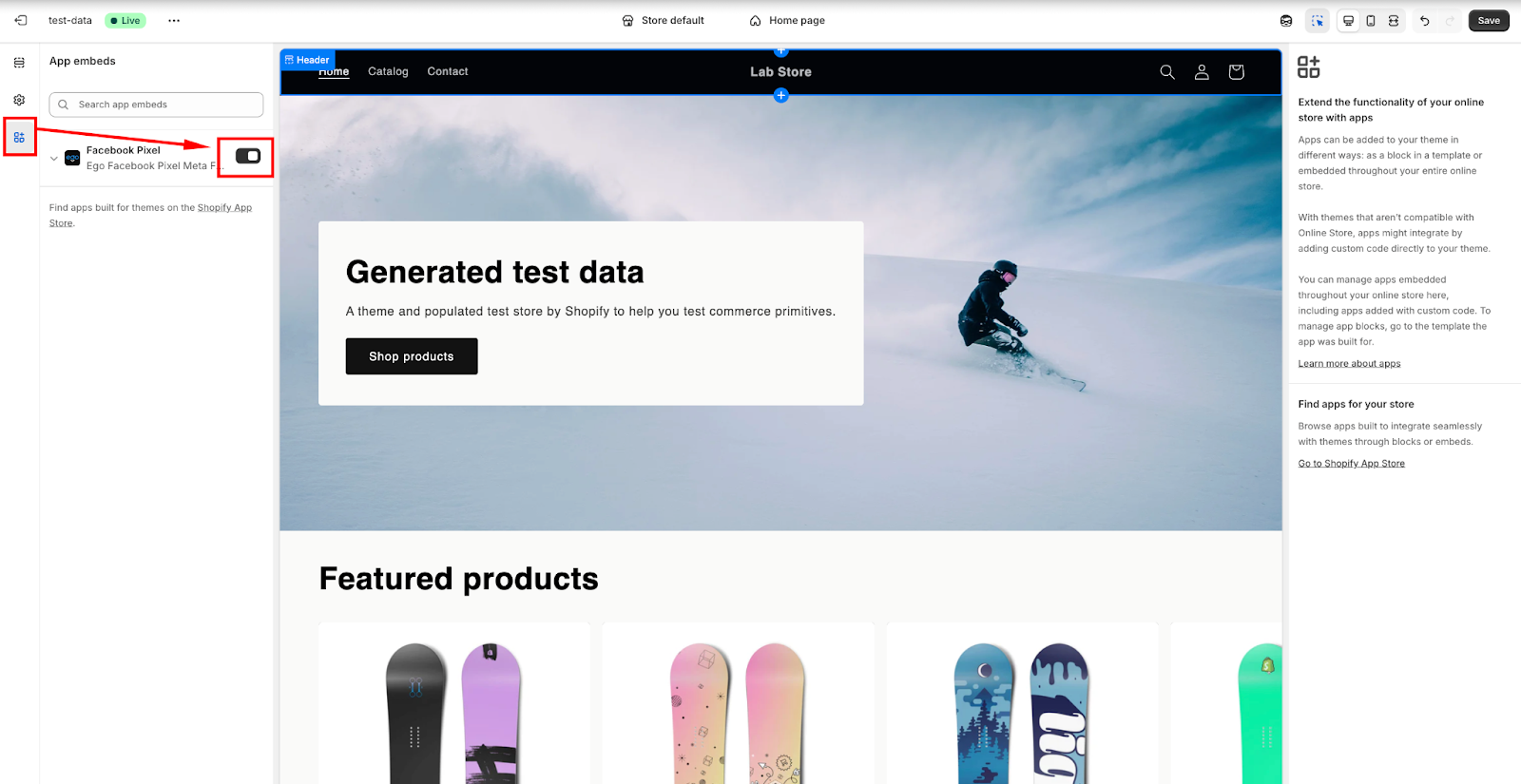
In the Theme Editor:
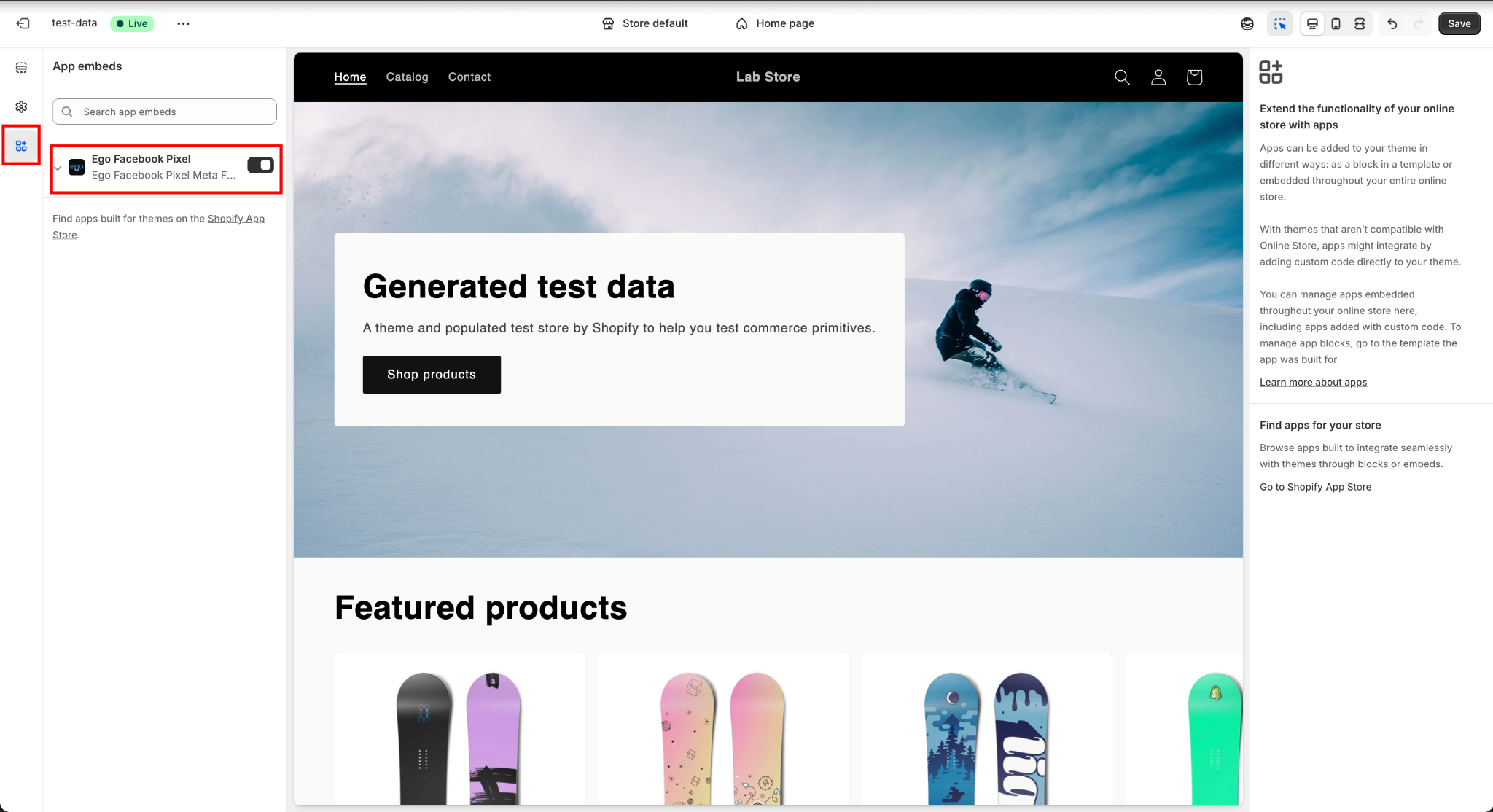
Click App embeds in the left sidebar.
Locate Ego Facebook Pixel Meta Feed
Toggle the switch ON to enable it.
Step 3: Save the Settings
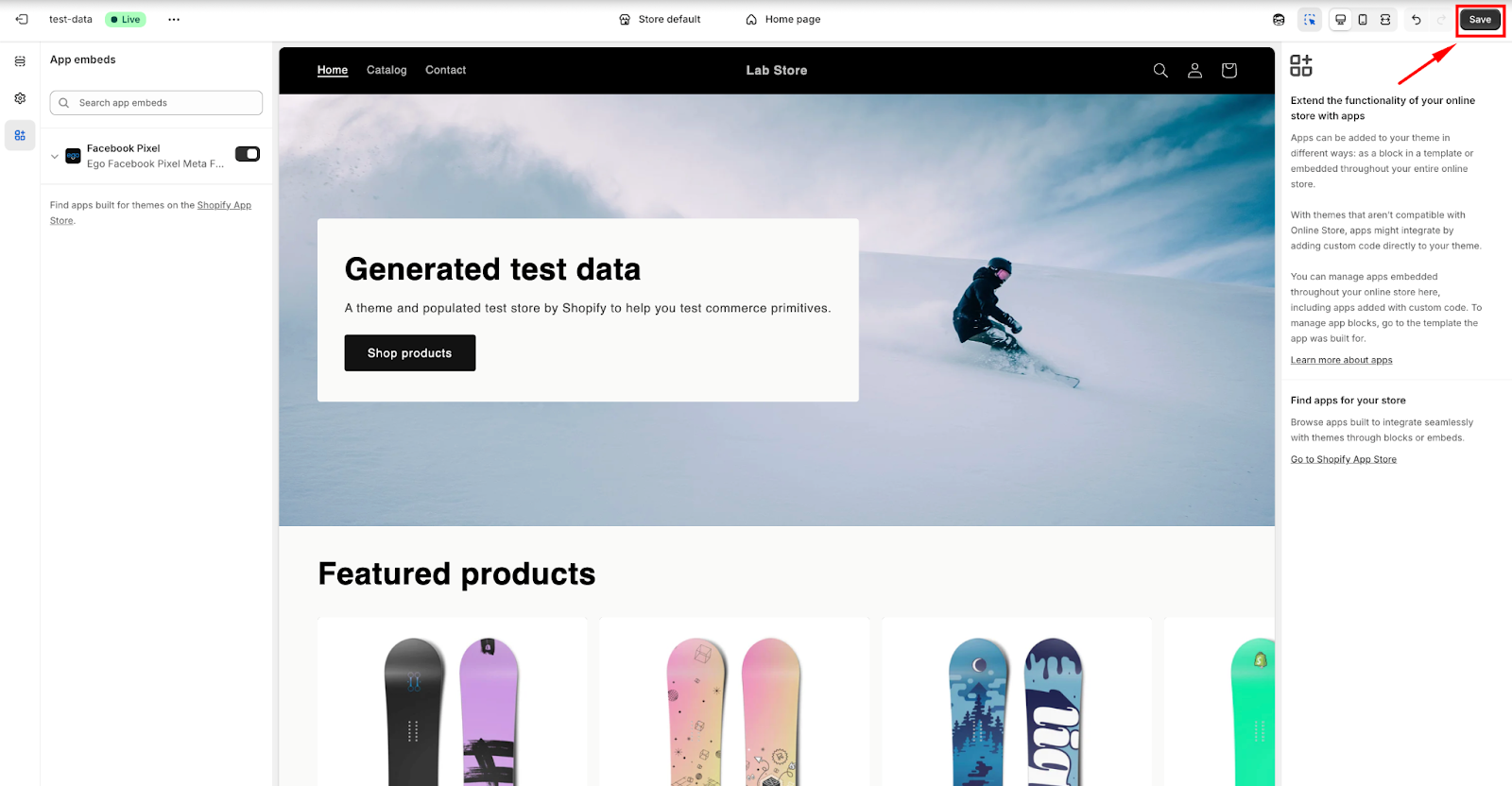
Click Save in the top-right corner to apply the changes.
Method 2: Enable from the Shopify Theme Editor
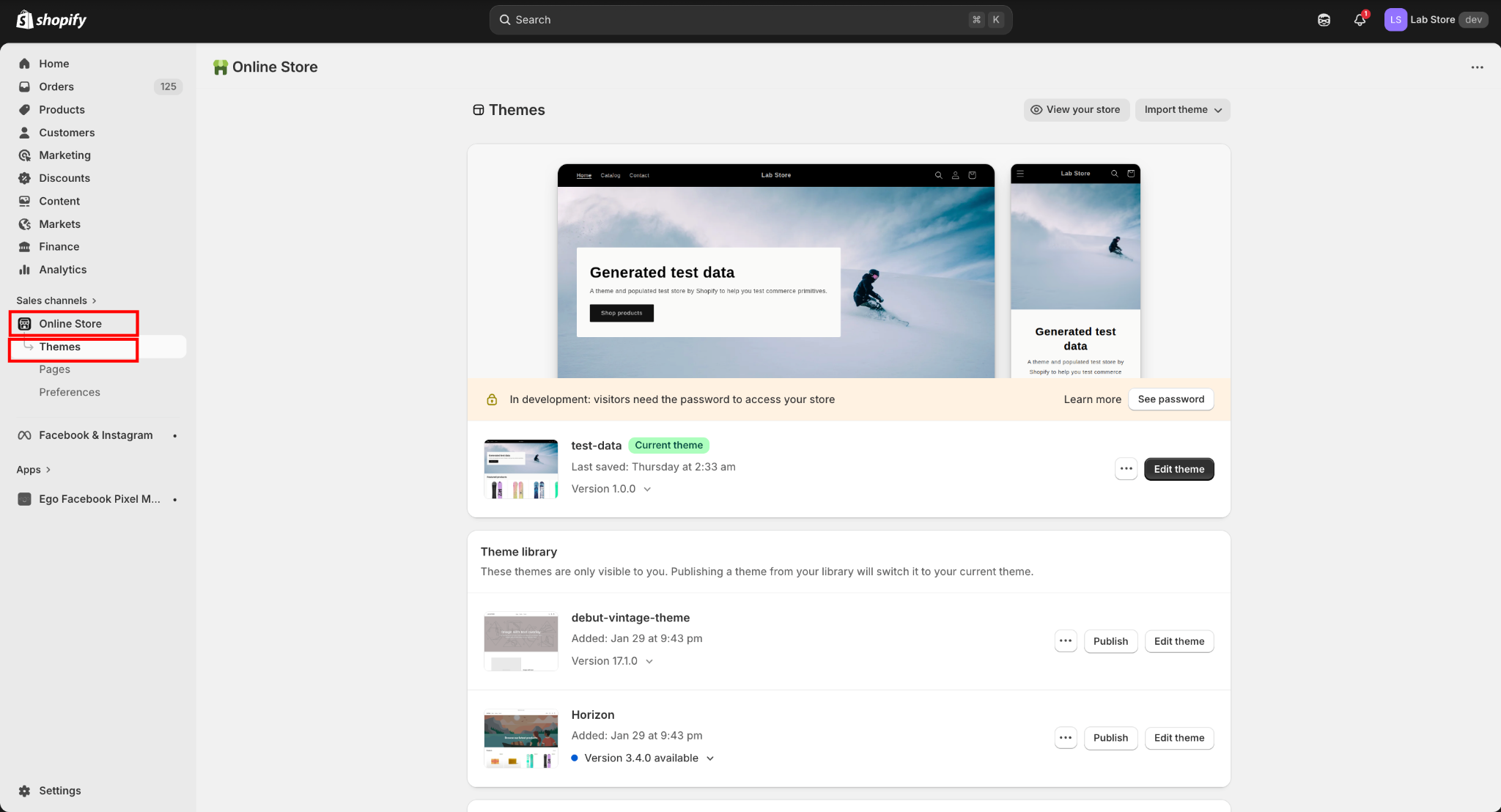
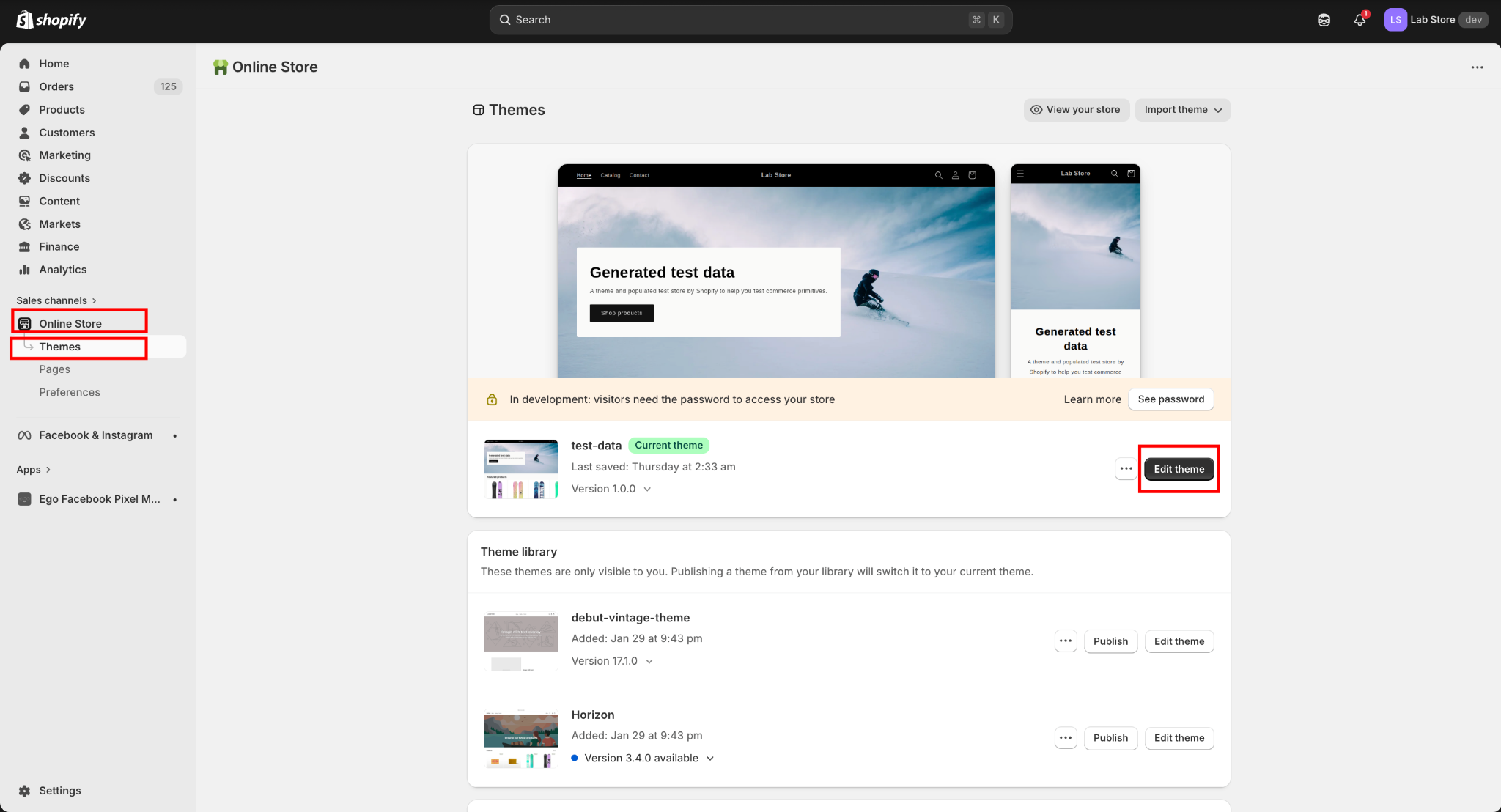
Step 1: Open Online Store
From the left sidebar in Shopify Admin, navigate to: Online Store → Themes
Step 2: Edit the Current Theme
In the Current theme section, click Edit theme.
Step 3: Open App EmbedsInside the Theme Editor:
Click the App embeds icon in the left sidebar.
Locate the embed related to your app.
Turn the toggle ON to enable it.
Step 4: Save Changes
Click Save in the top-right corner to apply the changes.
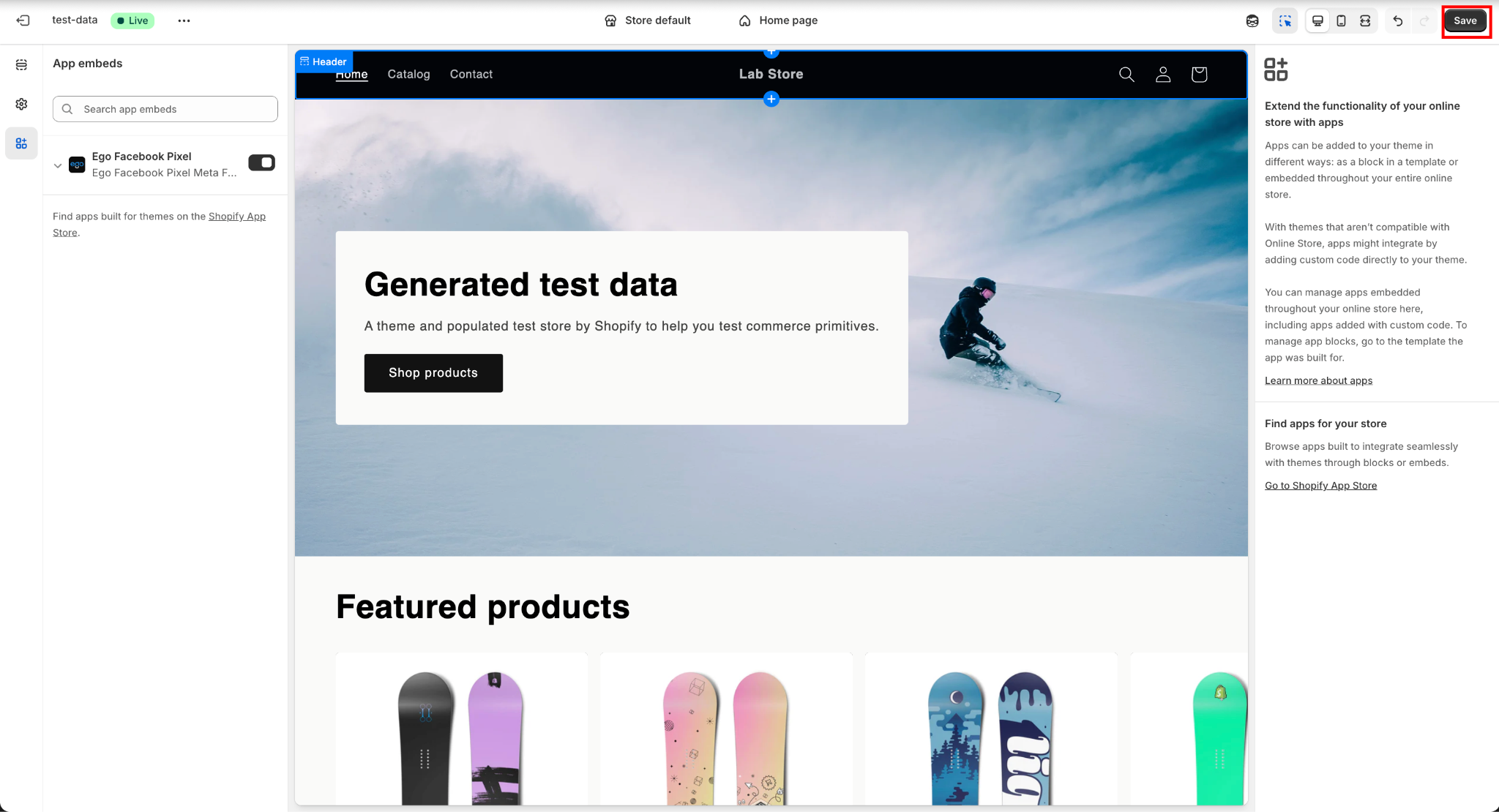
=> The app embed is activated and the app’s functionality will run on the storefront.
Still need help?
Our support team is available 24/7. Contact support →