

Thank You & Order Status Page Surveys
Show a survey on the Thank you page, right after customers complete checkout
Overview
The Thank you page is a great place to ask questions such as "How did you hear about us?" - customers have just placed an order and are happy to answer a quick question
To show a survey on the Thank you page, you need to:
Turn on the Order Status/ Thankyou page channel in your survey
Add the Ego Contact Form Survey block to your Thank you page
This channel doesn't use the theme app embed. Instead, the survey is shown through a block that you add in the checkout editor
Step 1 - Turn on the channel
Open your survey and click the Channels tab
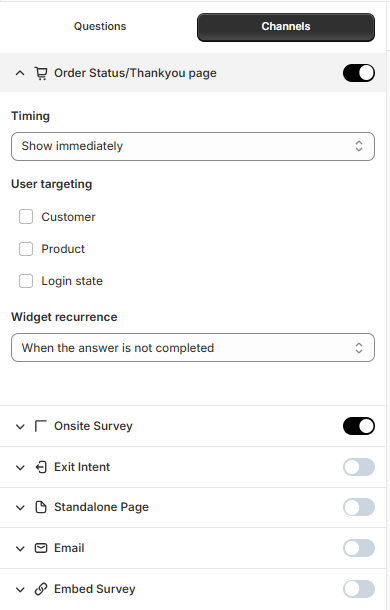
Turn on Order Status/ Thankyou page
Click the arrow next to the channel to set:
Timing - when the survey appears
User targeting - show the survey only to certain customers, for example new customers. See Targeting Rules
Widget recurrence - how often the same customer sees the survey
Step 2 - Add the Ego Contact Form Survey block to your Thank you page
In the settings panel on the right, click Add to Thank you page. The checkout editor opens on the Thank you page
In the Apps panel on the left, search for Ego
Under Ego Contact Form Survey, click the block to add it. The survey appears below the "Thank you" message
Optional: use the arrows on the block to move it up or down the page
Click Save in the top right corner
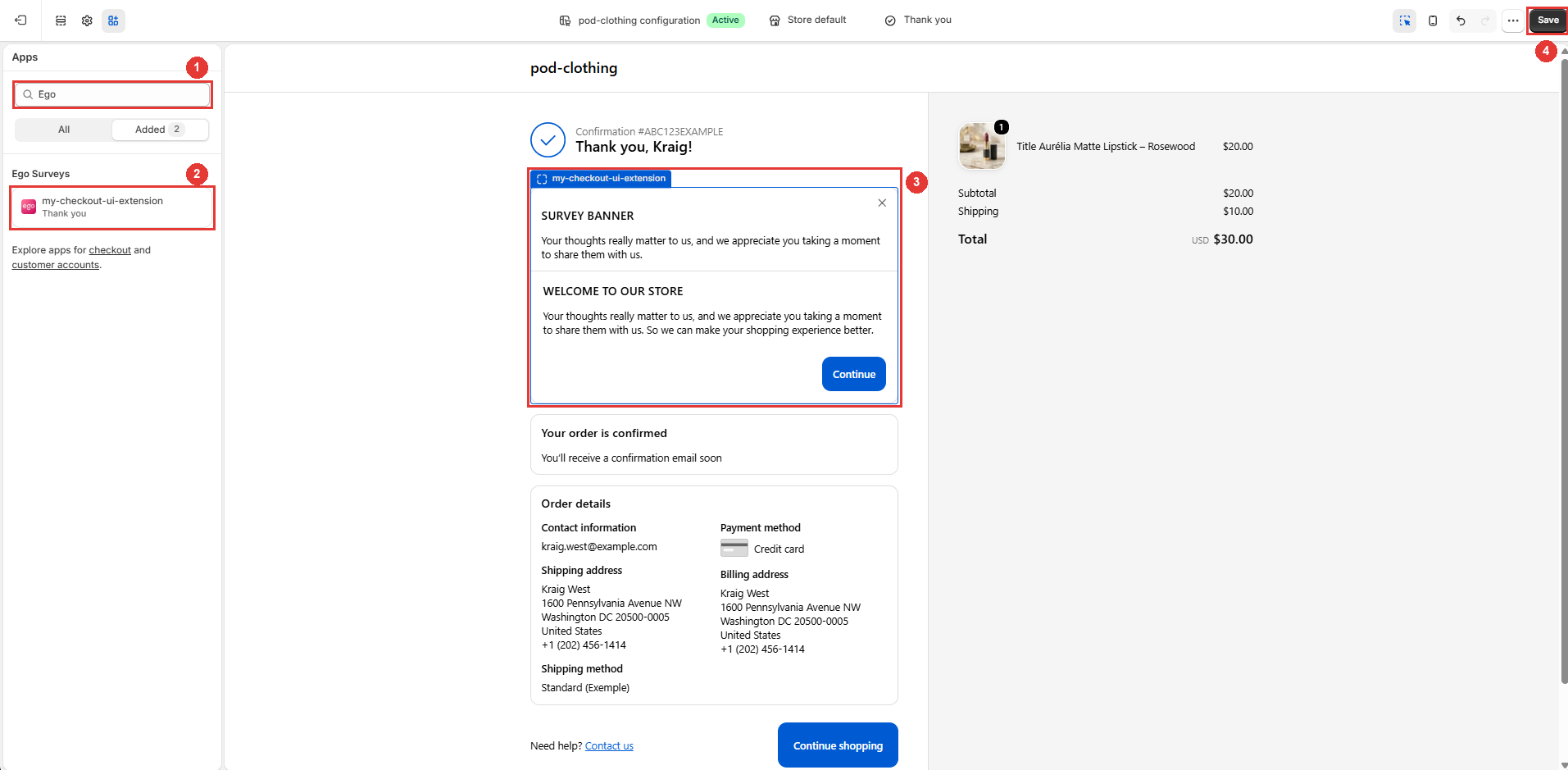
Important: turning on the channel alone is not enough - the survey only appears after you add and save the block. If you need help, click Contact us in the settings panel
Step 3 - Save and test
Back in the survey builder, change the Button labels (Back, Next, Submit) in the settings panel if needed. Leave a field empty to use the default label.
Click Save.
Place a test order in your store. The survey appears on the Thank you page.
Tips:
Keep it short - one to three questions work best, because customers are about to leave.
Use only one active survey on this channel. If several active surveys use it, they all appear on the Thank you page.
The Post-purchase Survey template is a good starting point. See Survey Templates.
Still need help?
Our support team is available 24/7. Contact support →