

How to set up Cart Notes (User Guide - Current Version - Installed since 24/2/2025)
Text field allow putting additional information
Overview
Text field allow putting additional information
What is Cart Notes?
It's a text box being hidden under a text line, allowing customers to put additional notice for seller such as special requirements or shipping notice.
!
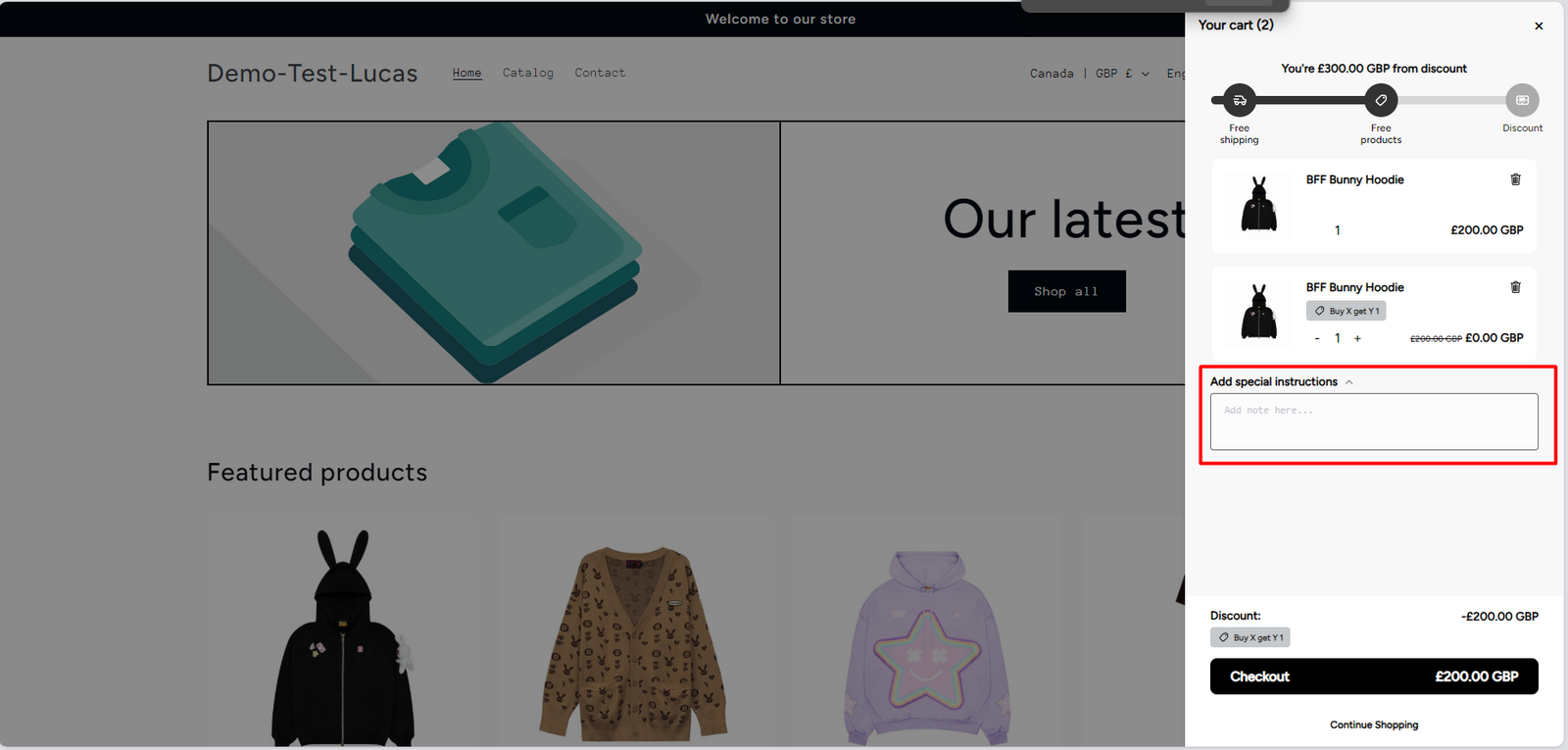
Common use case:
Example: Customer wants to notice the merchant about shipment, packaging or product content
Steps to set up a Cart Notes
Step 1:
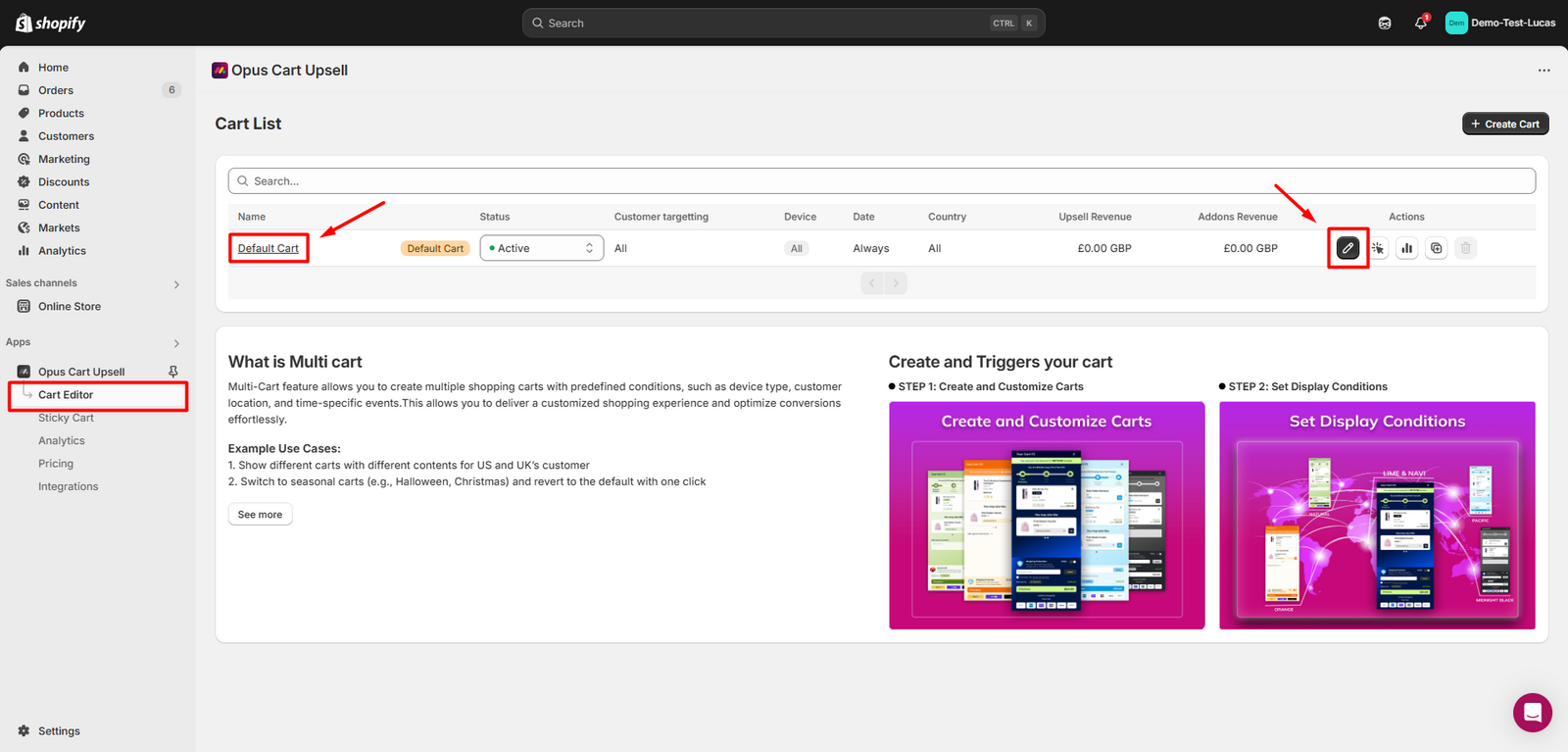
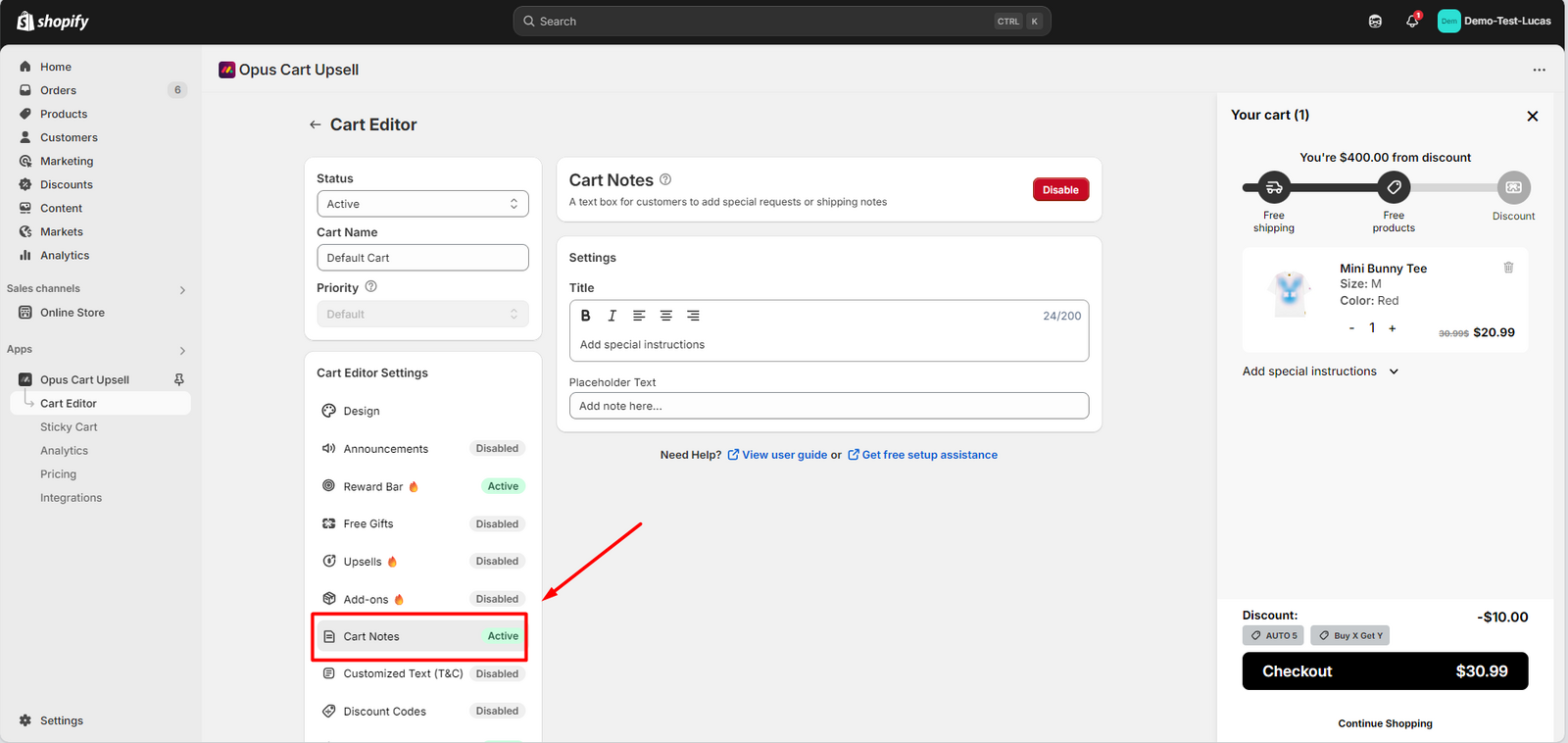
Navigate to the Cart Editor, select the cart that you want to edit. Then select Cart Notes module in the feature menu.
!
!
Step 2:
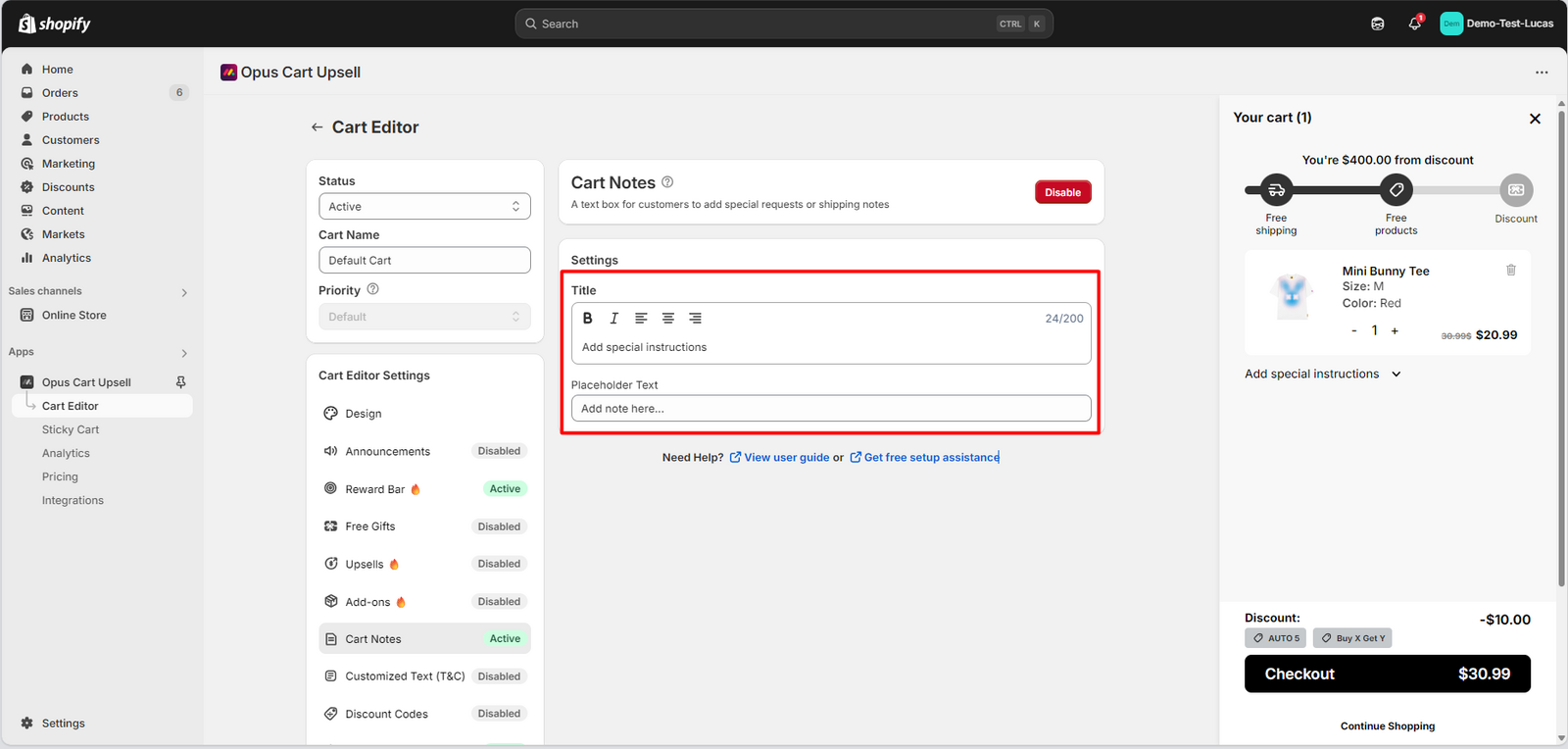
Fill in the title of the note box and the placeholder text of it
!
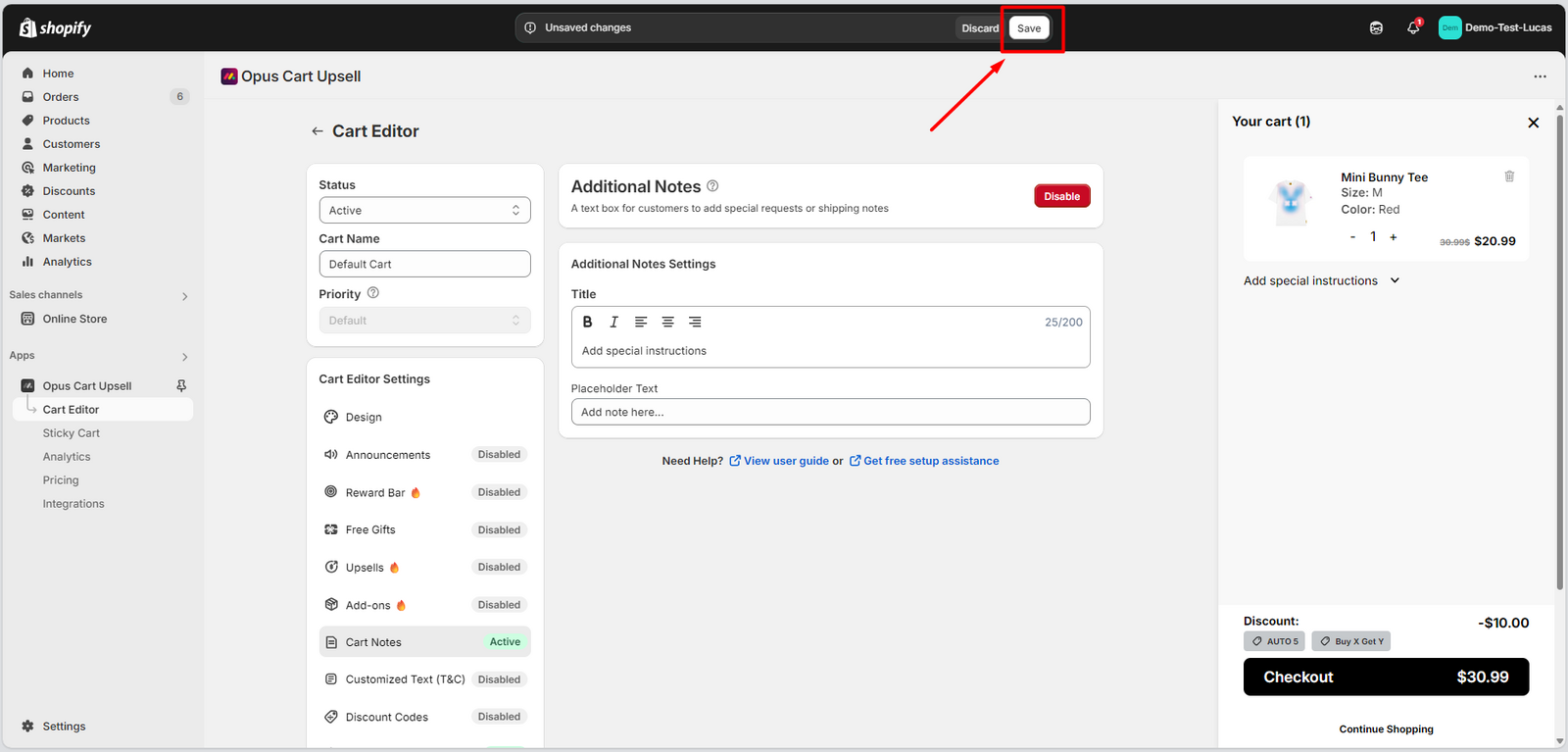
Step 3:
Hit "Save" to save all the changes
!
Step 4:
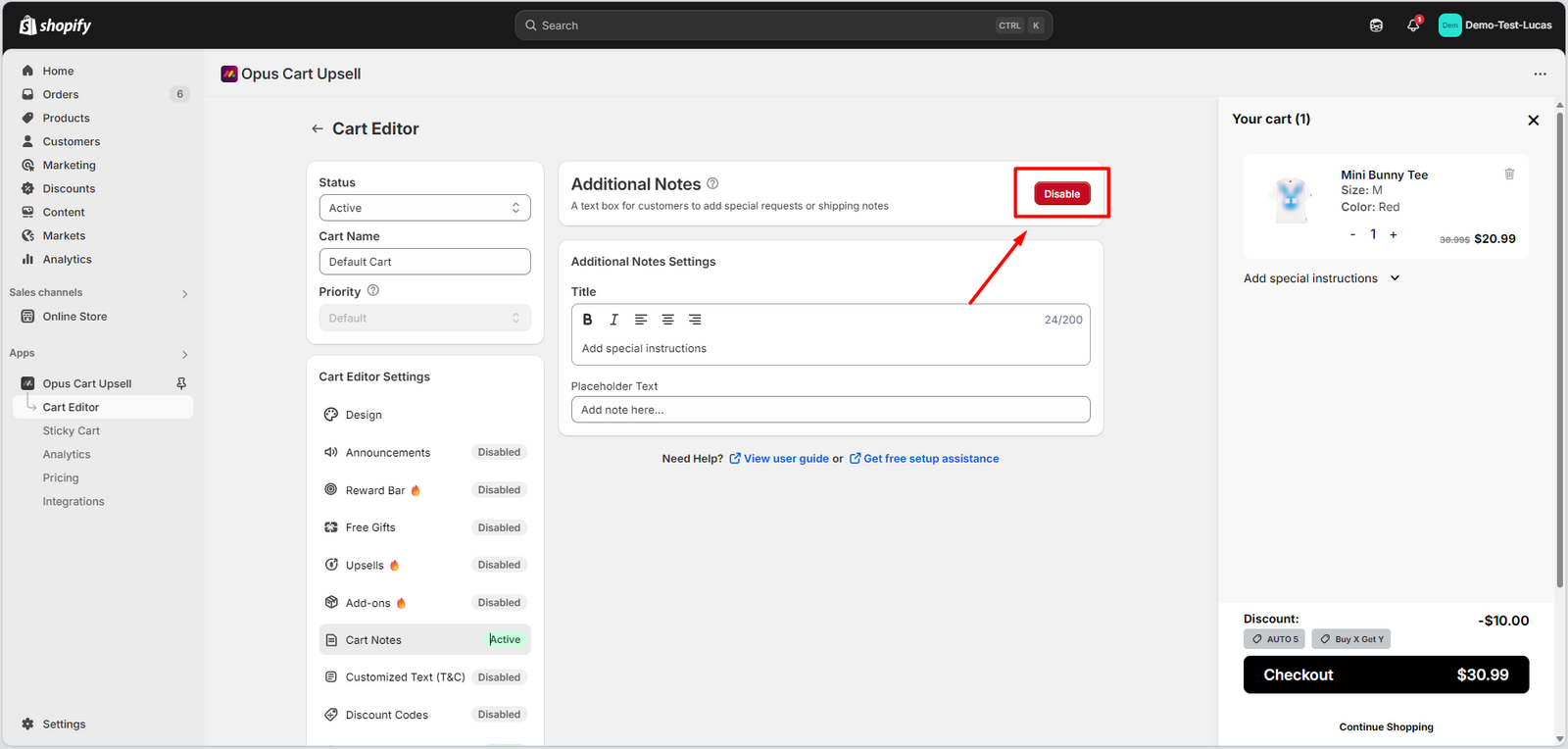
Enable the module
If the button says Enable, it means that the module is not enabled yet. Click on it to activate the module.
!
Need help? Let us know via in-app live chat or email: help@egohub.co 🤩
Still need help?
Our support team is available 24/7. Contact support →