

Express Payments Setup
Navigate to checkout page easier with accelerated checkout. Including Shopay, ApplePay, Paypal, GPay, etc.
1. Express Payments Definition
Express Payment refers to special checkout buttons designed for certain payment methods like PayPal, Apple Pay, Google Pay, Shop Pay, and more.
These buttons take customers directly to their preferred payment method, making the checkout process faster and reducing the chances of cart abandonment.
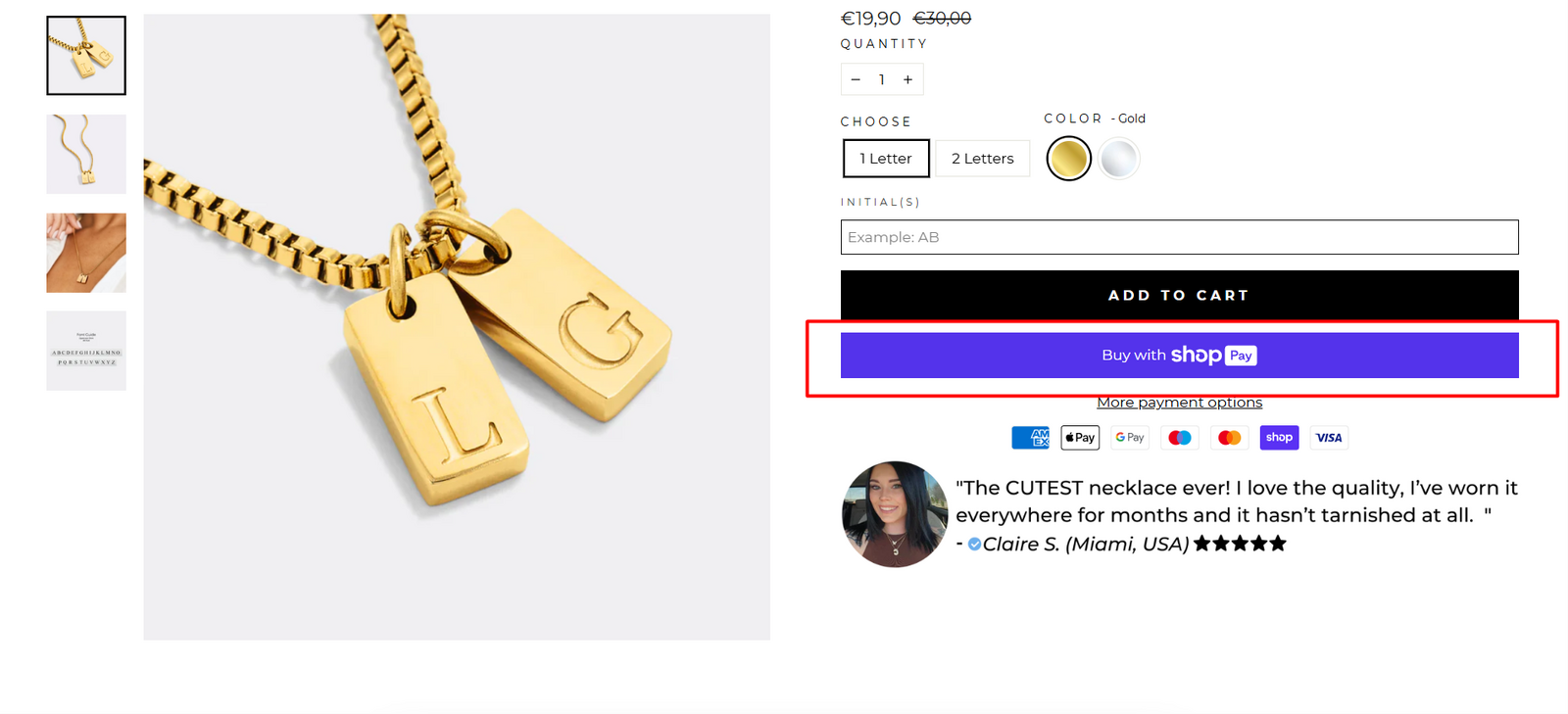
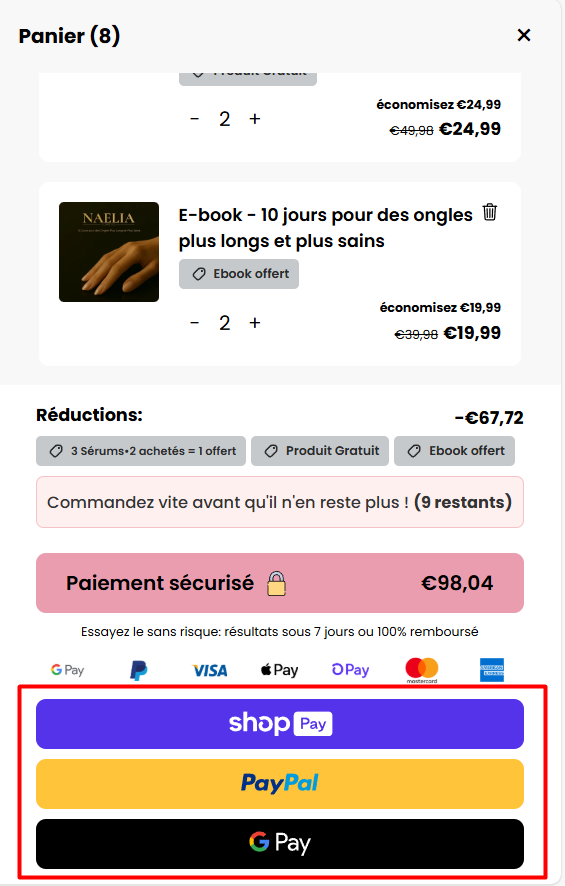
2. Steps to set up Express Payment
Step 1:
Unlock Express Payments on Shopify Online Store
Go to Edit Code page of your theme
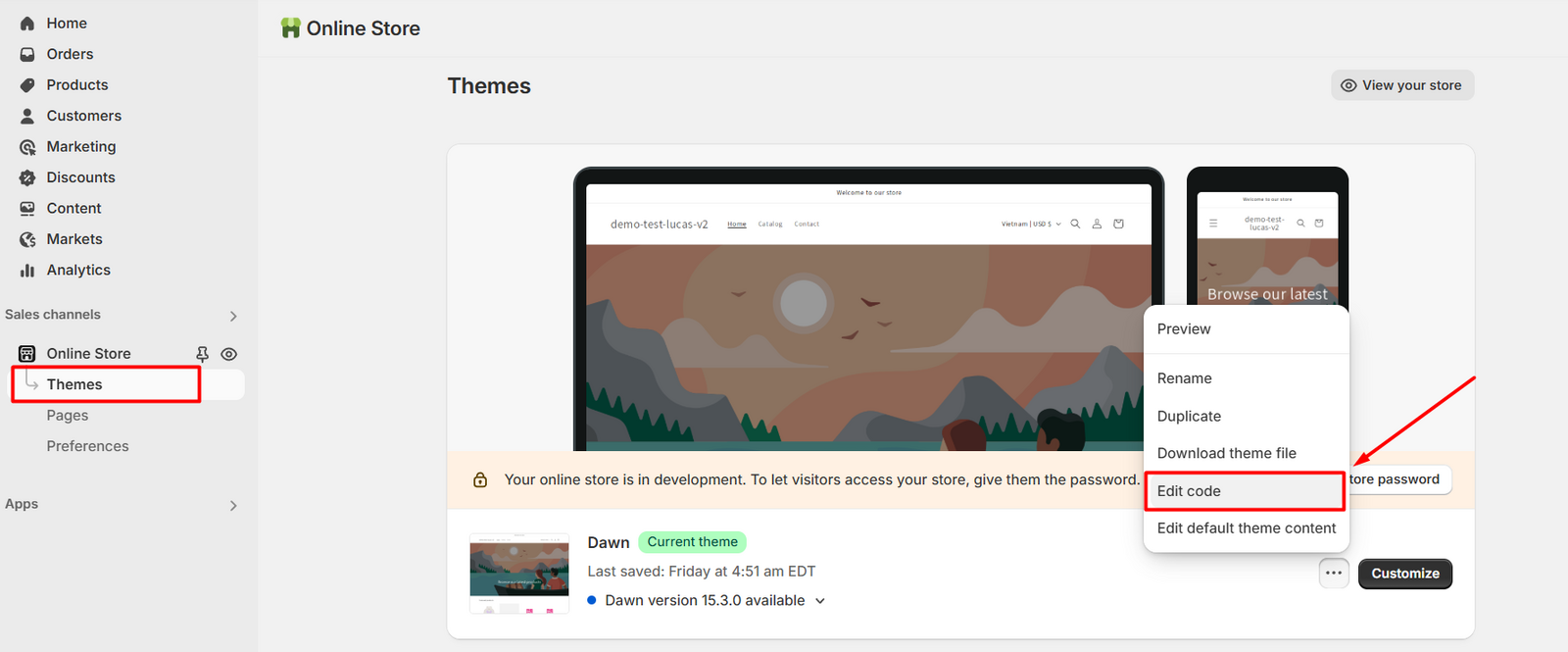
Go to theme.liquid file
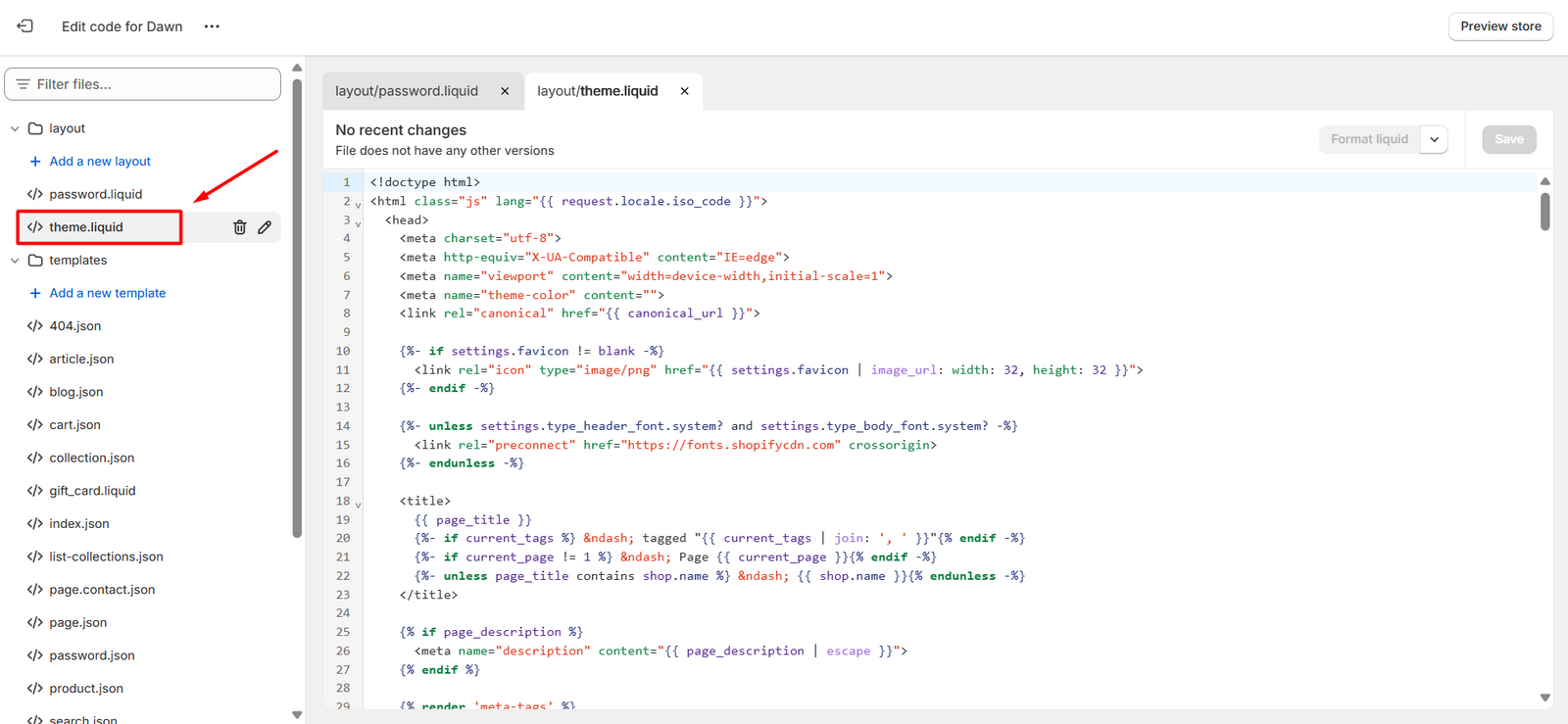
Hit Ctrl+F or CMD+F and type in <body>
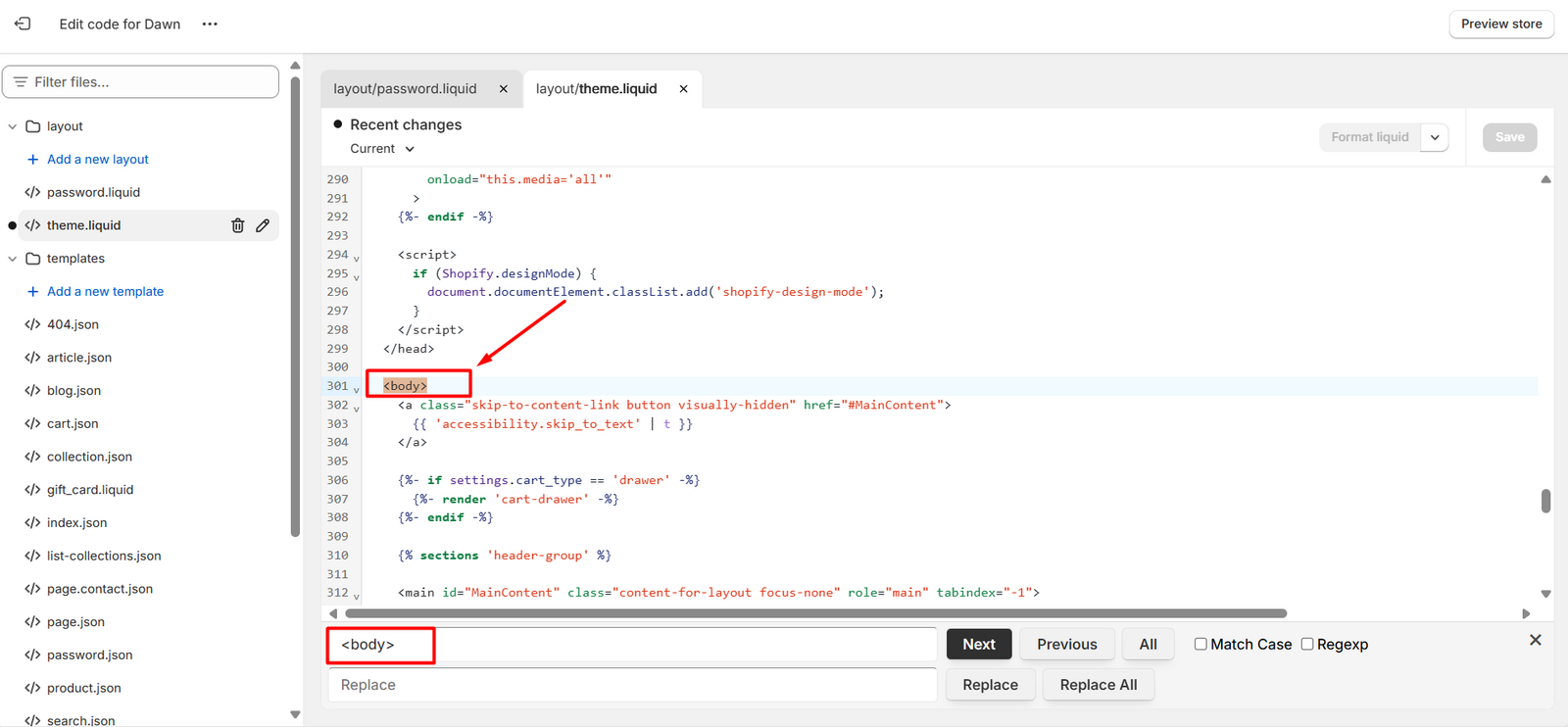
Add the below code to any blank lines below the first <body> tag
<div style='display:none'> {% if additional_checkout_buttons %} {{ content_for_additional_checkout_buttons }} {% endif %} </div>
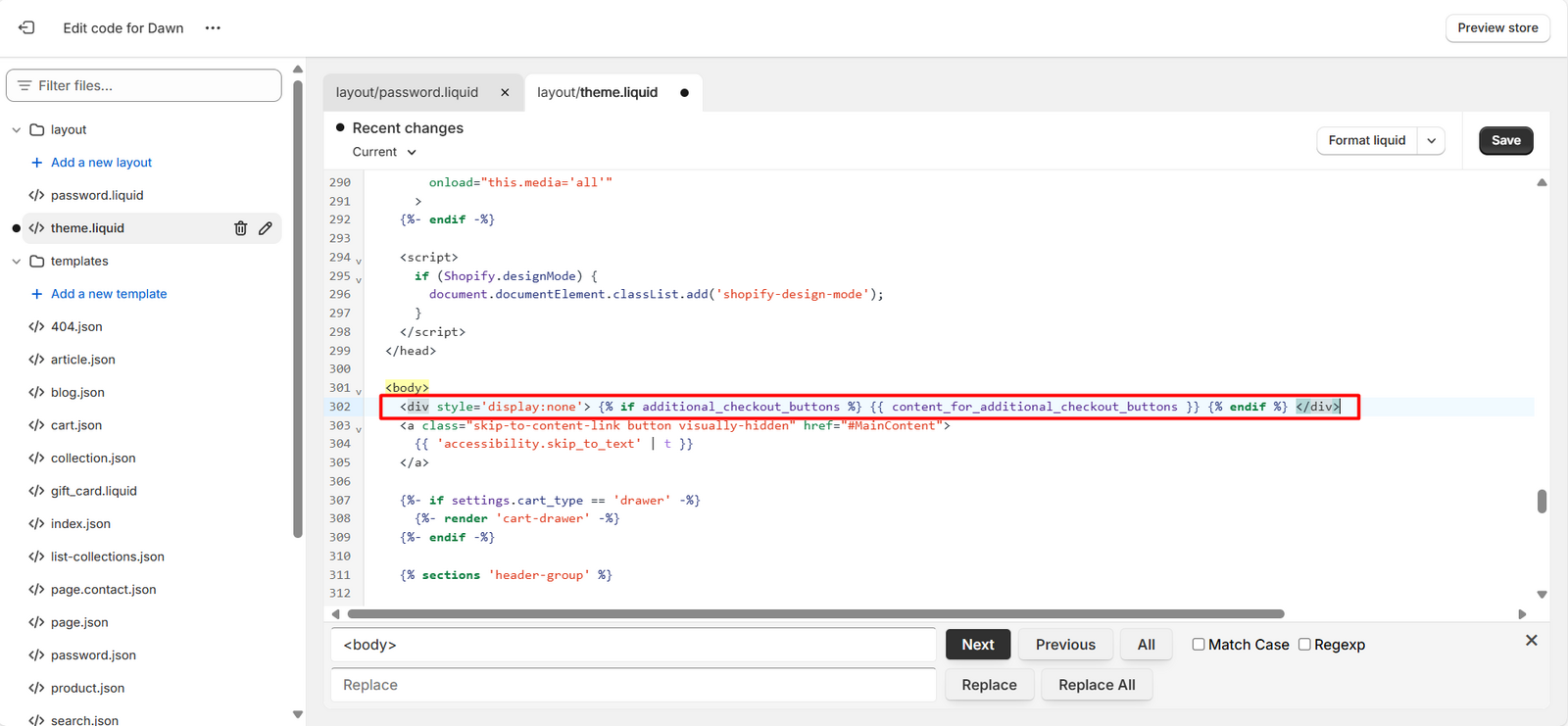
Step 2:
Enable Express Payments Feature
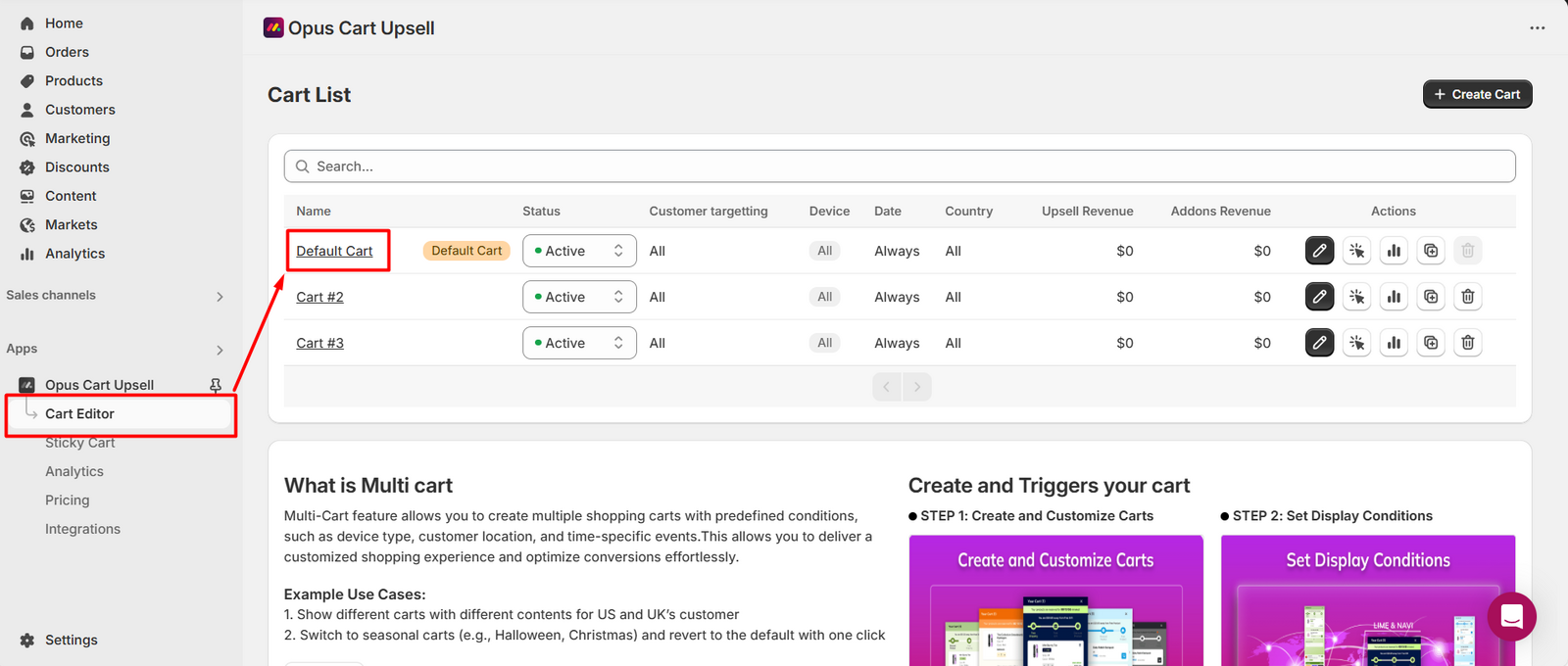
From the app’s navigation menu, go to the Cart Editor tab. This will open the Cart List page. Click on the cart you want to enable the feature.
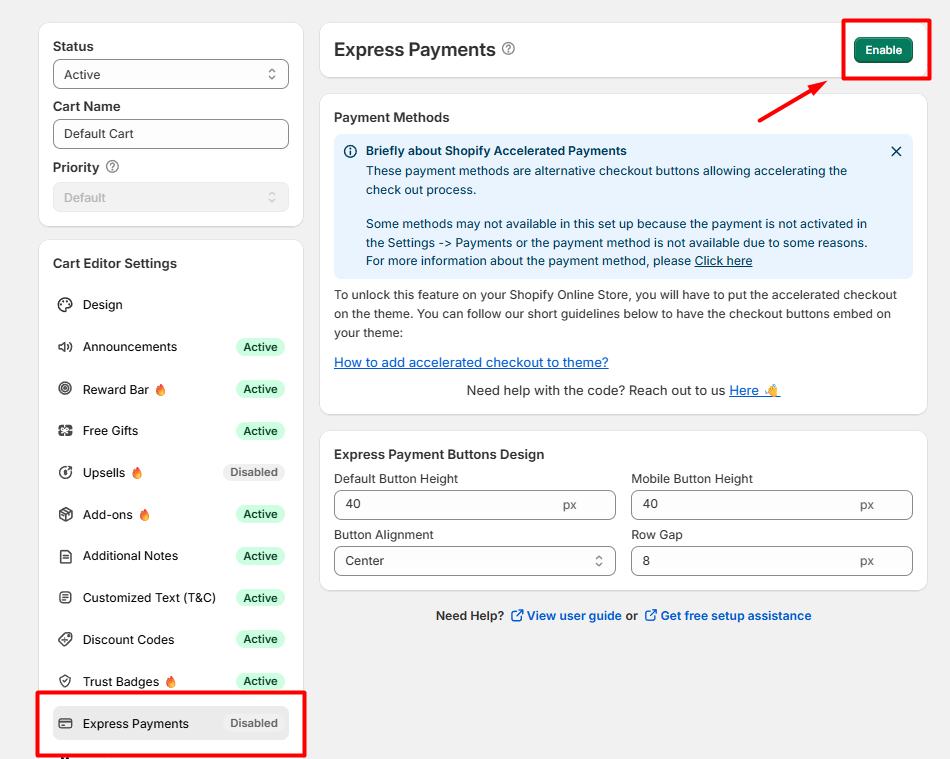
Select Express Payment module in the feature menu. Click Enable to turn on the feature.
Step 3:
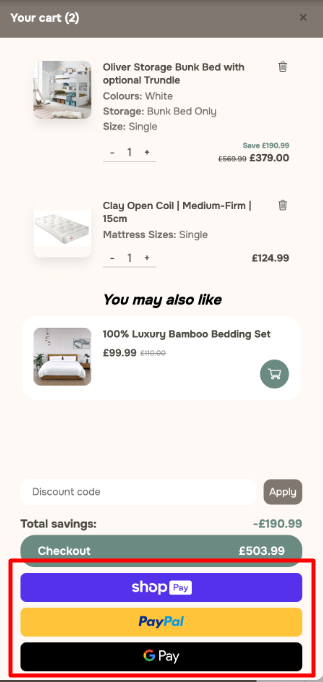
Check to see if Express Payments have appeared in your cart.
Need help? Let us know via in-app live chat or email: help@opusecom.co🤩
Still need help?
Our support team is available 24/7. Contact support →