

Add-ons Setup
Shipping Protection and Gift Wrapping with a single touch
1. What is Add-ons?
Add-ons is a feature that displays special services or products offered by merchants—such as shipping protection, gift wrapping, and more—directly in the cart.
2. Common used cases
Example: Merchants want to offer Shipping Protection as an add-on for $5.
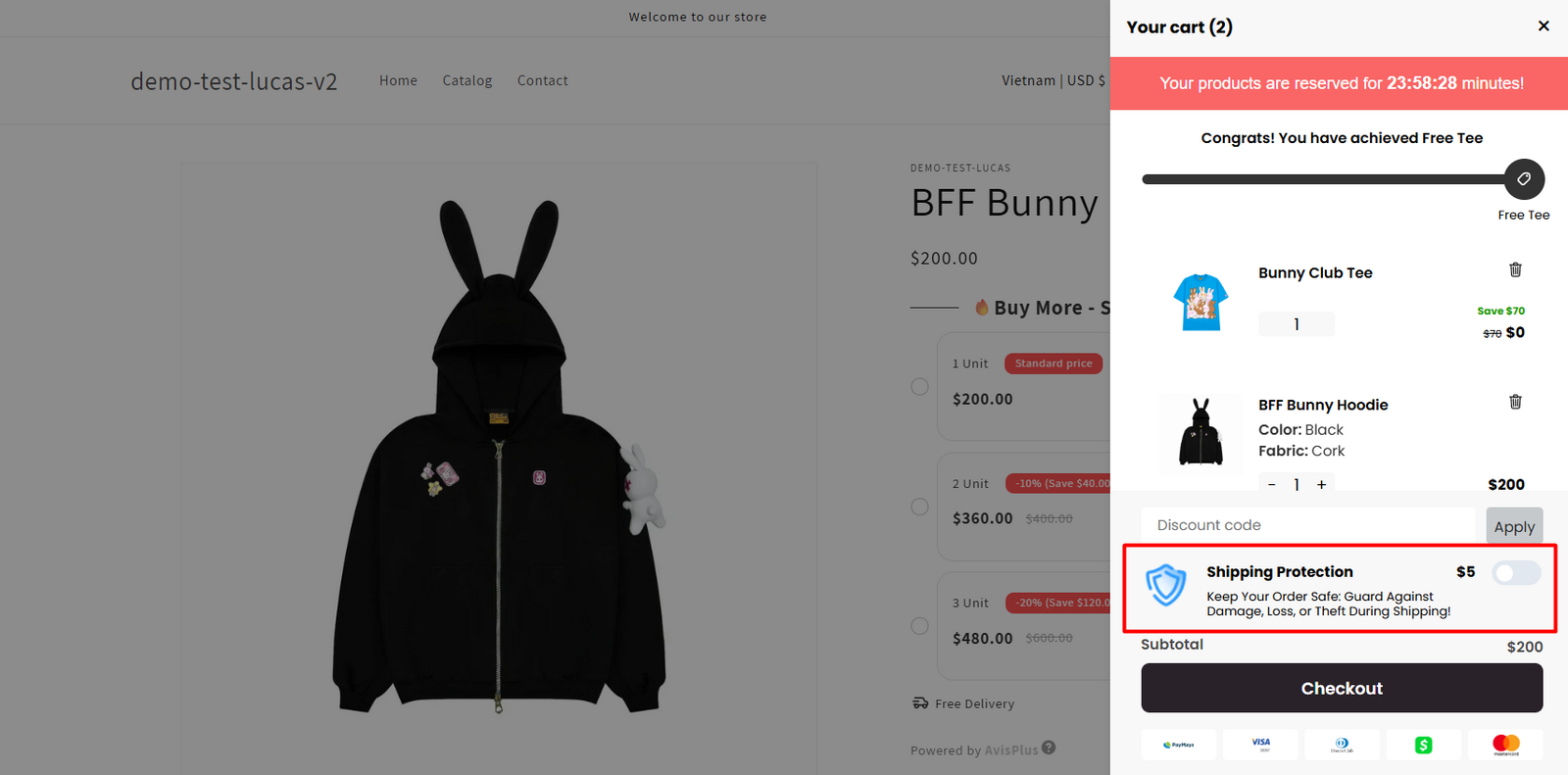
3. Steps to set up an add-on product
Step 1: Access Add-ons Feature
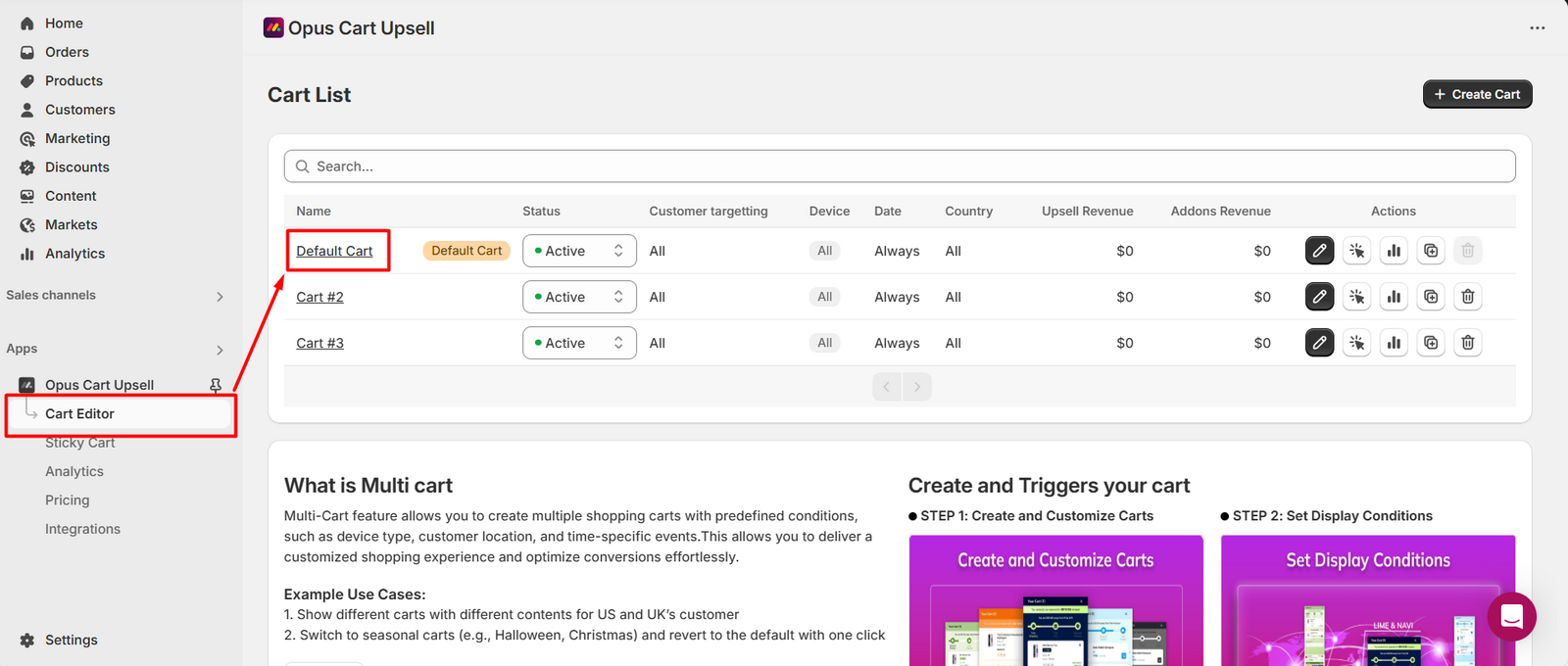
From the app’s navigation menu, go to the Cart Editor tab. This will open the Cart List page. Click on the cart you want to edit to begin making changes.
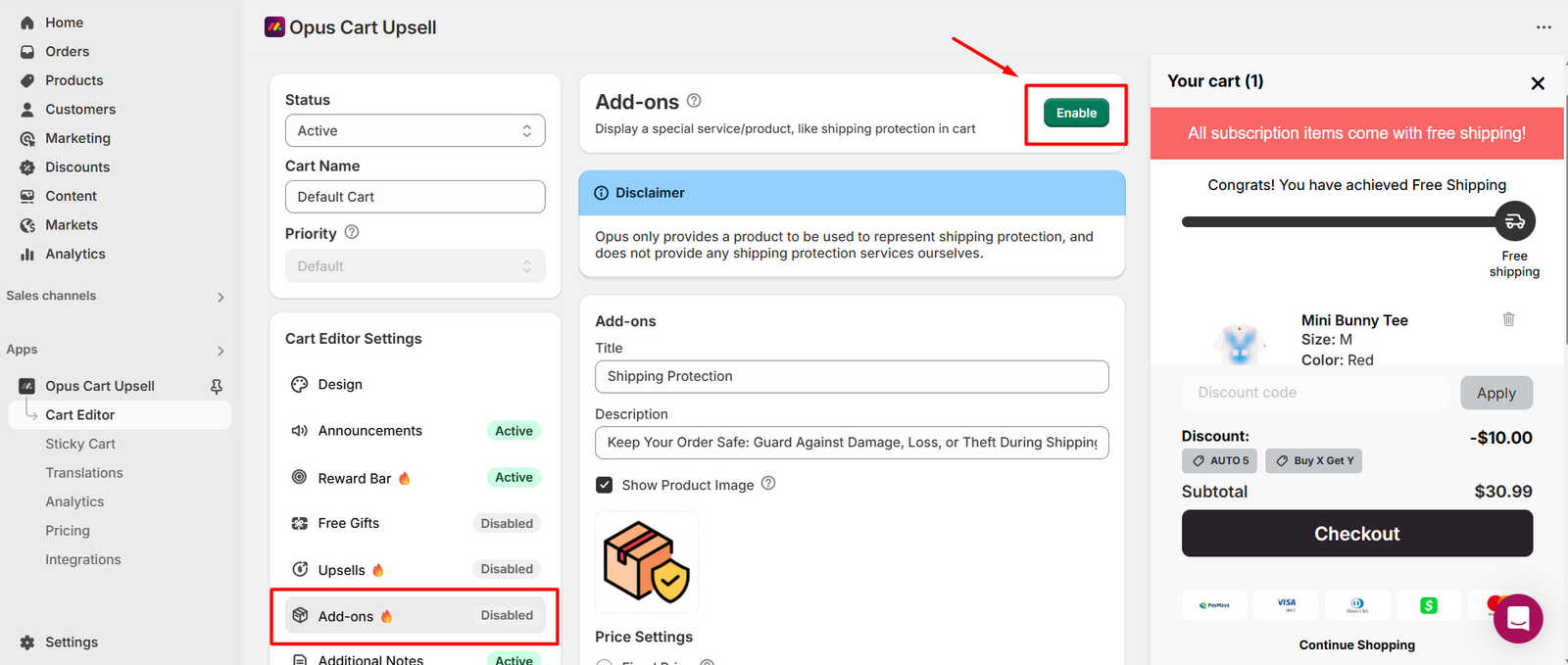
Select Add-ons module in the feature menu. Click Enable to turn on the feature.
Step 2: Configure Add-on Product
Once enabled, an add-on product (Shipping Protection) will be automatically created. You can customize the product's title, description, and image as needed.
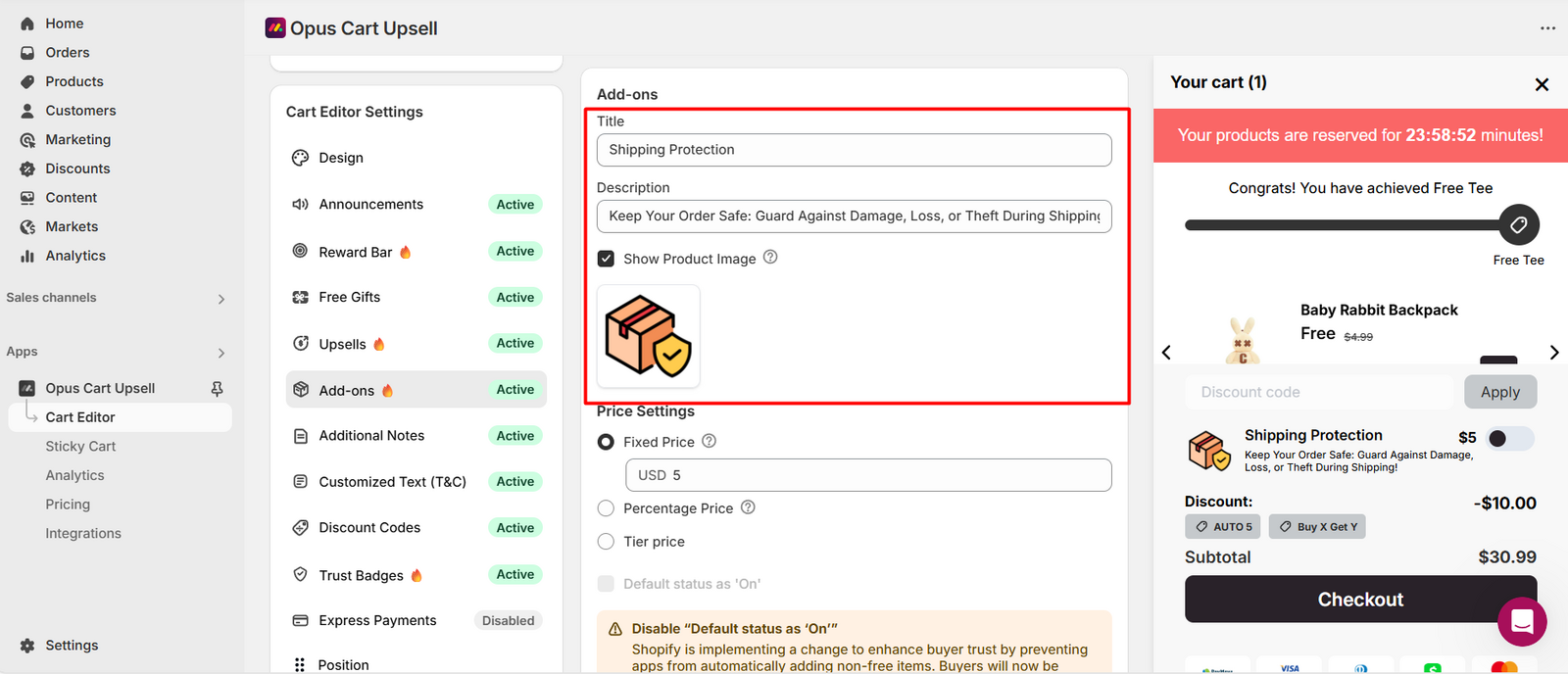
Next, set up the price. There are three pricing methods available: Fixed Price, Percentage Price and Tier Price.
If you want to add the second add-on product, click Add Second Addons button.
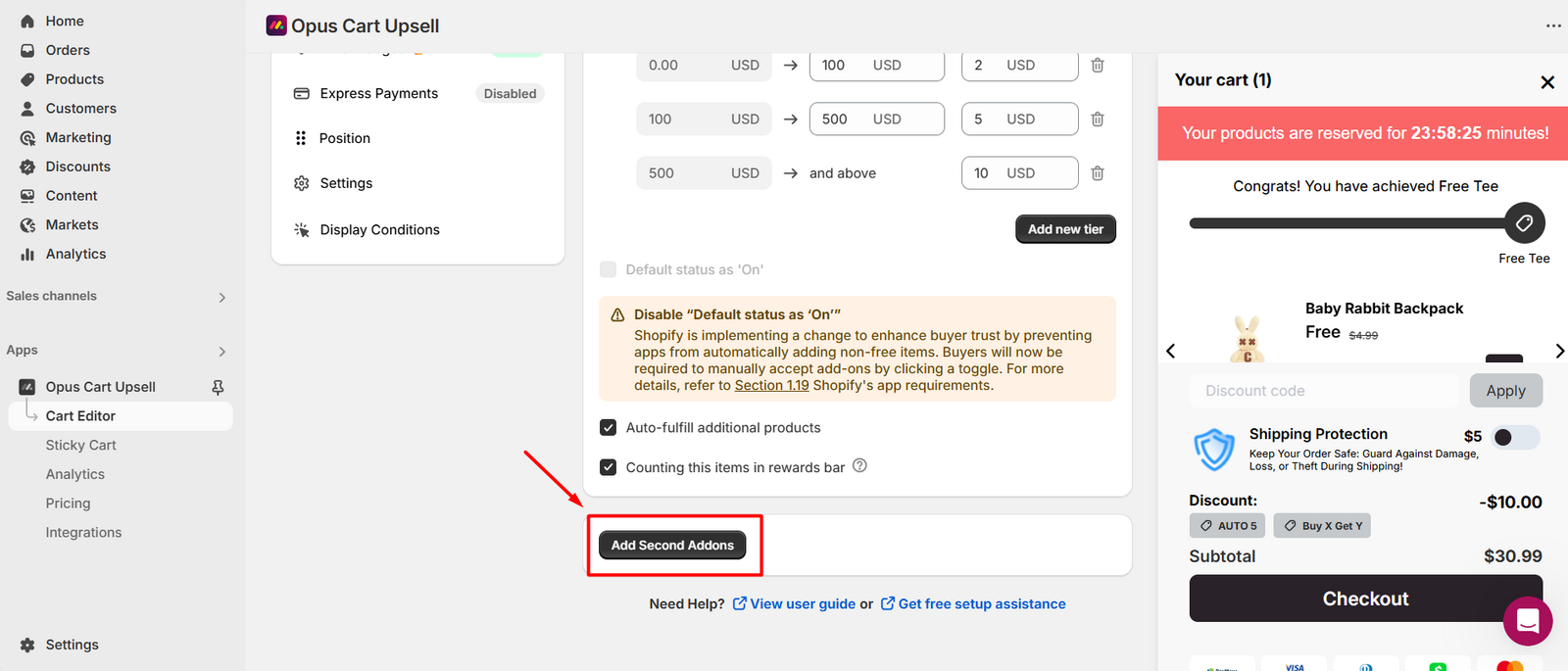
Step 3: Check how your add-on works on the storefront
Add items to cart to open cart.
Check if add-on appears in the cart.
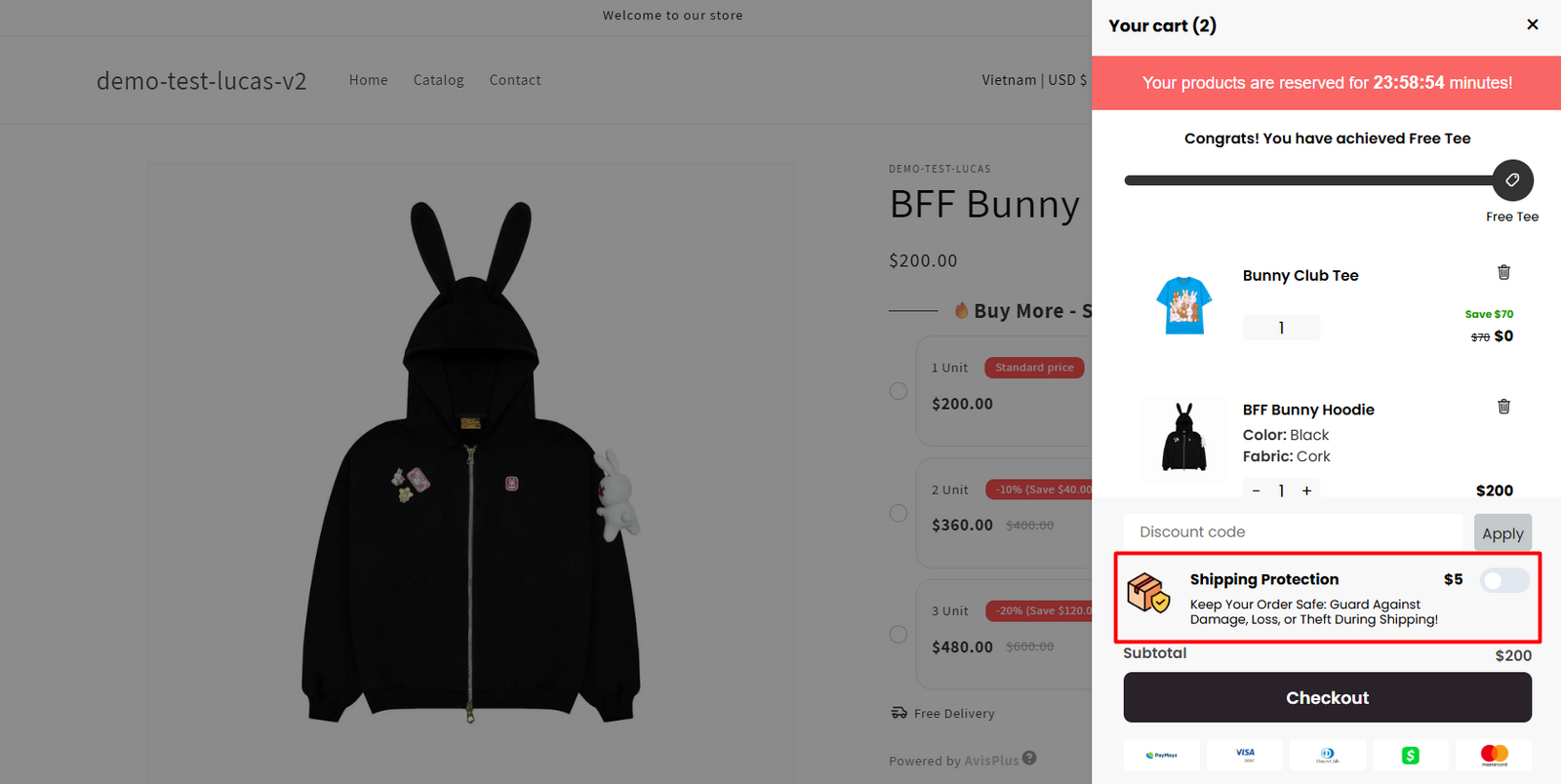
Need help? Let us know via in-app live chat or email: help@opusecom.co 🤩
Still need help?
Our support team is available 24/7. Contact support →