

Features & Setup·1 min read
Additional Notes Setup
Text field allow putting additional information
1. Additional Notes Definition
Additional Notes is a text box being hidden under a text line, allowing customers to put additional notice for seller such as special requirements or shipping notice.
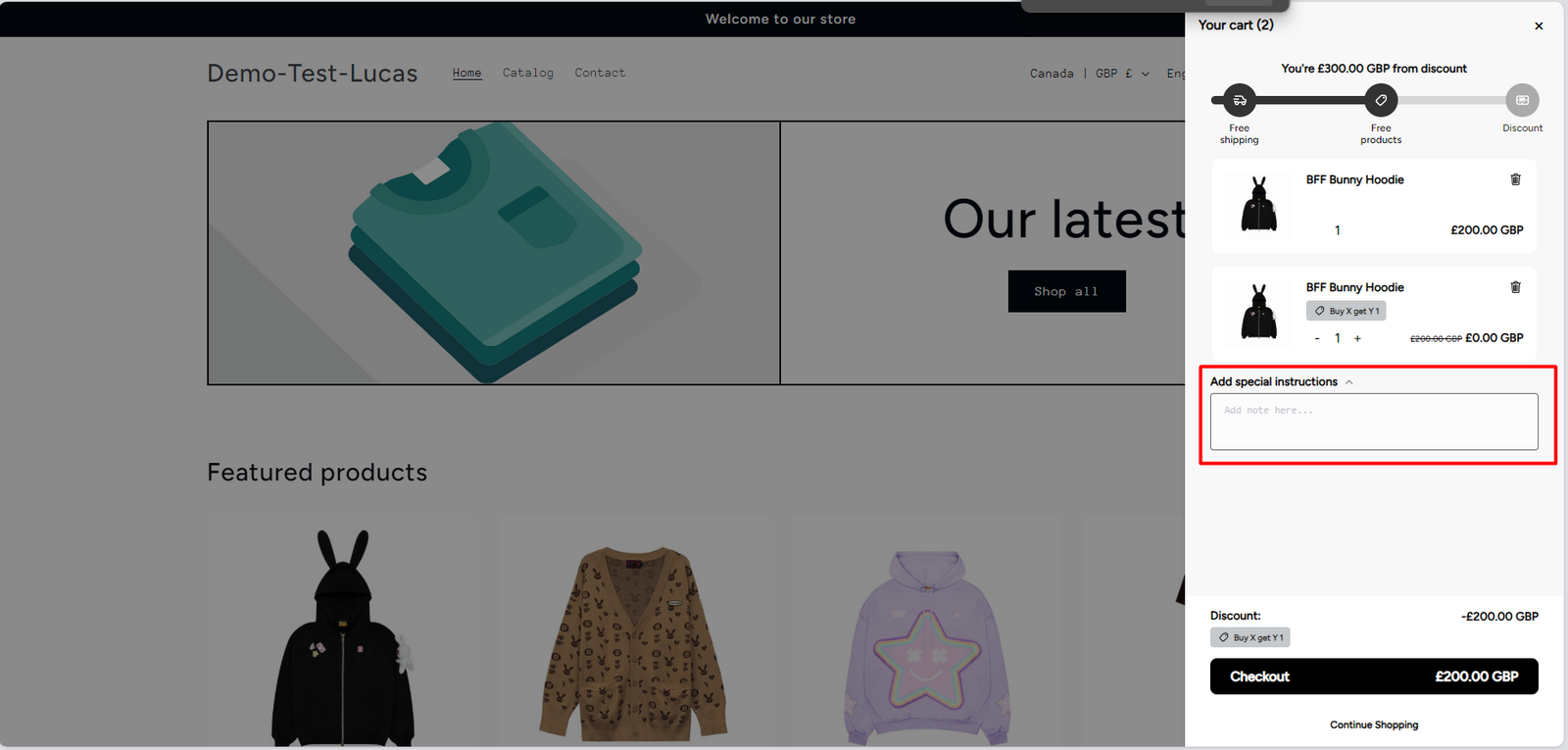
2. Steps to set up a Cart Notes
Step 1:
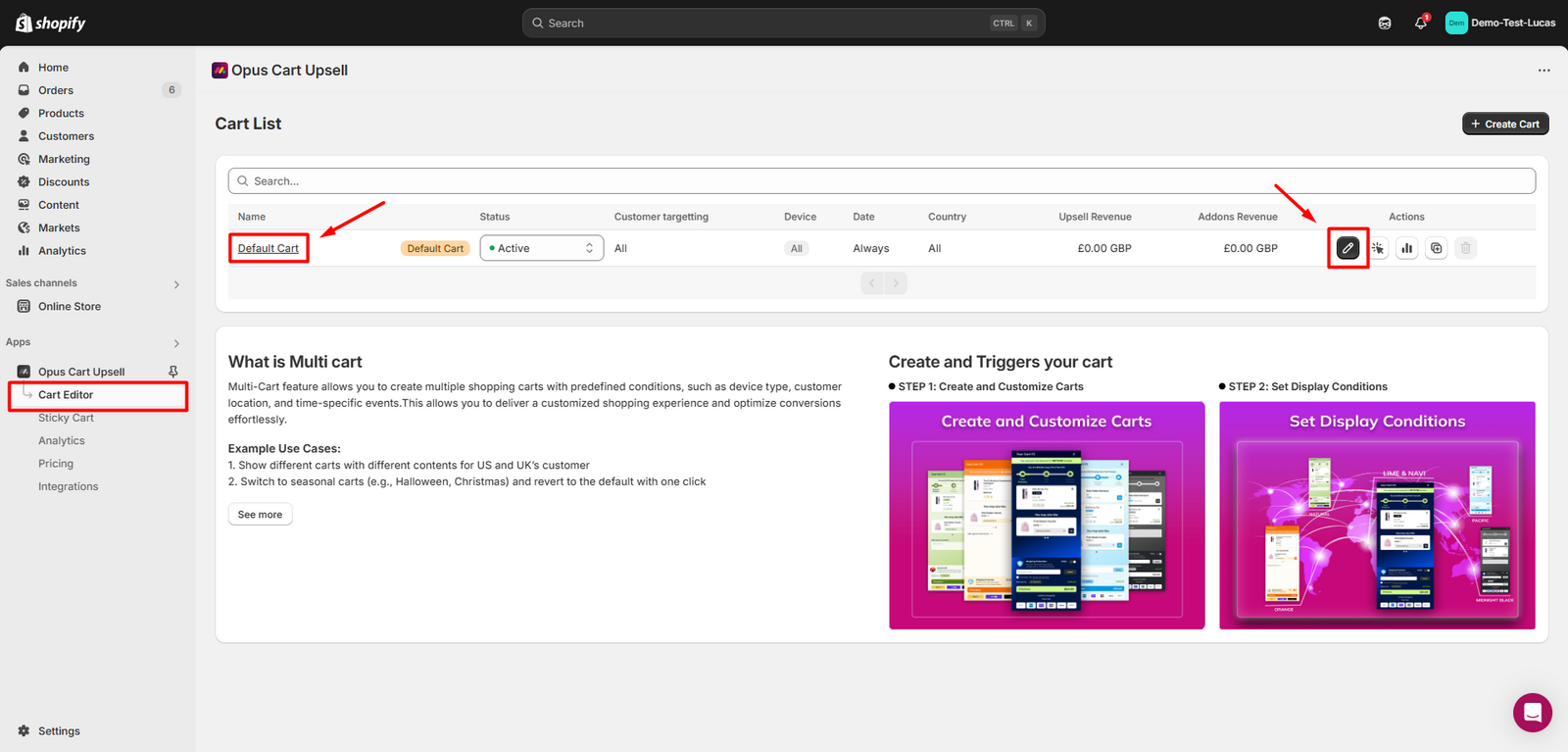
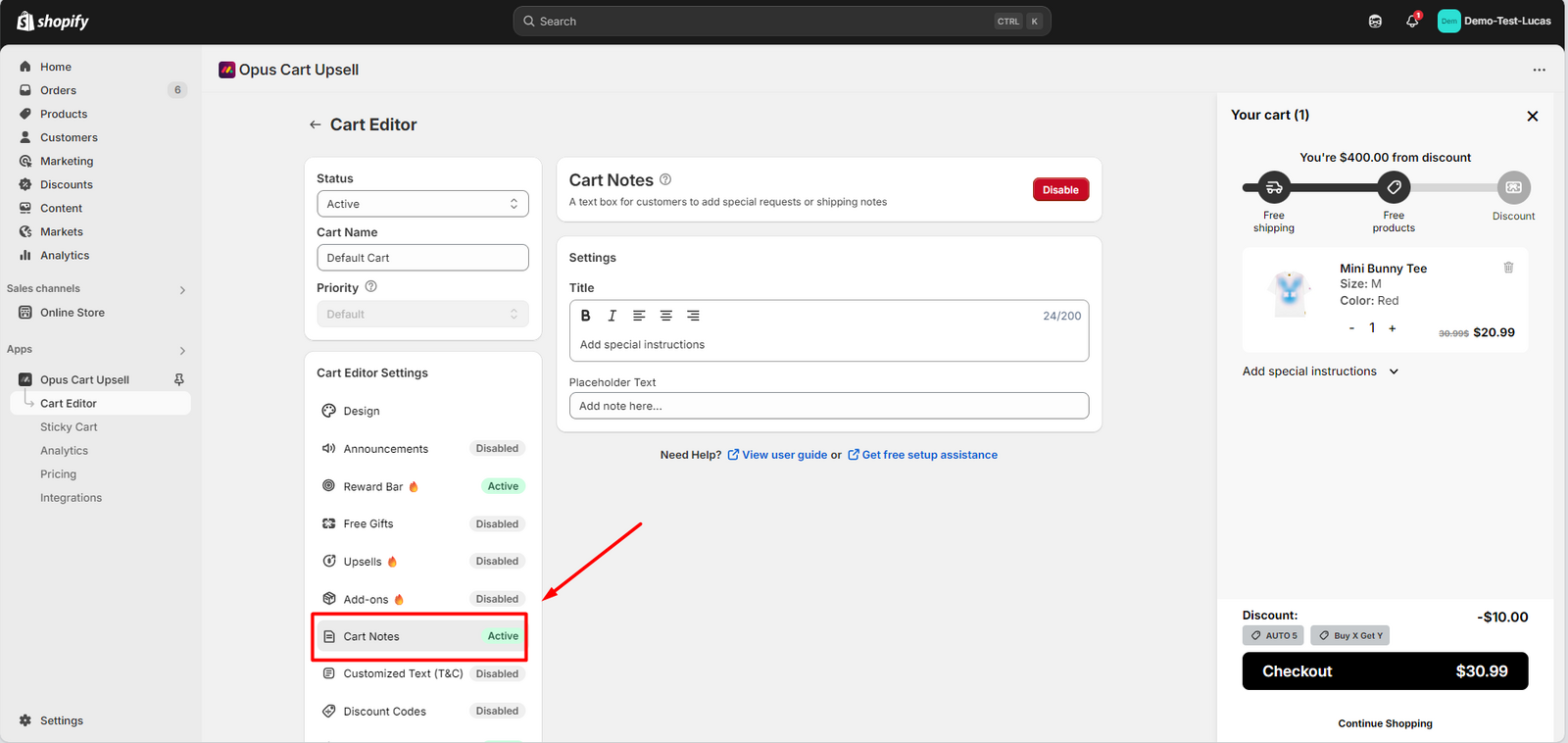
Navigate to the Cart Editor, select the cart that you want to edit. Then select Cart Notes module in the feature menu.
Step 2:
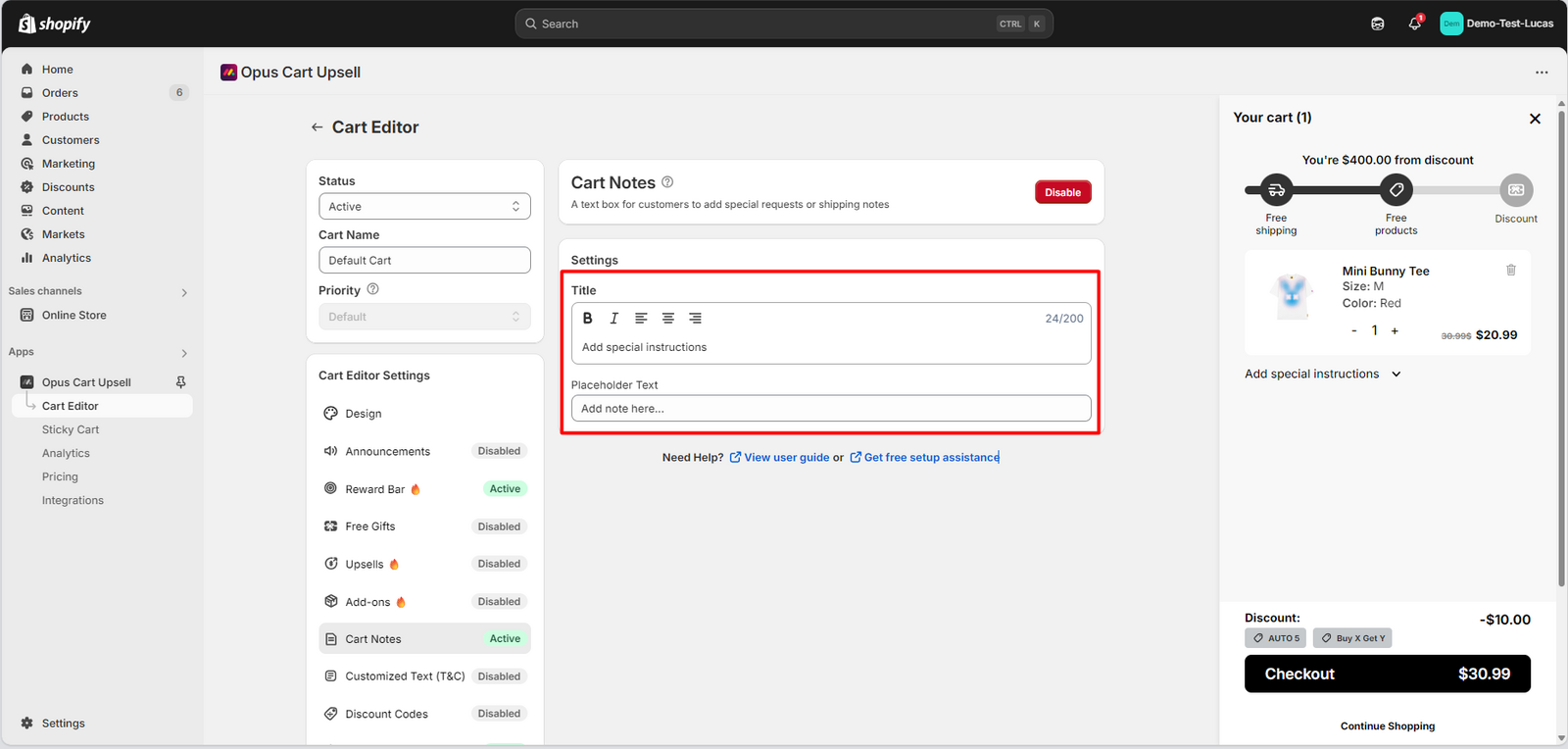
Fill in the title of the note box and the placeholder text of it
Step 3:
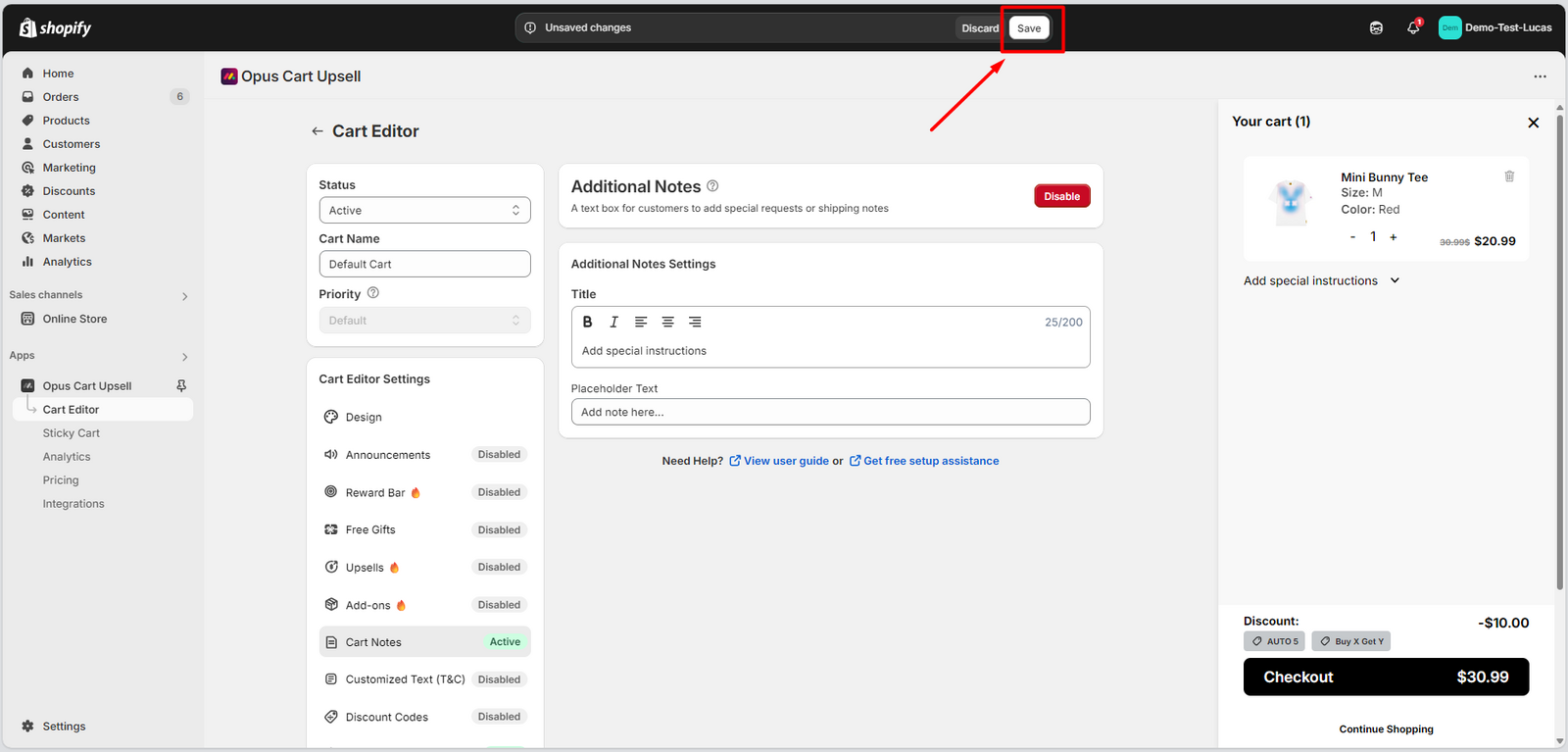
Hit "Save" to save all the changes
Step 4:
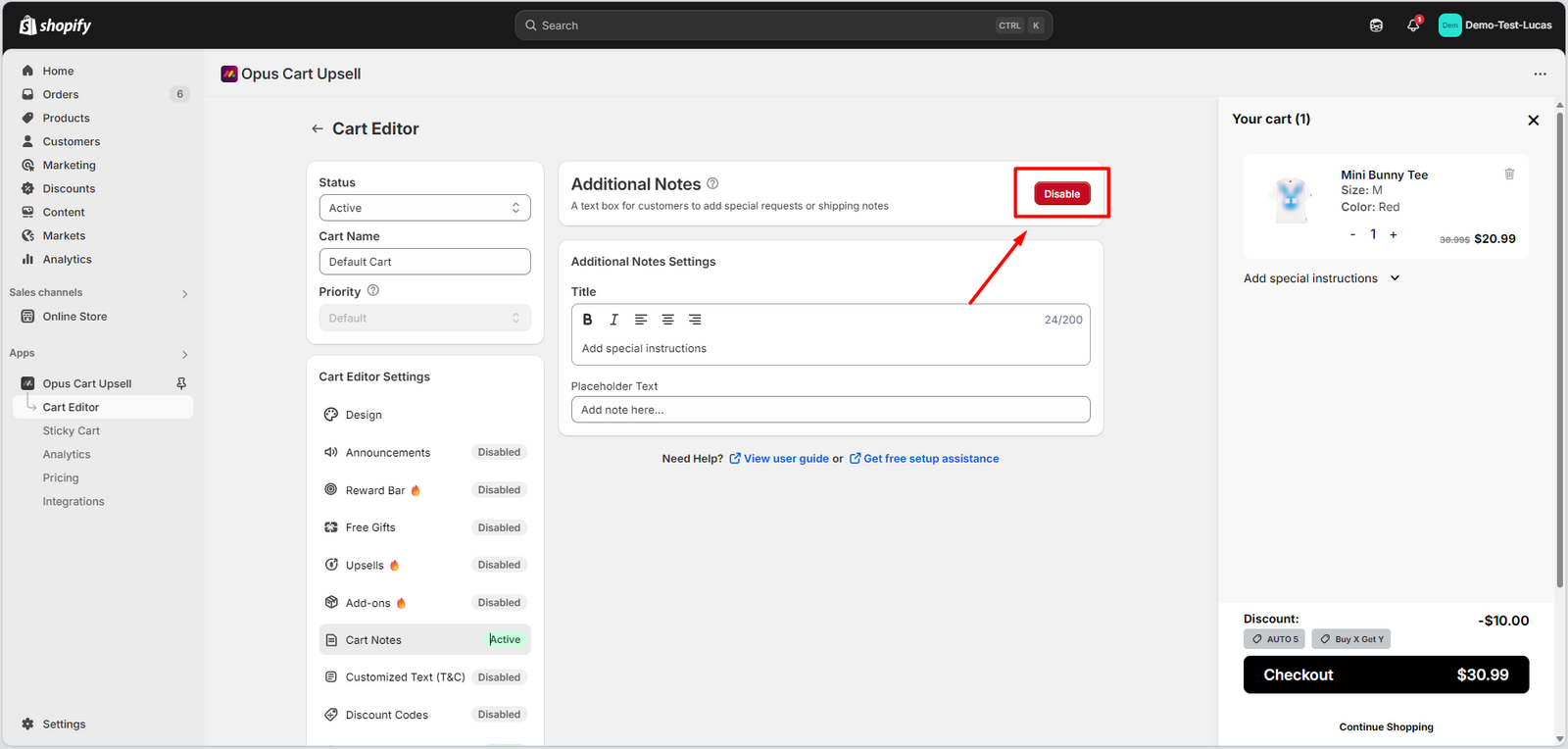
Enable the module
If the button says Enable, it means that the module is not enabled yet. Click on it to activate the module.
Need help? Let us know via in-app live chat or email: help@opusecom.co 🤩
Still need help?
Our support team is available 24/7. Contact support →