

How to set up reward tier to show by country?
Learn how to utilize the advanced setting of rewards bar to show reward tiers to limited countries.
Summary
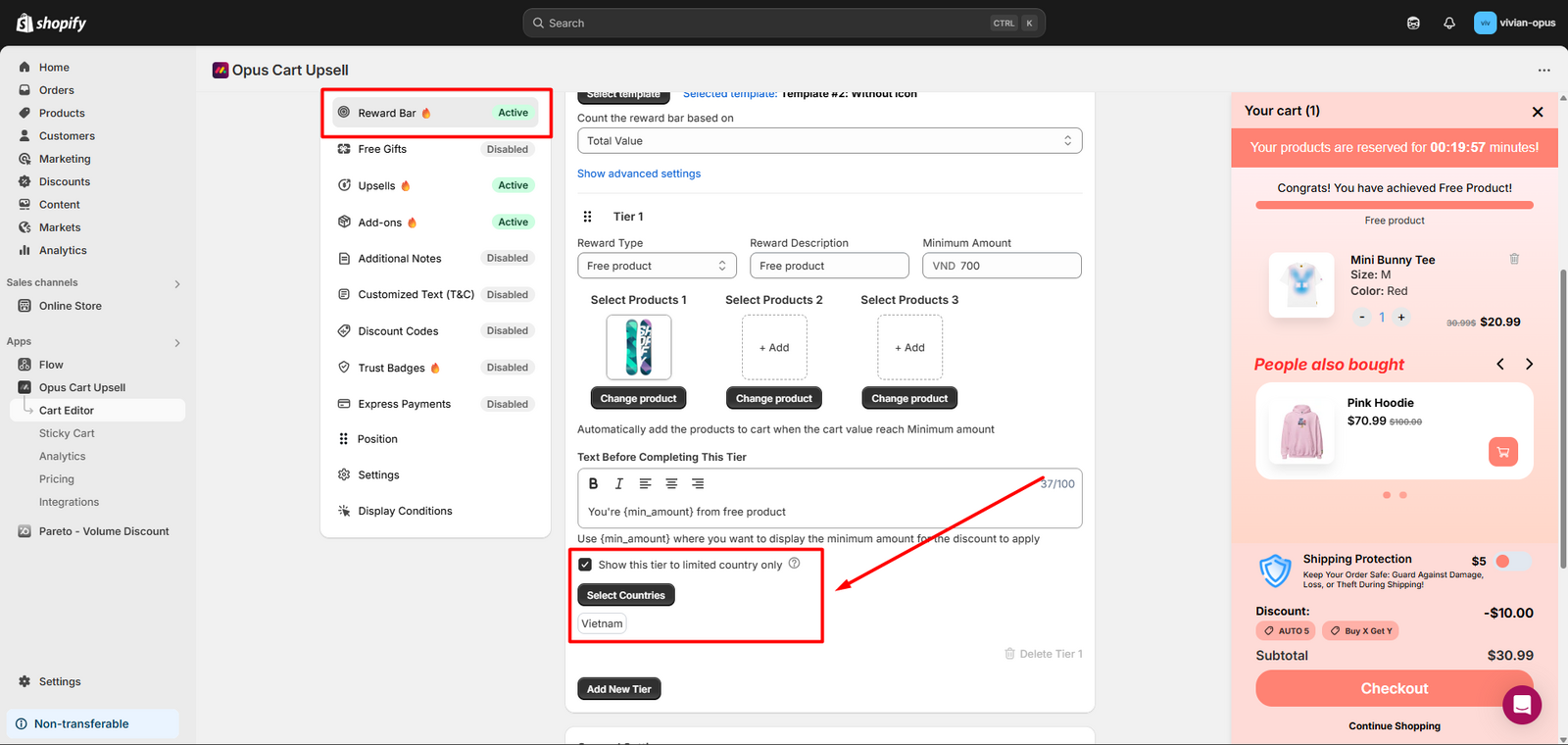
When creating a reward tier for the rewards bar, there is an option under every tier to whether show the tier to limited country selection or not - which means each tier may have a different country display condition.
Example: A common used case is when merchants have 3 different free shipping threshold for different countries. Now we can set up: Tier 1: Free shipping at $30 - only shown for Vietnam, Thailand, Singapore. Tier 2: Free shipping at $70 - only shown for Japan and China. Tier 3: Free shipping at $100 - only shown for Germany.
Instead of seeing 3 reward tiers, each country listed above will only see ONE free shipping threshold in their rewards bar.
This feature works depending on your Shopify Markets, which creates a region selector that you show on your online store. The basic steps for the feature to work properly are:
Step 1: Make sure to include the country you want to show to in your Markets.
Step 2: Turn on the region selector in your live theme.
Step 3: Set up in app.
Steps to set up reward tier to show by country
Step 1: Include the country you want to show to in your Markets.
Navigate to "Markets" in your Shopify Admin.
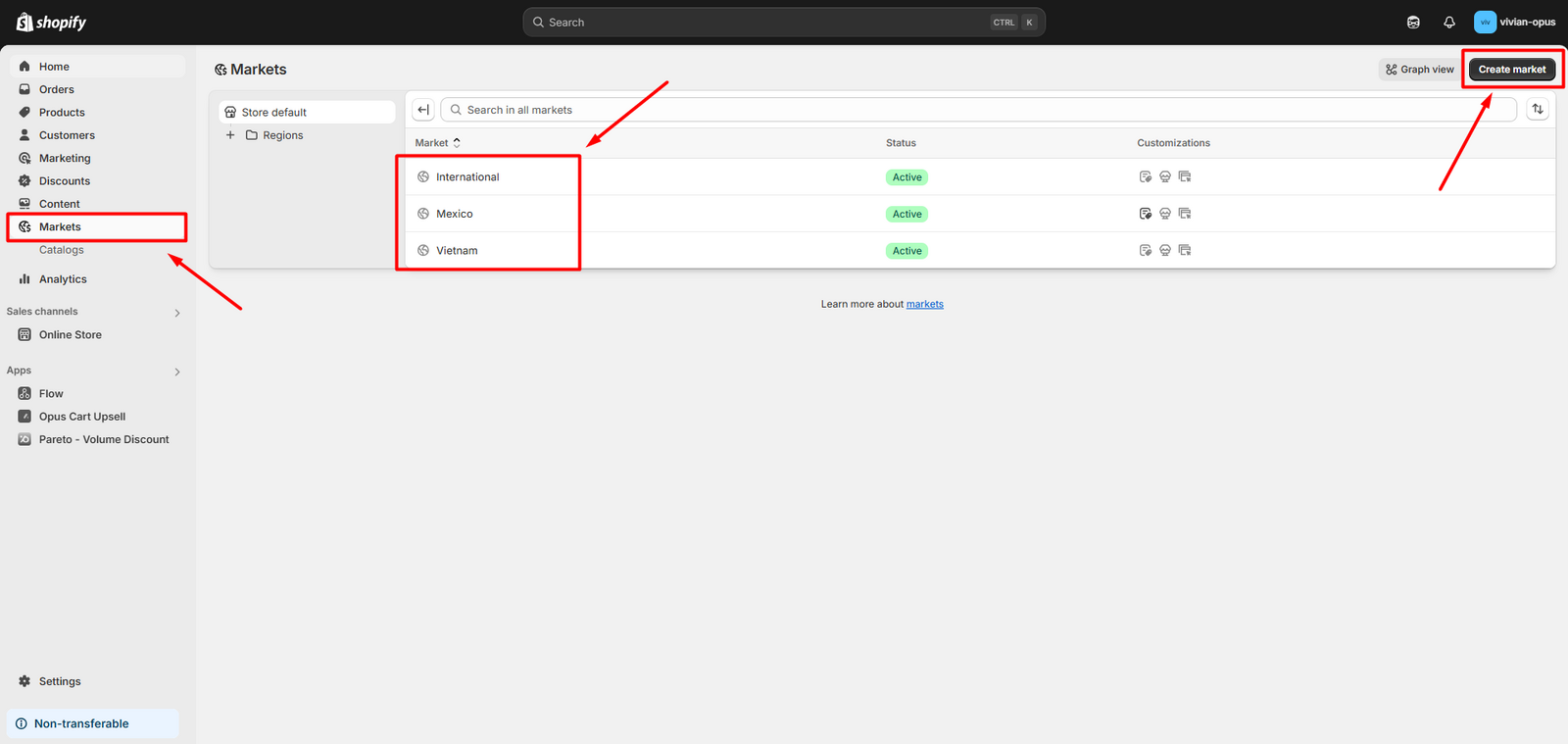
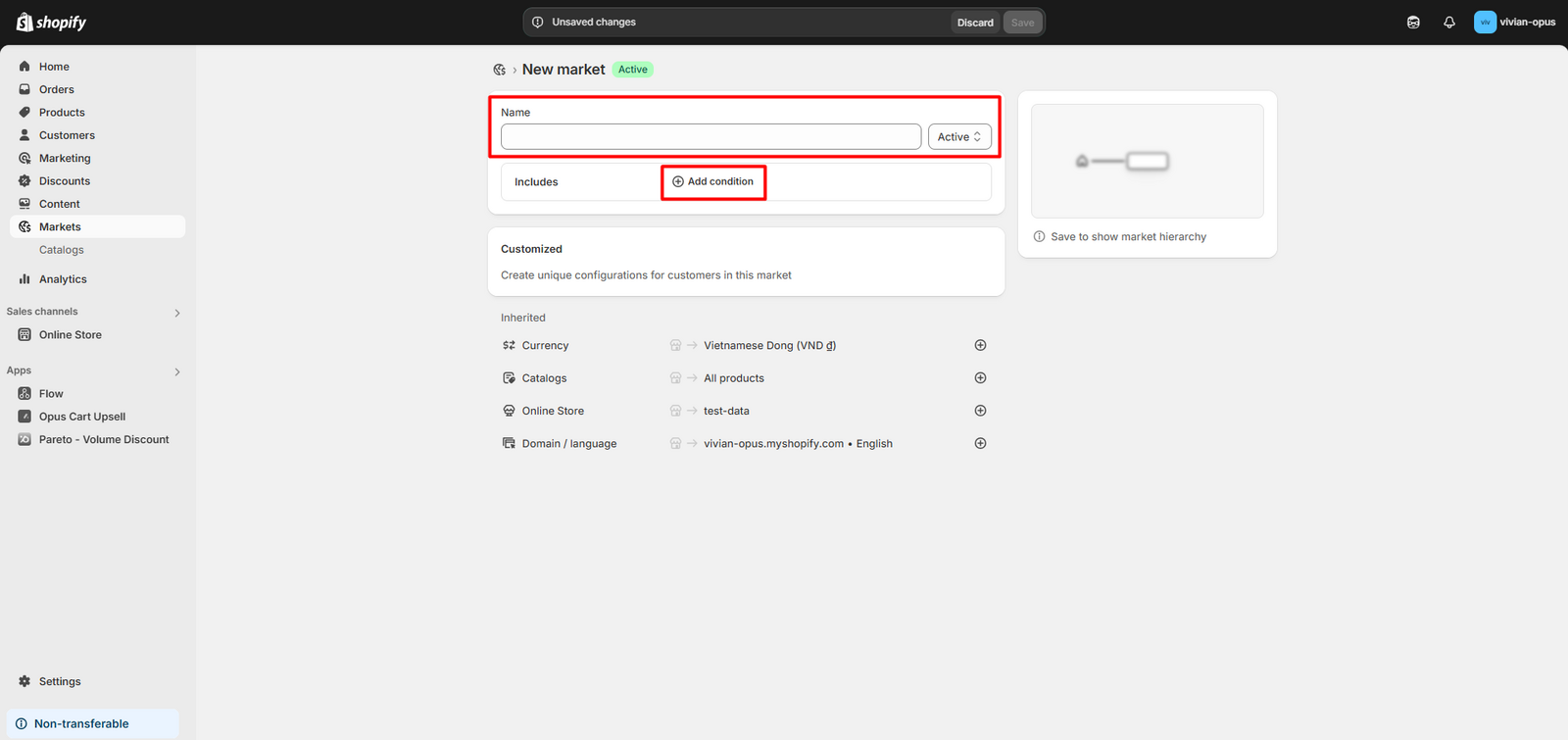
Check carefully if the country you want to show to is included in your existing markets. If not, click "Create market". Set up your new market by giving it a name, then select the countries for this market by clicking "Add condition".
Step 2: Turn on the region selector in your live theme.
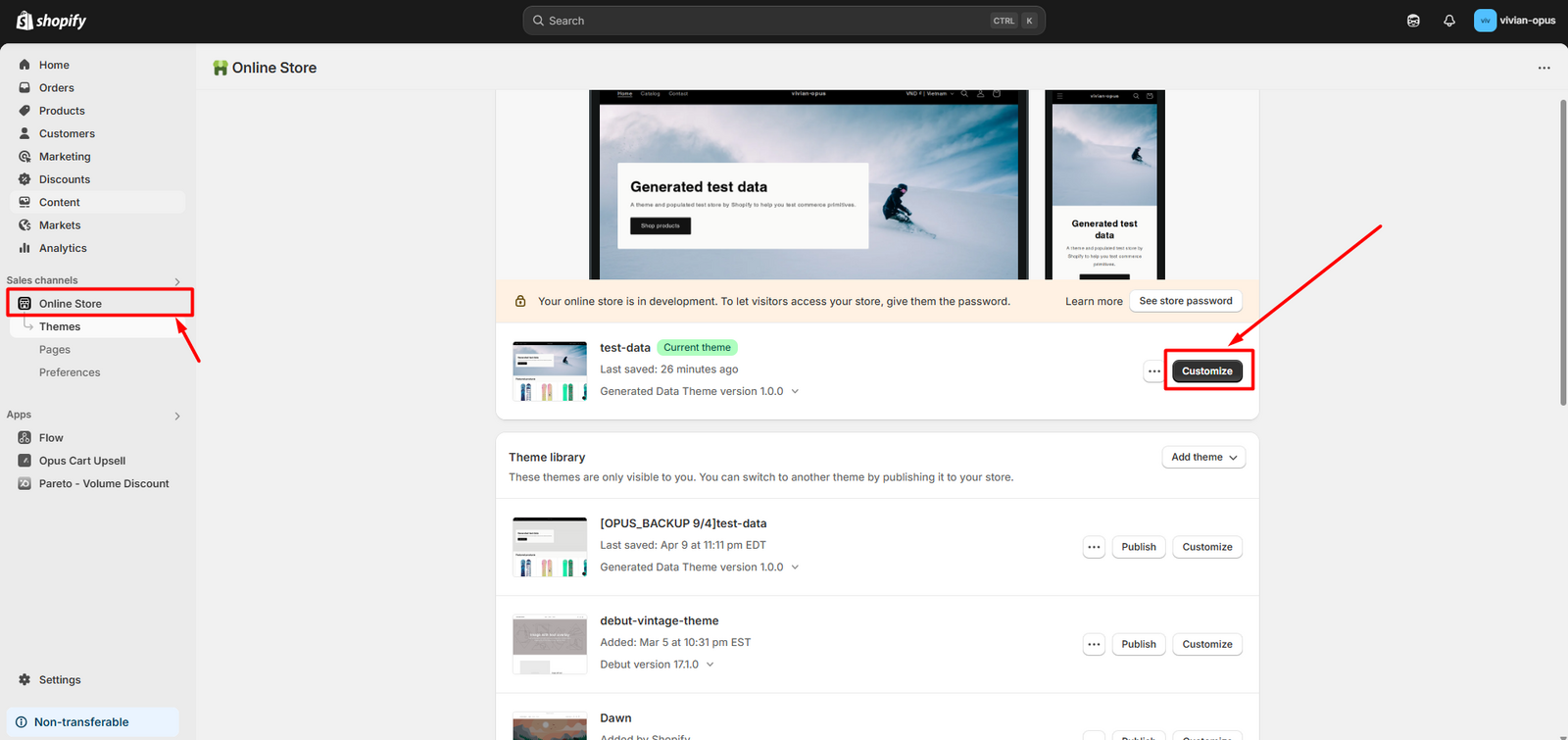
Go to "Online Store" in your Shopify Admin. Click "Customize" button next to your current live theme.
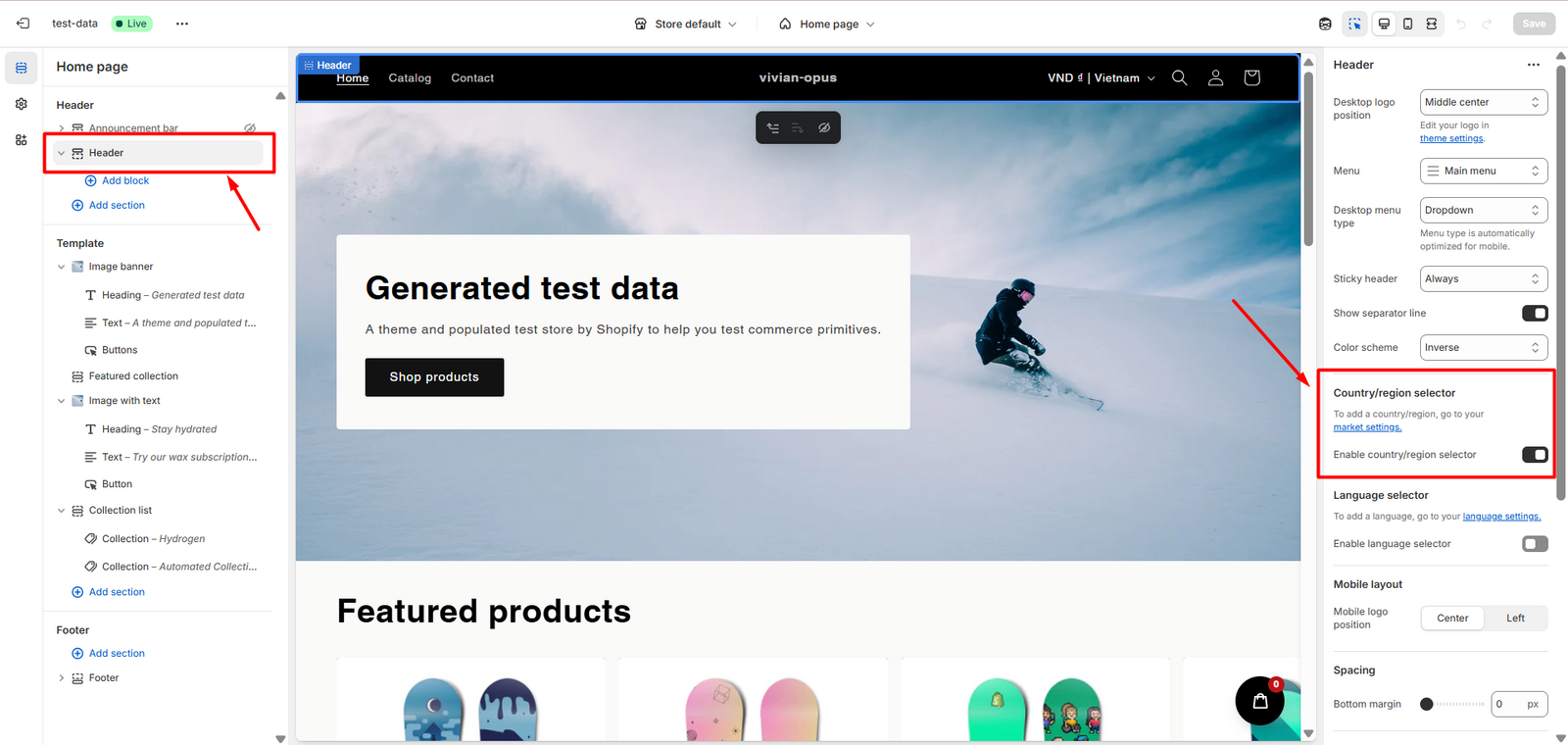
Select either your "Header" or "Footer" section (depending on your theme) and turn on the Country/region selector:
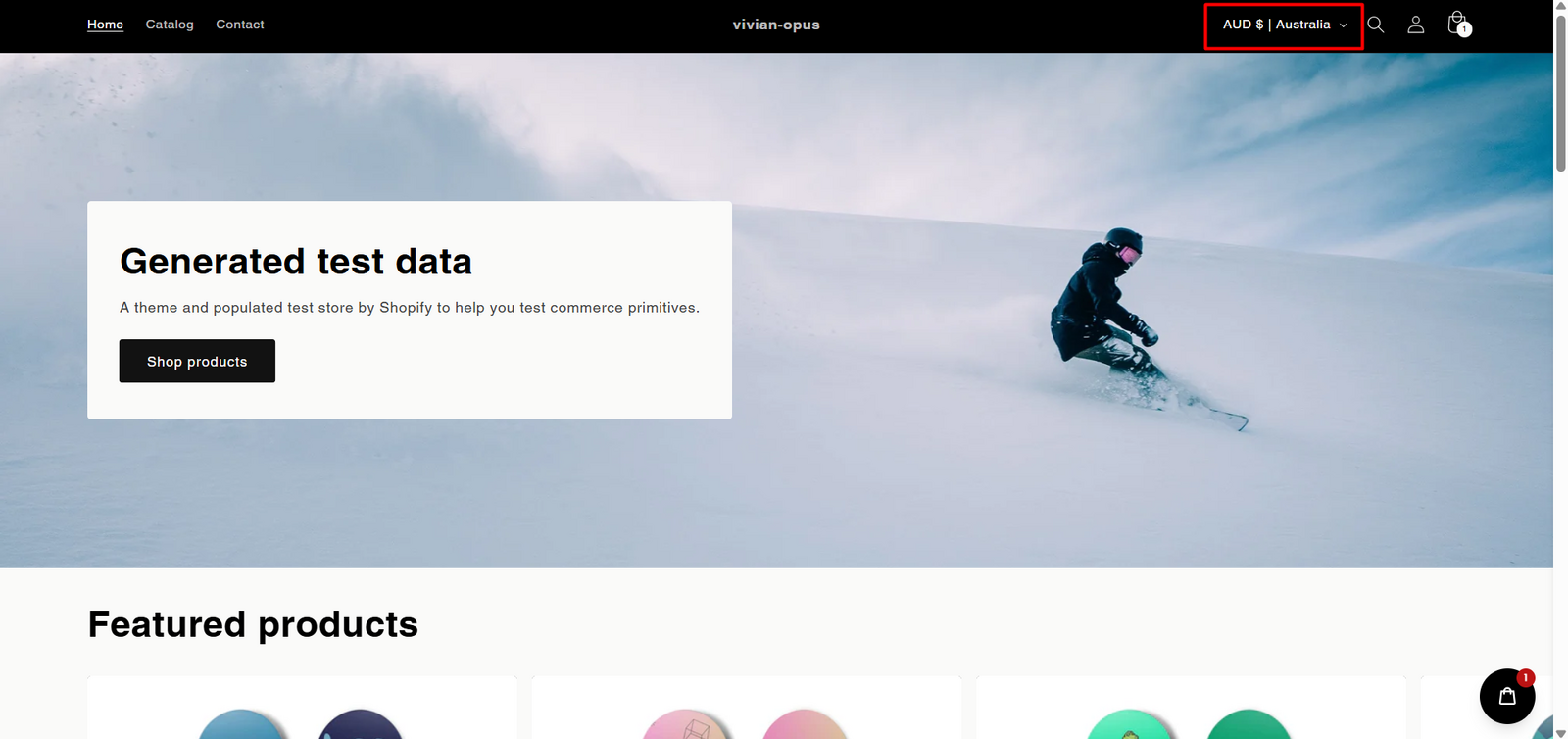
The result should have a field to select the country on your store as in the below screenshot:
Step 3: Set up the feature in app.
Go to the Rewards Bar feature page, create a tier and tick the option "Show this tier to limited country only". Then click "Select Countries" and click all the countries you want to see the tier.
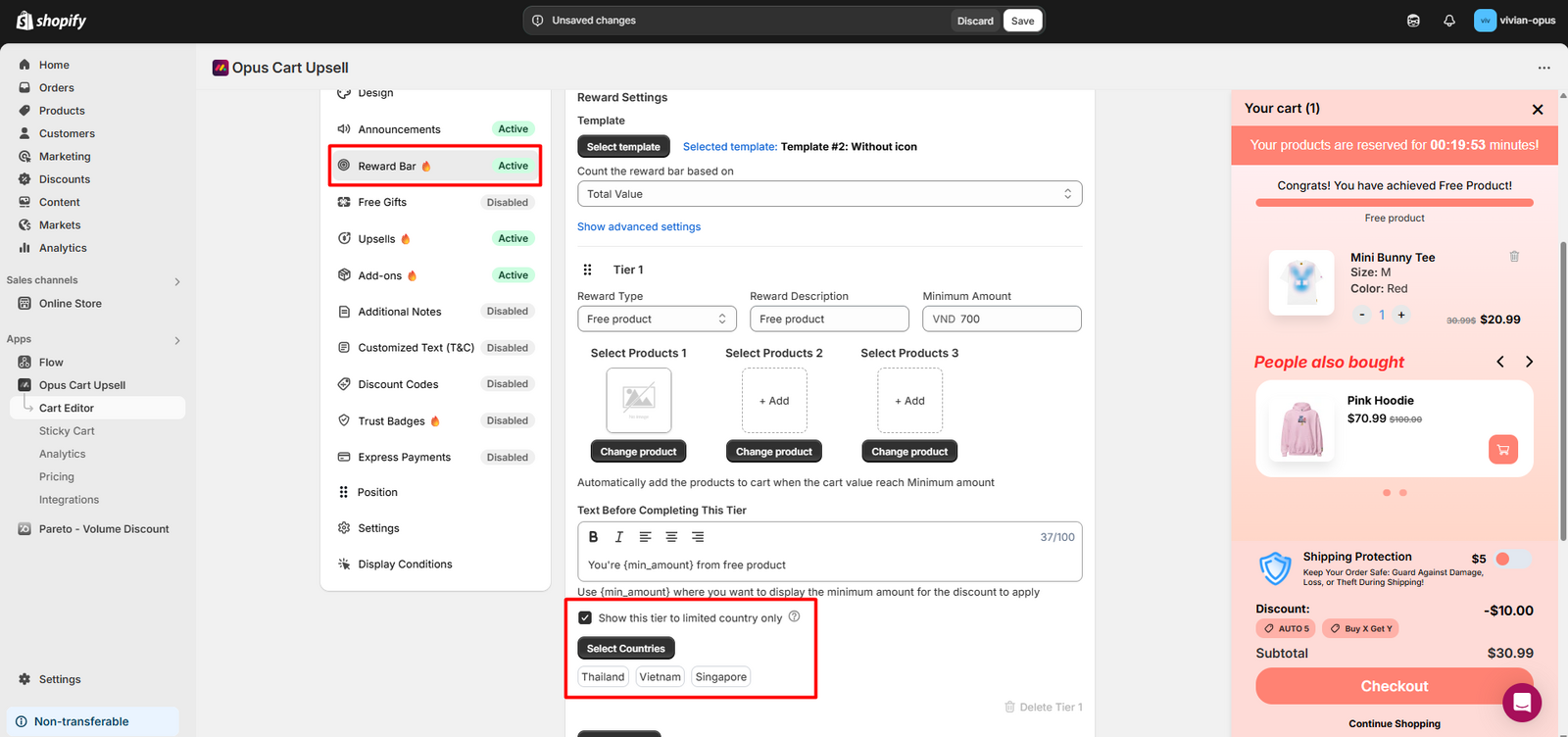
Hit "Save" to finalize the setup.
Need help? Let us know via in-app live chat or email: help@opusecom.co 🤩
Still need help?
Our support team is available 24/7. Contact support →