

FAQs·1 min read
Why can’t I see my Upsell product on the Storefront?
Why can’t I see my Upsell product on the Storefront?
Track Quantity
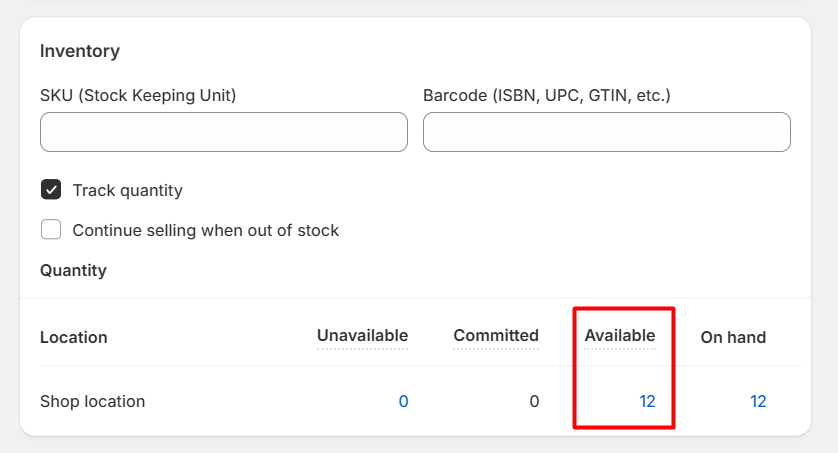
If “Track quantity” is enabled, the product must have available inventory. Check the Available column in your Shopify Admin:
- If the number is 0, the add-on won’t appear.
- Shopify uses four different inventory states. You can learn more about them here. For single-variant products:
- Scroll to the Inventory section to view stock levels.
!
For multi-variant products:
- Go to the Variants section.
- Click on each variant to view its inventory settings. ---
Active Status VS. Draft Status
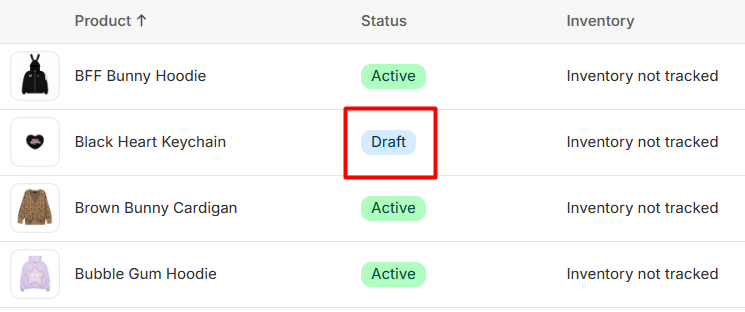
Make sure the product is set to Active. If the product is marked as Draft, it will not display as an upsell.
- You can verify this in the Products tab of your Shopify Admin.
- Look at the Status column next to the product name.
!
Online Store Sales Channel
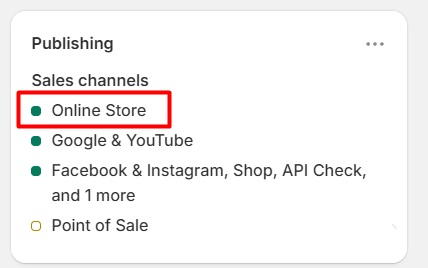
Ensure the product is available in the Online Store sales channel:
- Go to your Shopify Admin → Products tab.
- Select the product.
- In the Publishing section (top right), look for a green dot next to Online Store. !
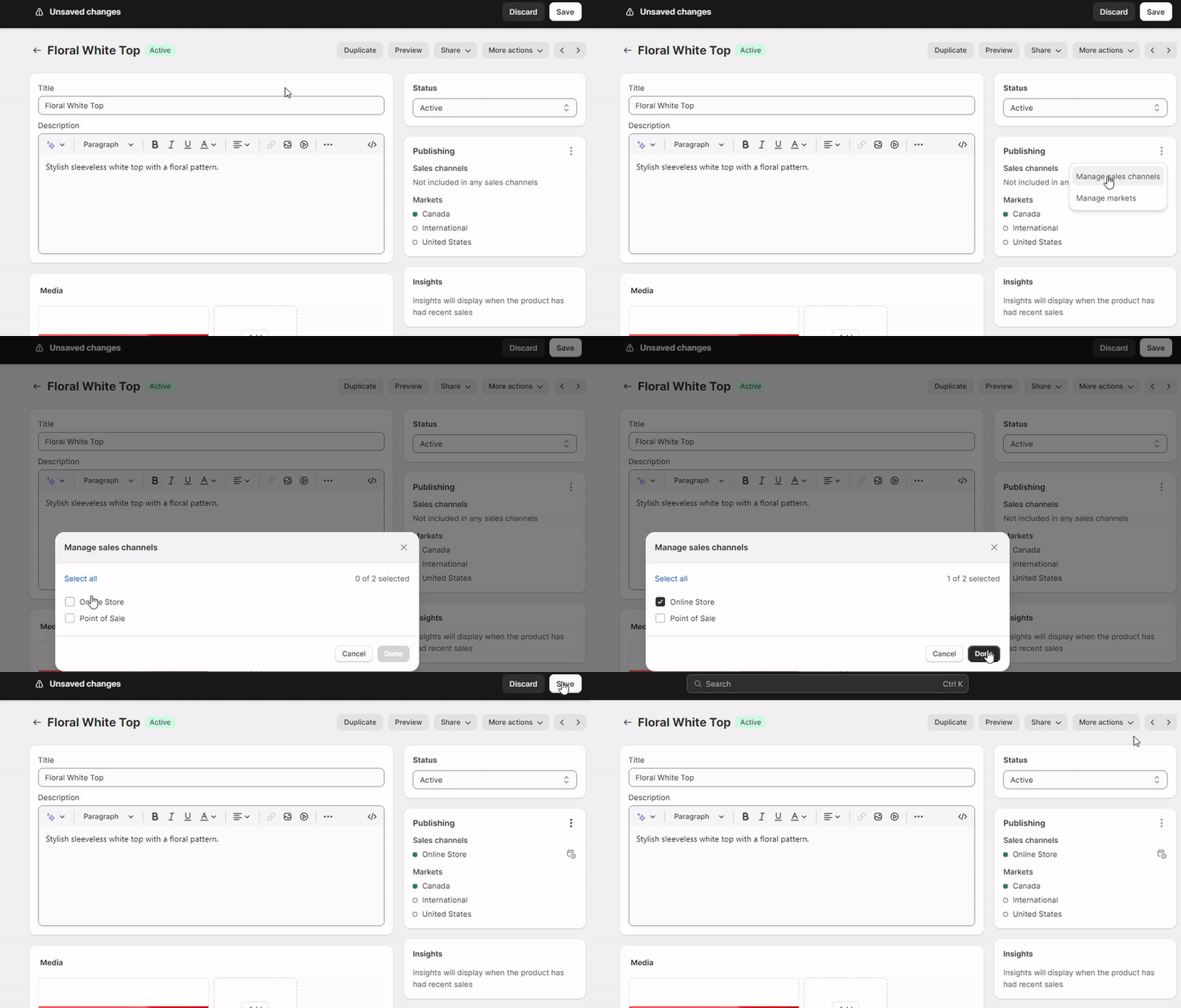
f it’s not there:
- Click the three-dot icon in that section.
- Select Manage Sales Channels.
- Add the product to Online Store.
!
Need help? Let us know via in-app live chat or email: help@egohub.co 🤩
Still need help?
Our support team is available 24/7. Contact support →