

How can I test the cart without enabling on Live Store?
How can I test the cart without enabling on Live Store?
Overview
You can play around with the features of the cart without showing the cart on your live store, by enabling Ego in a draft theme.
New: the easiest way to try a cart on your live store is Test mode — only visitors with your private preview link see the cart. See Test Mode Setup.
You can also test the cart in a draft theme:
Step 1:
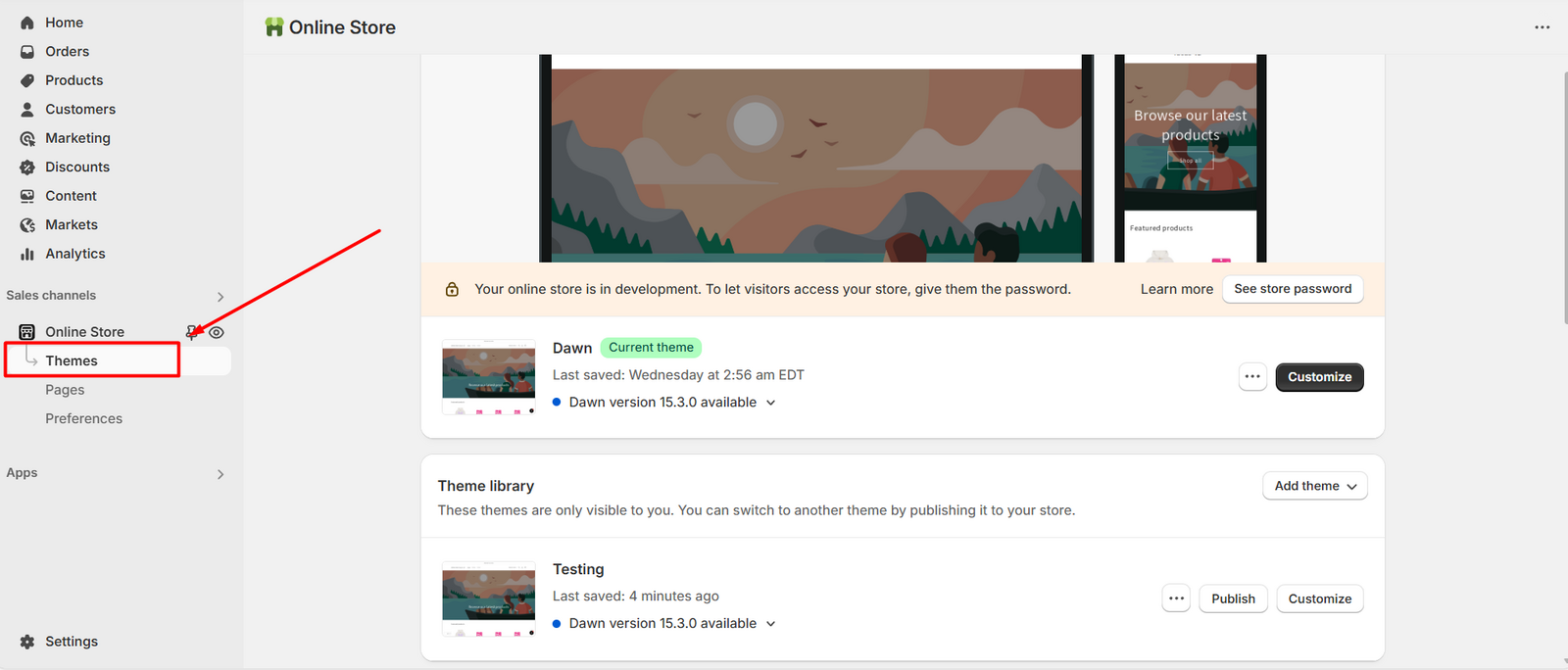
Go to the Themes page in your Shopify admin. !
Step 2:
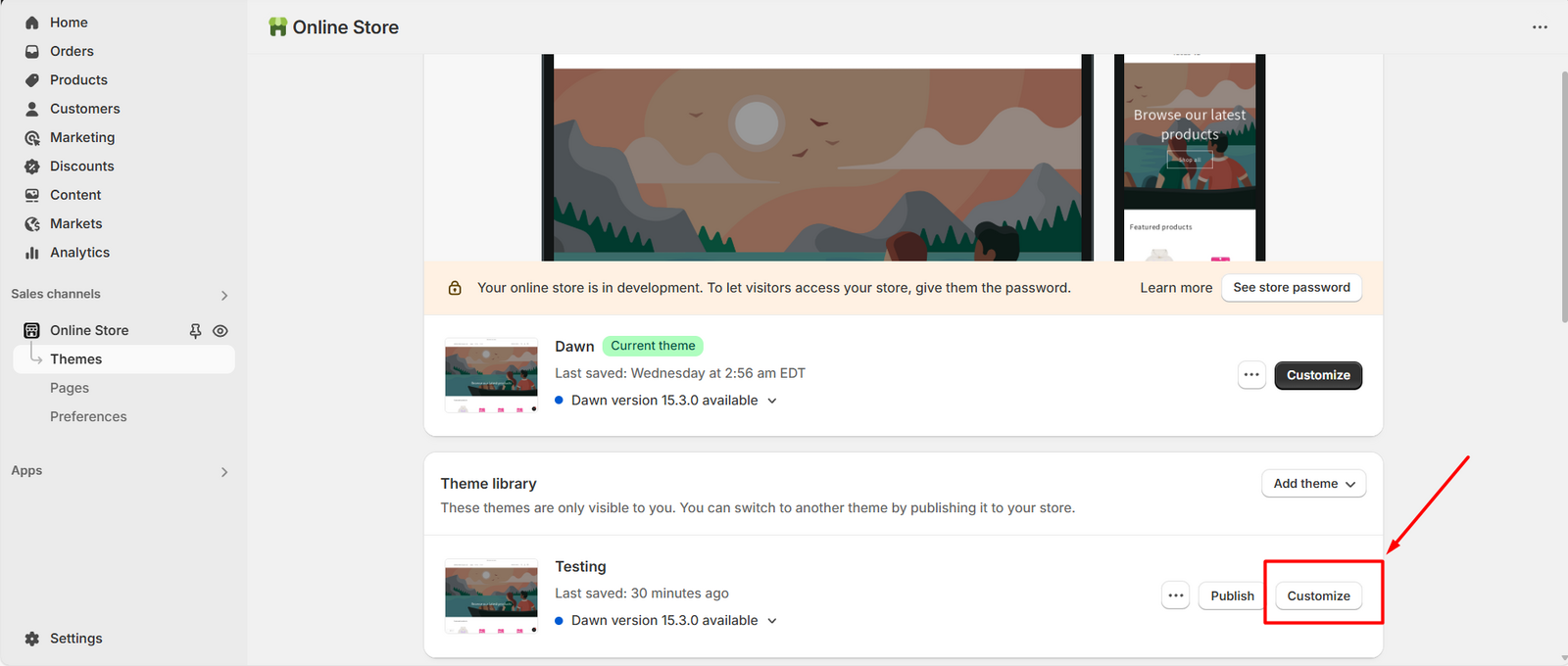
Find your draft theme, then click the Customize button. !
Step 3:
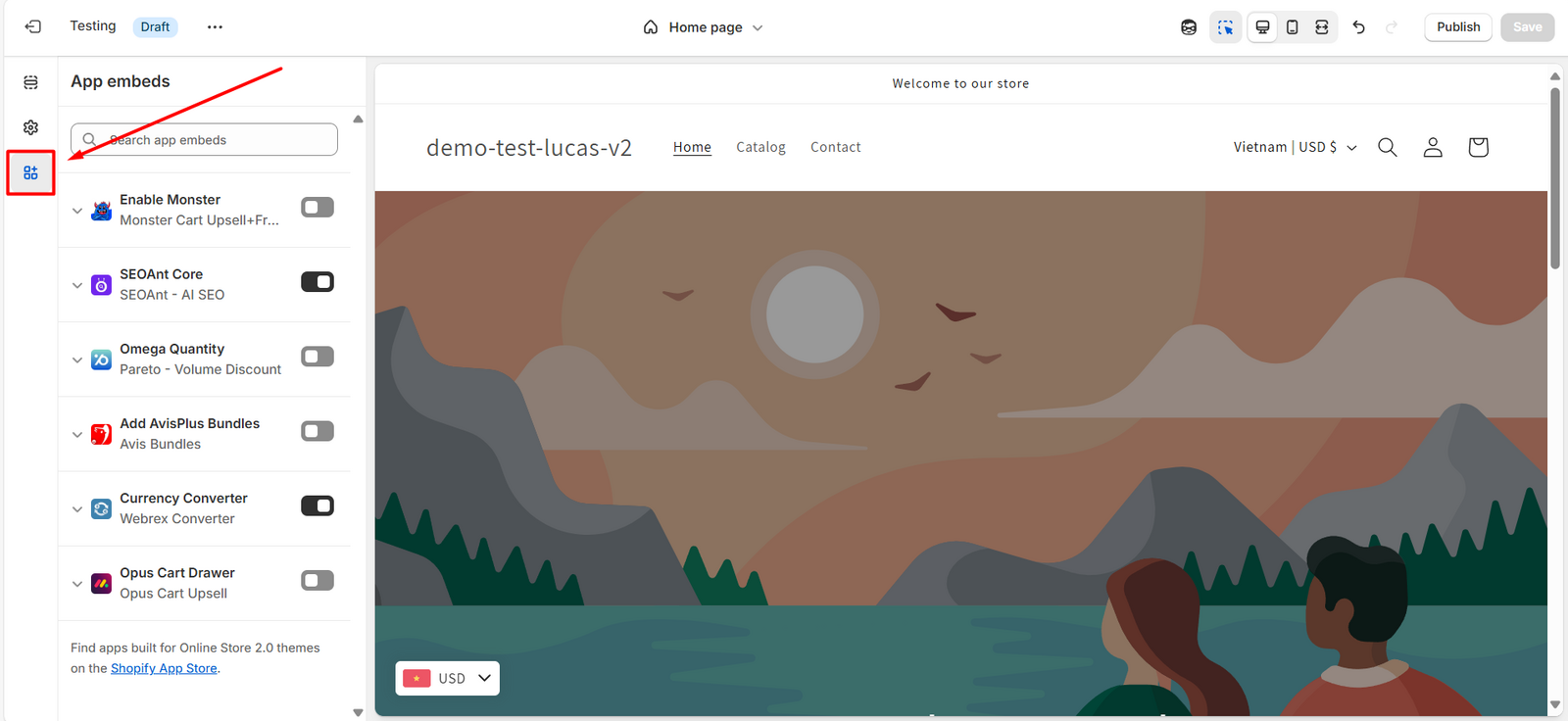
In the editor, click the App embeds icon (looks like a puzzle piece). !
Step 4:
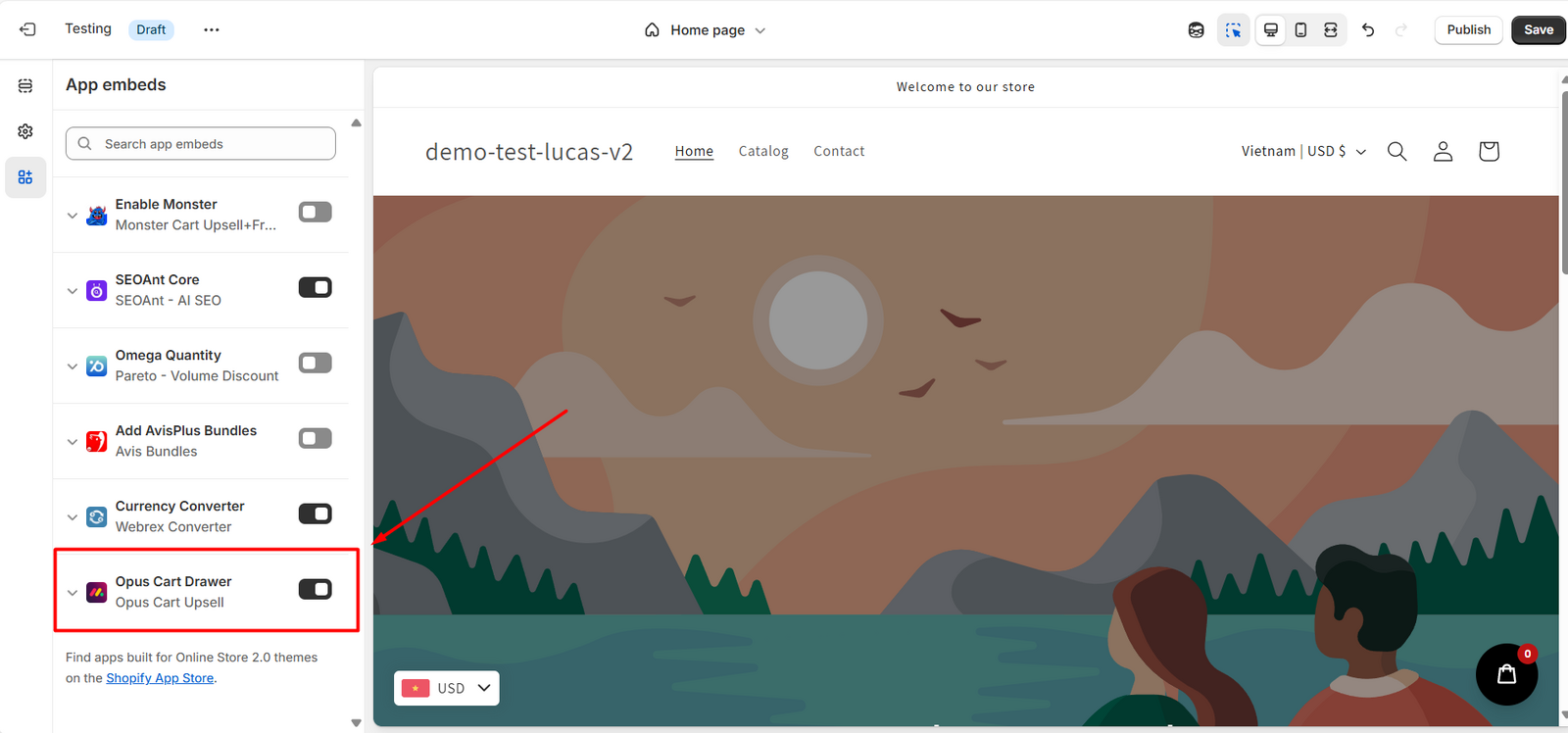
Find Ego Cart in the list and enable it. Hit Save. !
Step 5:
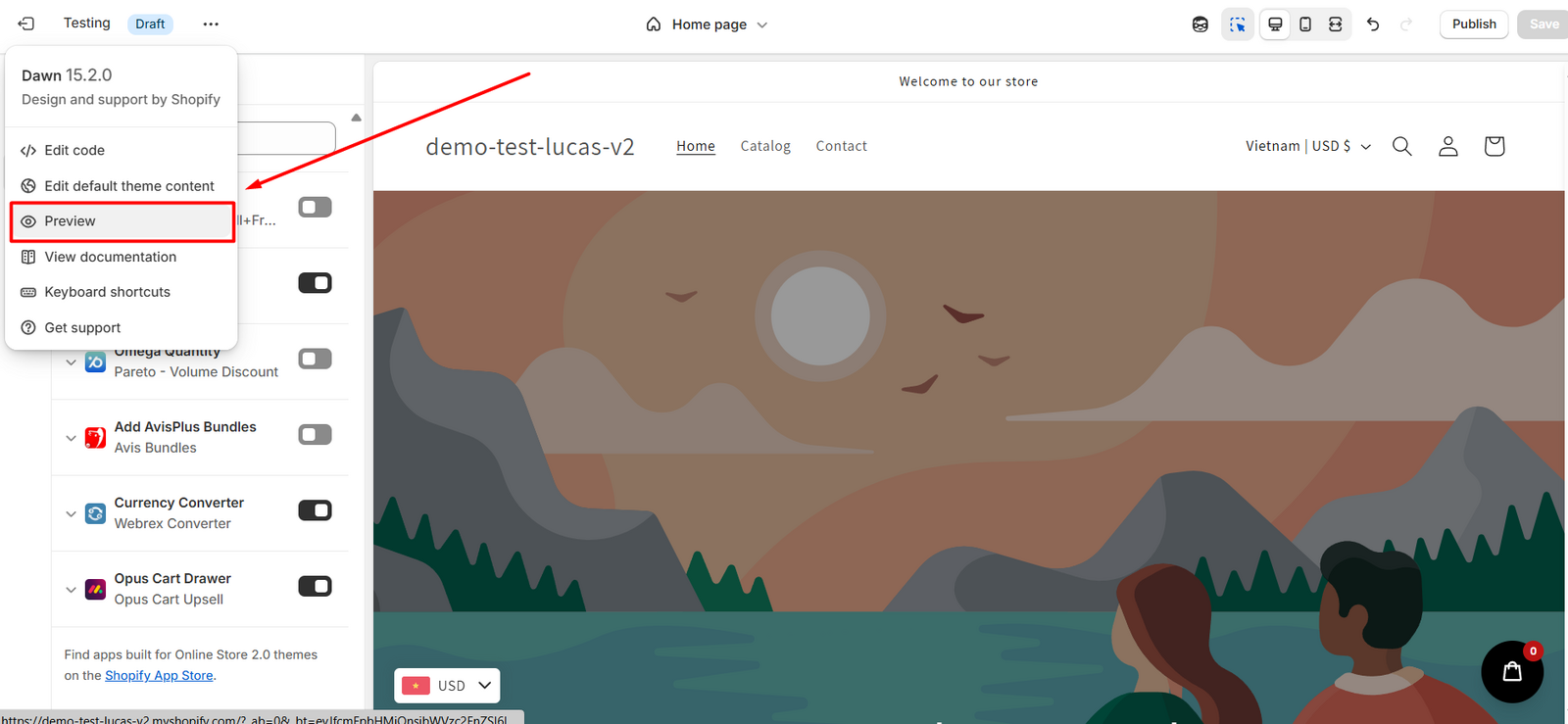
Click Preview to check how the cart appears in your draft theme. !
Need help? Let us know via in-app live chat or email: help@egohub.co 🤩
Still need help?
Our support team is available 24/7. Contact support →