

How to customize the cart font?
How to customize the cart font?
Current version - Installed after 24/02/2025
To make the cart font match your theme’s font, go to Settings and enable the option Apply Theme Fonts.
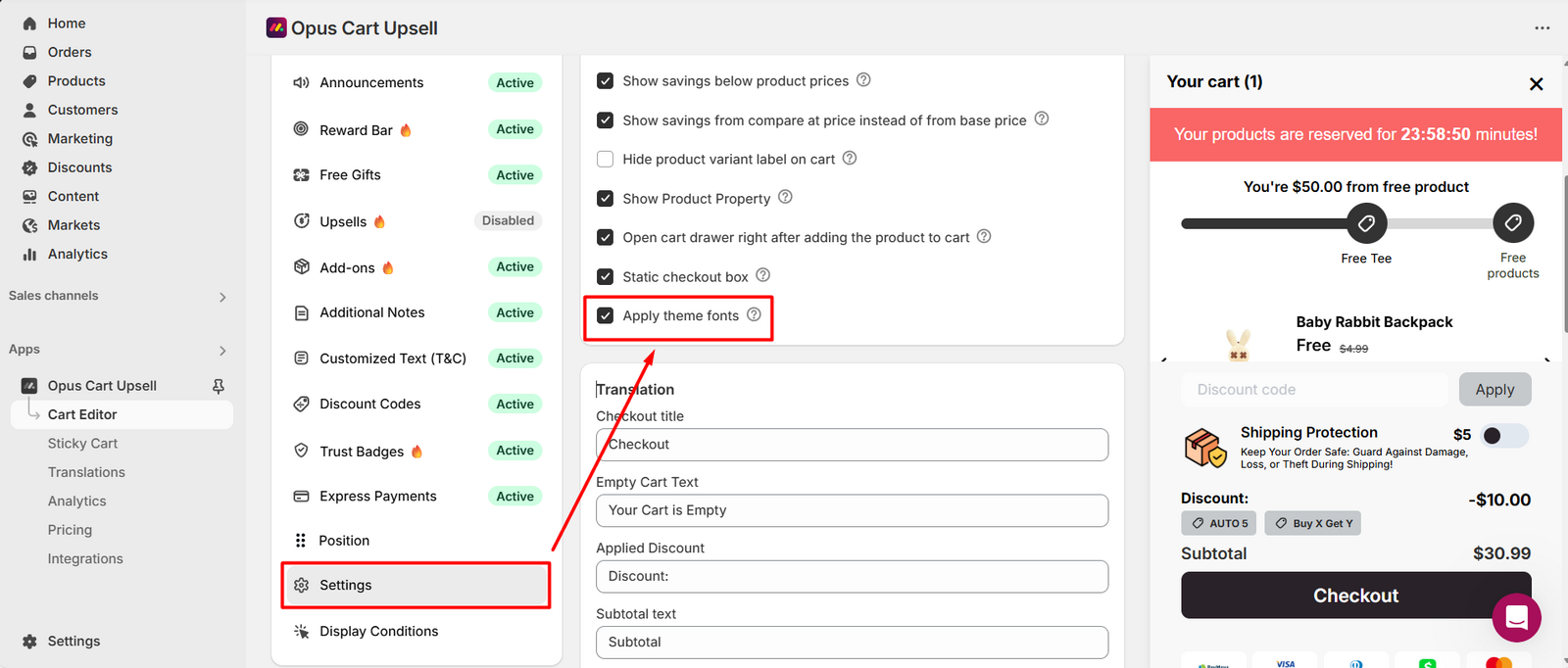
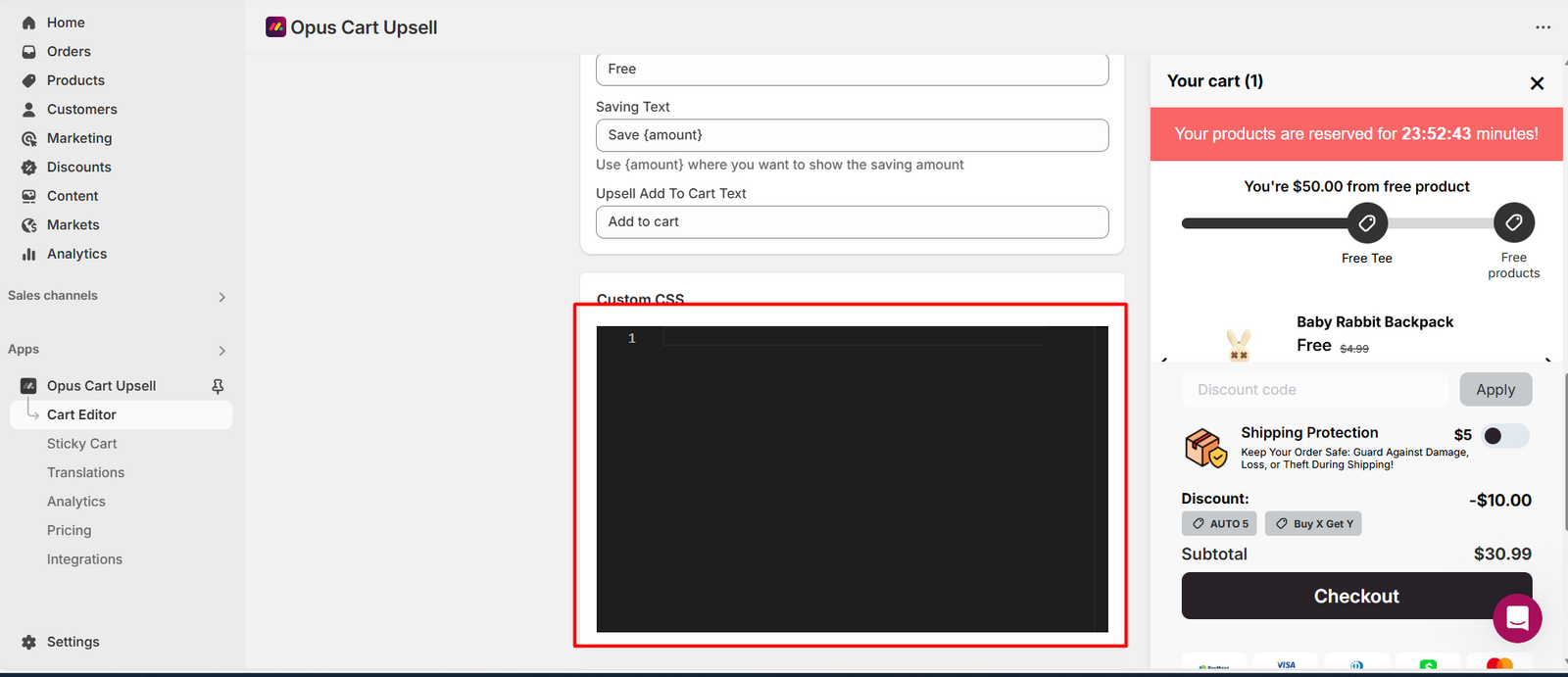
To use a custom font in your cart, apply the following CSS code:
#cart-drawer-container {
font-family: your-font-name !important;
}
Replace your-font-name with the exact name of the font you want to use.
Example:
#cart-drawer-container {
font-family: Montserrat !important;
}
Paste this code into the Custom CSS section in your Cart Editor Settings.
Old version - Installed before 24/02/2025
In some cases, merchants may want to change the cart font to better match their theme or use a custom font.
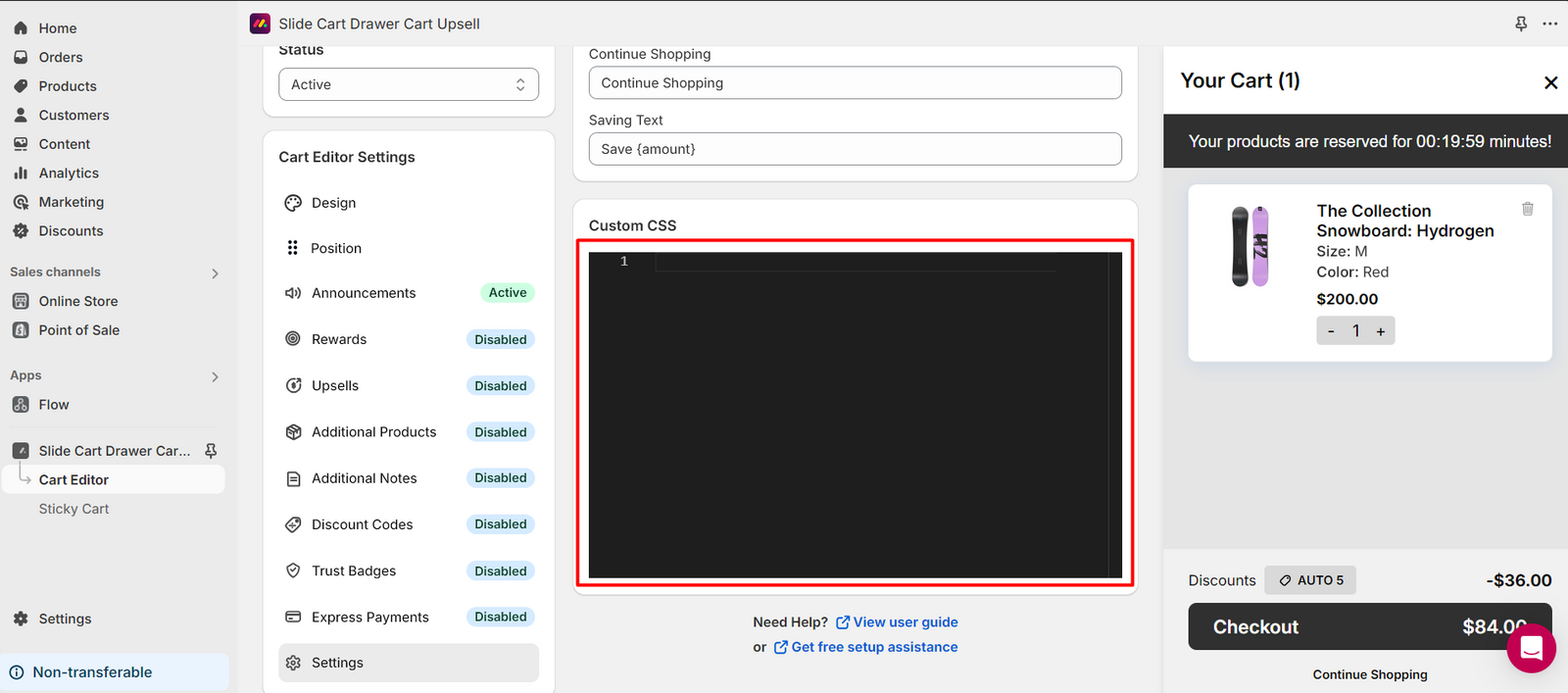
To change the font in the cart, simply use the following CSS code:
section#cart-drawer-container {
font-family: your-font-name !important;
}
Replace your-font-name with the exact name of the font you want to use.
Example:
section#cart-drawer-container {
font-family: Montserrat !important;
}
Paste this code into the Custom CSS section in your Cart Editor Settings.
Need help? Let us know via in-app live chat or email: help@opusecom.co🤩
Still need help?
Our support team is available 24/7. Contact support →