

Launch Your Pixel·1 min read
Get an Access Token for Conversions API
Get an Access Token for Conversions API
Overview
Step 1: Open Event Manager in your Meta Business account
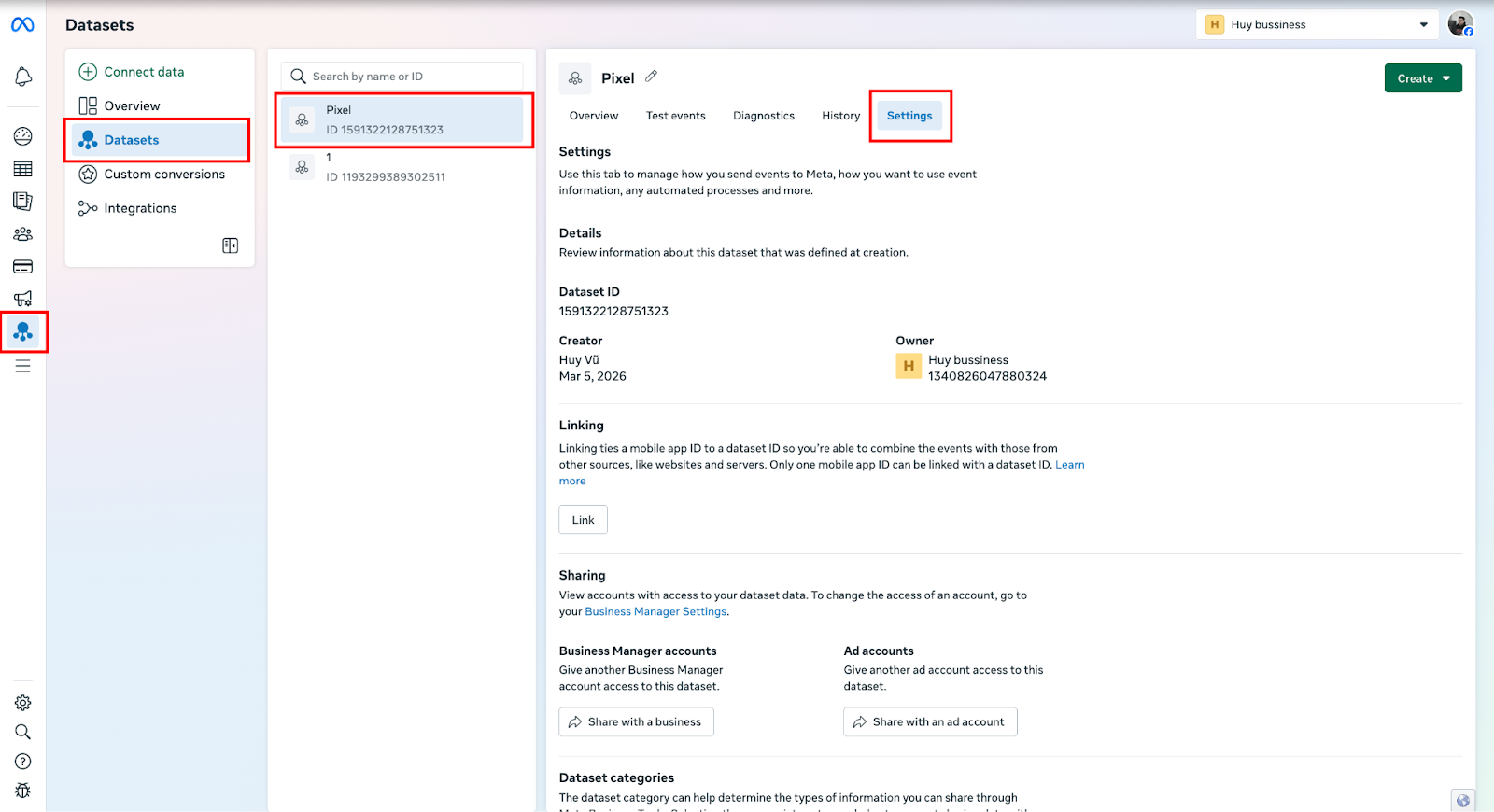
- Go to Meta Business Manager and Navigate to Event Manager. https://business.facebook.com/events_manager2
- Select Datasets in the left menu.
- Choose the dataset (Pixel) you want to use.
- Open the Settings tab.
Step 2: Generate the access token
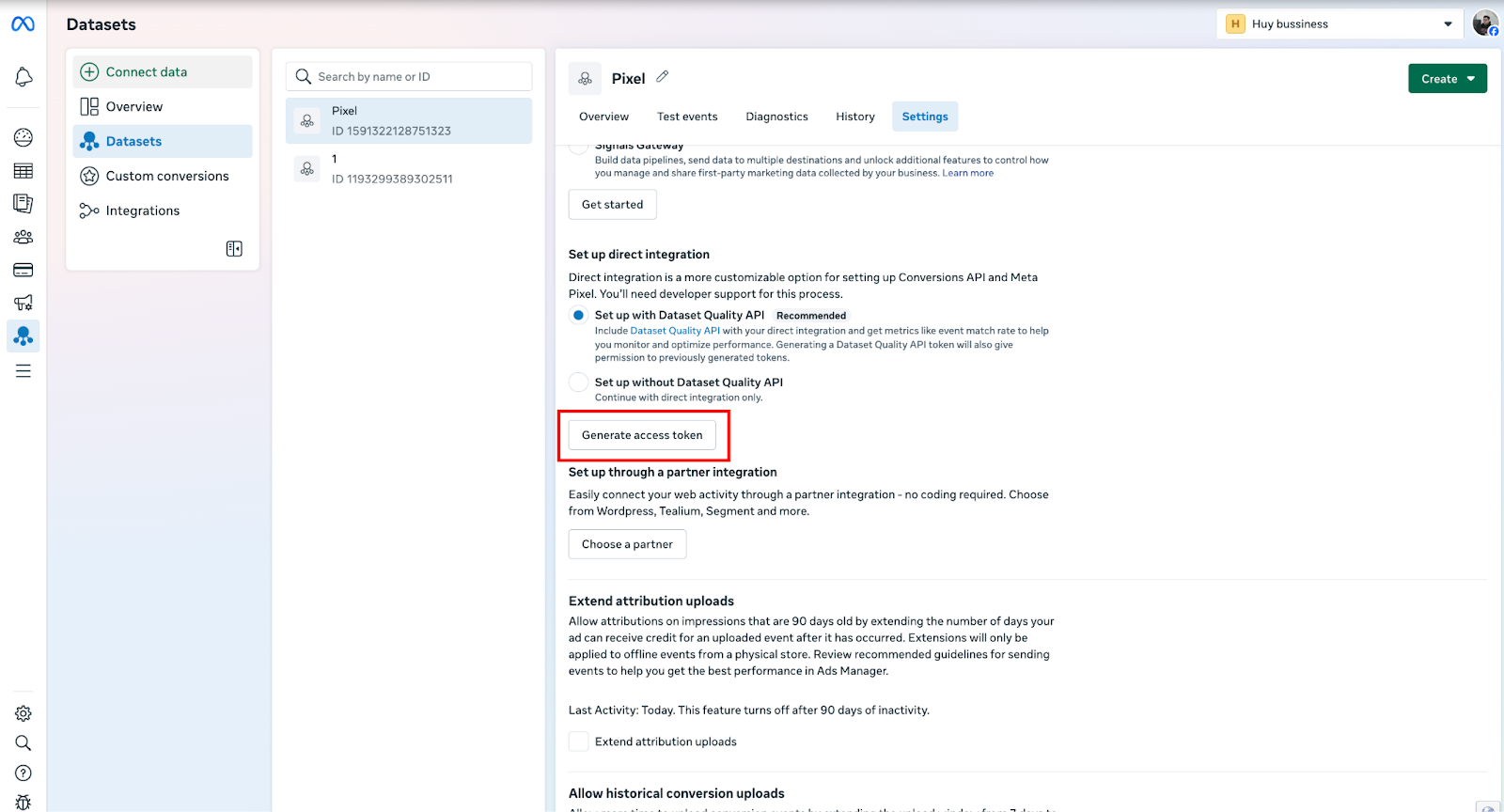
- Scroll down to the Set up direct integration section.
- Click Generate access token.
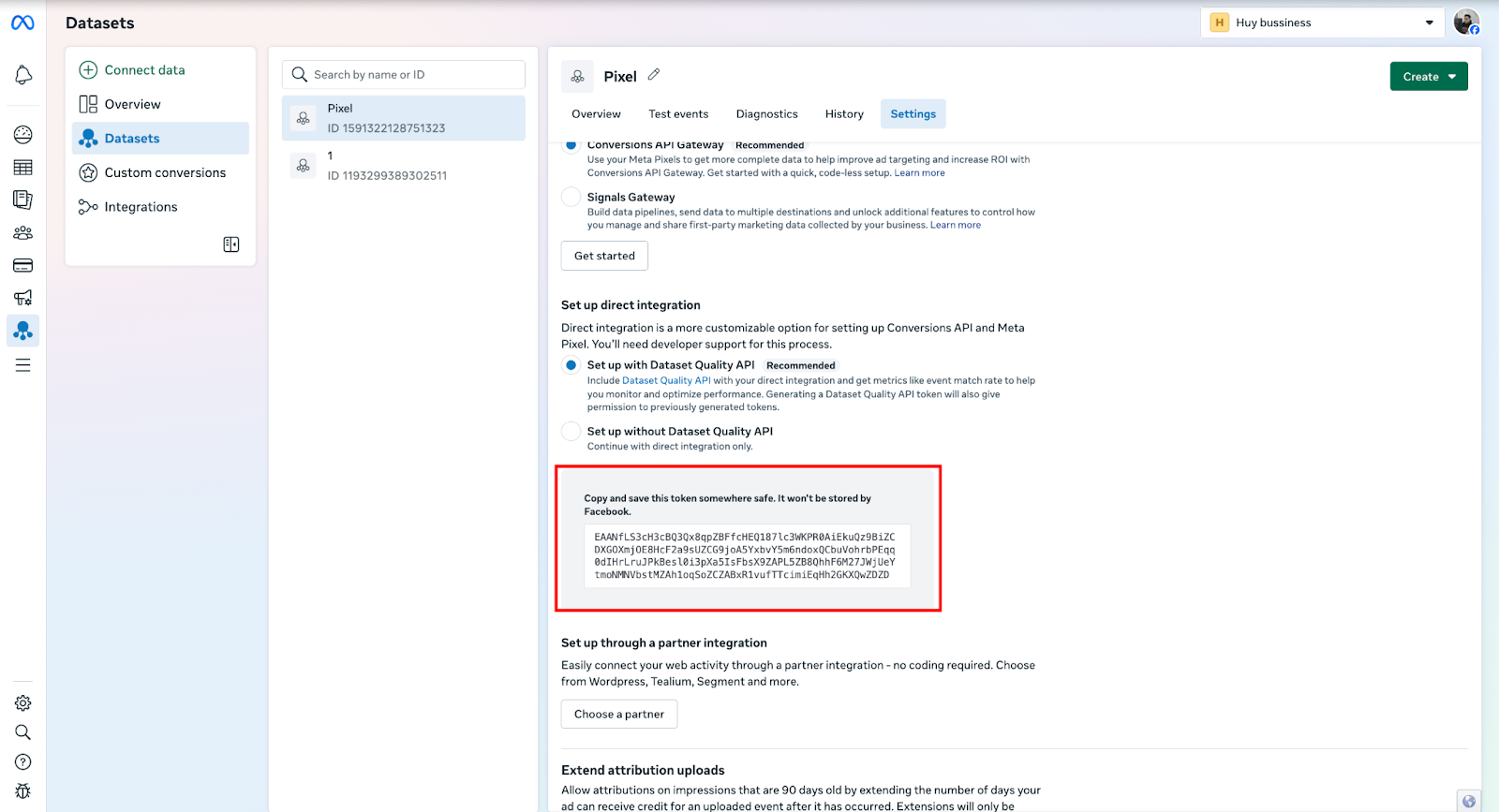
- Copy the generated Access Token.
Step 3: Add the token to the app
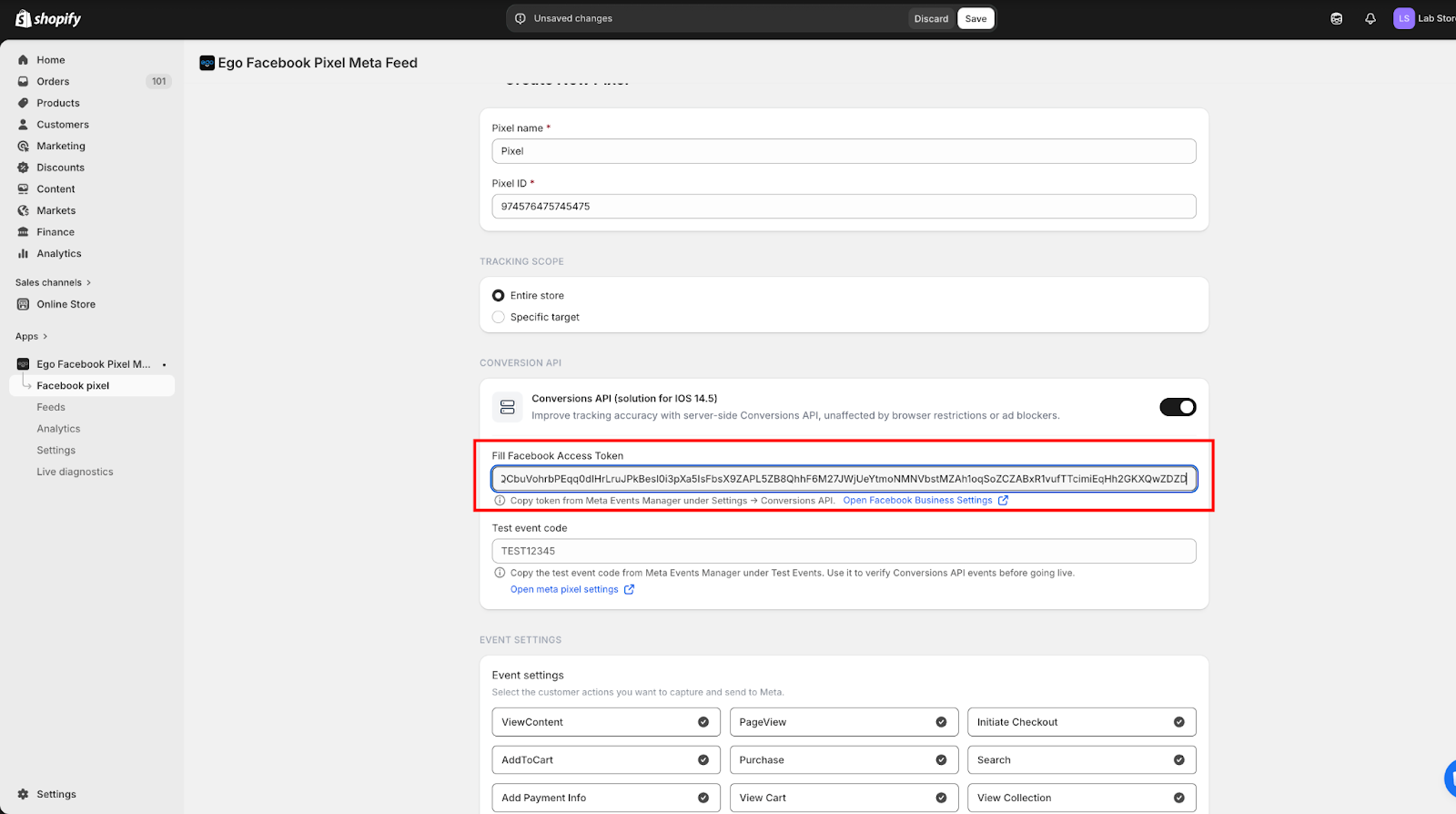
- Return to your app’s CAPI configuration page.
- Paste the Access Token into the Access Token field.
- Click Save to complete the setup.
Still need help?
Our support team is available 24/7. Contact support →