

App Health
Check that your cart shows on the storefront and that free gifts and discounted upsells are discounted at checkout — and repair the automatic discount if they are not.
What App health checks
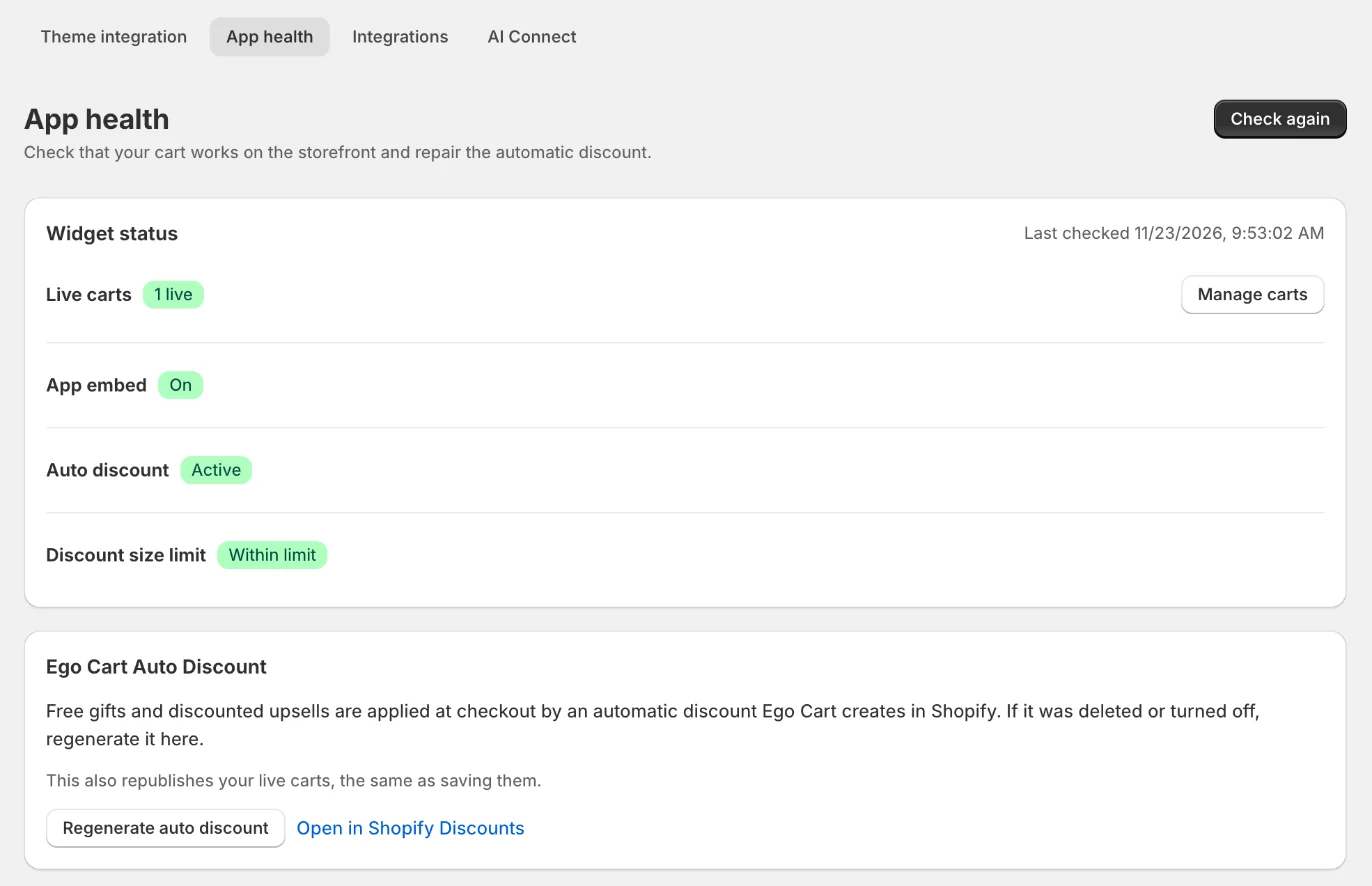
Open App health (under Settings in the app menu). The Widget status card shows four checks:
| Check | What it means |
|---|---|
| Live carts | How many carts are live. None live means shoppers have no Ego cart to see — turn on a cart with Manage carts. |
| App embed | On or Off. Shoppers don't see your cart until the Ego Cart app embed is on in your live theme. Use Turn on to open the theme editor. |
| Auto discount | Active, Turned off, Missing or Not needed. Free gifts and discounted upsells are discounted at checkout by an automatic discount that Ego Cart creates in Shopify. Not needed means no free gift or discounted upsell is on in your live carts. |
| Discount size limit | Within limit, or the number of offers over Shopify's limit. Offers over the limit are not discounted at checkout — remove some products from them or turn off carts you don't use. |
The page shows when it was last checked. Click Check again to run the checks now.
Repair the automatic discount
If Auto discount shows Turned off or Missing, free gifts and discounted upsells check out at full price until it is fixed. This usually happens when the discount named Ego Cart Auto Discount was deleted or deactivated in Shopify Discounts.
In the Ego Cart Auto Discount card, click Regenerate auto discount.
Wait for the result message. It tells you whether the discount was kept, turned back on, recreated or created.
Regenerating also republishes your live carts, the same as saving them. Open in Shopify Discounts takes you to the discount in your Shopify admin.
Warnings on the dashboard
You don't need to open App health to find out something is wrong. When a check fails, the app's dashboard shows a banner — for example "Your cart offers are being charged at full price" — with an Open App health button and a Contact support button.
Still need help?
Our support team is available 24/7. Contact support →