

Best-selling Upsells & New Upsell Options
Recommend your best sellers automatically, let shoppers pick a quantity, show upsells on an empty cart, and choose how discounted upsells count toward offer conditions.
Recommend your best sellers
In the cart editor, open Upsells.
Under Select product to upsell, choose Use AI recommended upsells, then Best selling.
Click Save.
The cart then recommends your best-selling products, ranked from the orders of the last 60 days. The list is ranked when you pick the option; click Refresh to update it later. Add-on products are left out of the list.
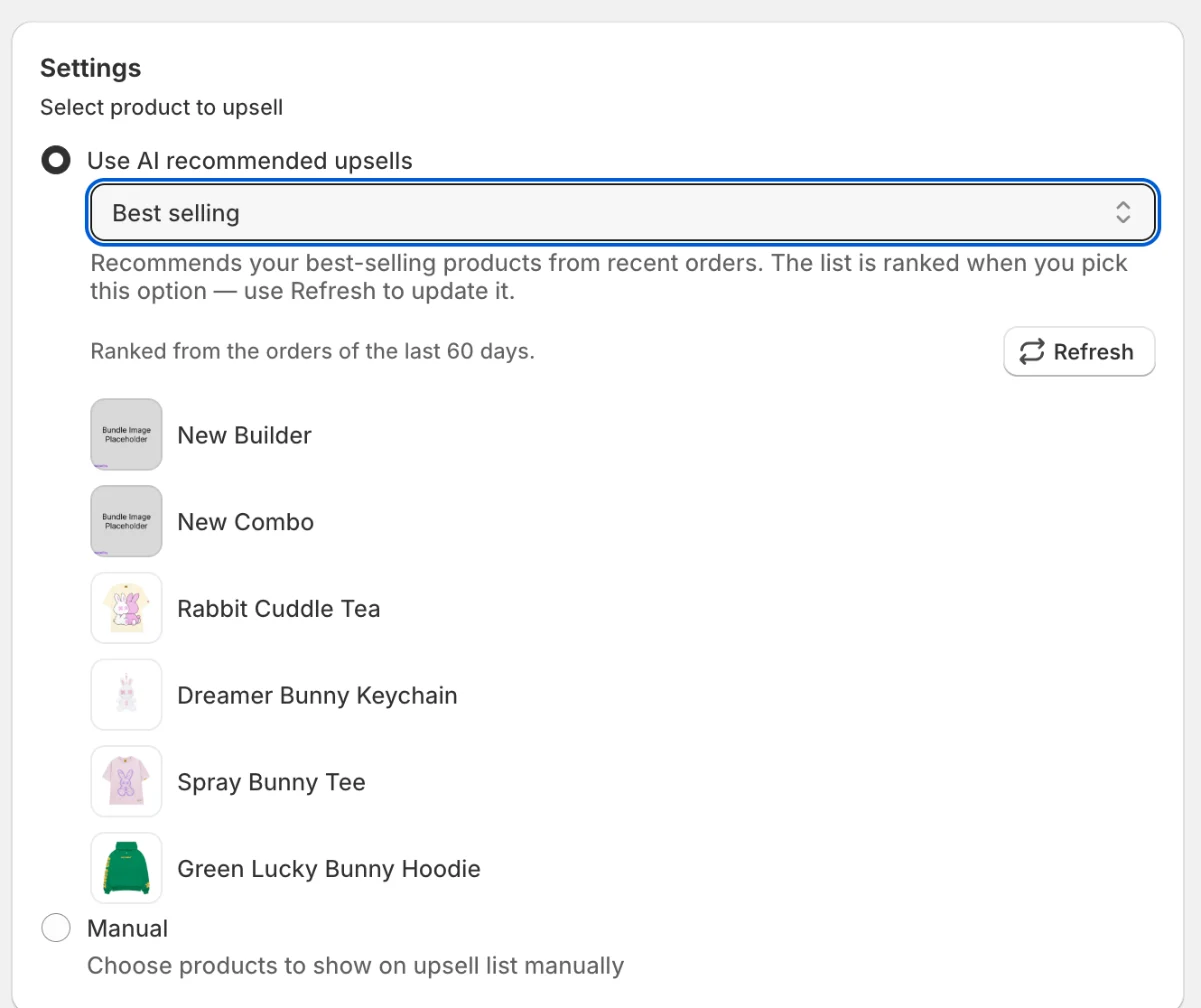
If you see "No products to recommend yet", publish products to your online store and refresh. Best selling is available on the Free plan.
Let shoppers pick a quantity
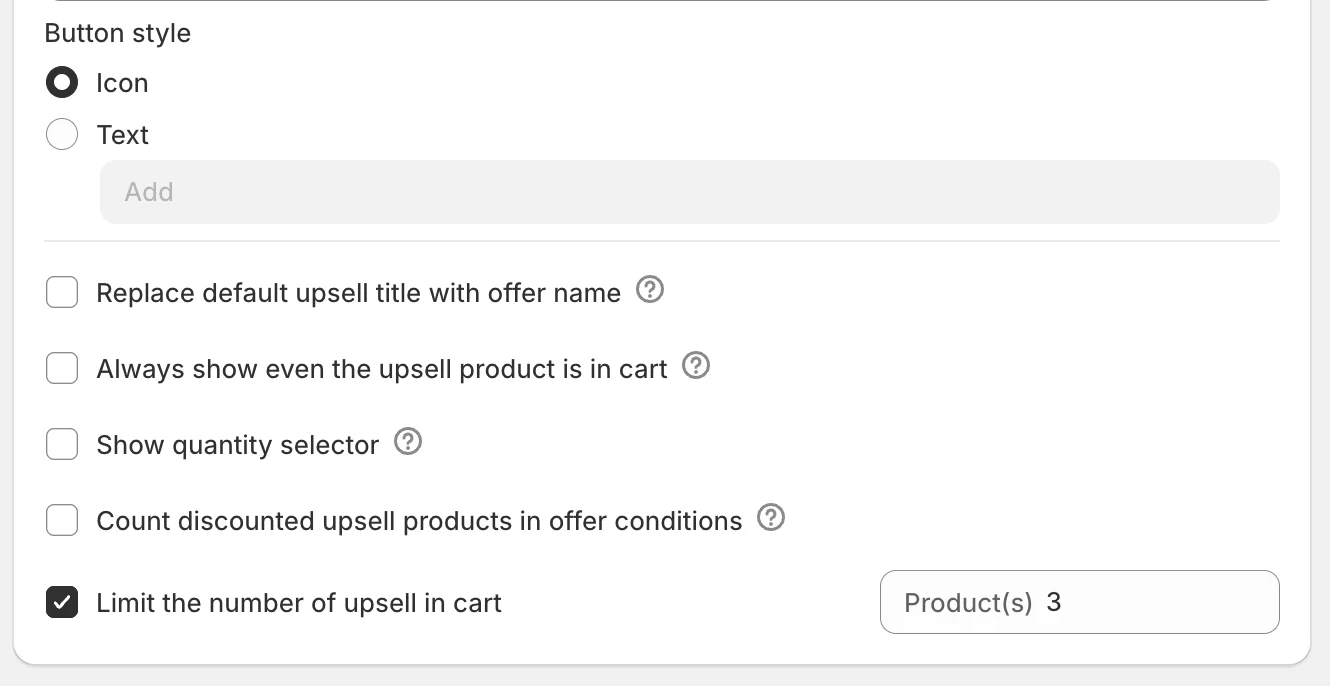
Tick Show quantity selector in the upsell design settings. Shoppers can then choose how many units of an upsell to add, from 1 to 99. When it is off, each click adds one unit.
For products with variants, shoppers pick the quantity in the variant popup.
Discounted price on upsell cards
When an upsell offer has a discount, the upsell card now shows the discounted price by default, so shoppers see the price they will pay before they add the product.
Show upsells on an empty cart
An empty cart normally shows only "Your cart is empty". To give shoppers something to buy there:
Choose Manual and click Create new upsell.
Set the trigger to Empty cart and pick the products to show.
Click Save.
You can also turn on Show rewards on empty cart in the Rewards module to keep the reward bar visible.
Count discounted upsells in offer conditions
Manual upsell offers can have conditions on cart value and cart quantity. By default, upsell products that were added at a discount are not counted toward those conditions, so an offer cannot unlock itself.
To count the whole cart instead, tick Count discounted upsell products in offer conditions in the upsell design settings. It applies to every offer:
| Setting | Cart value condition | Quantity condition |
|---|---|---|
| On | Uses the full cart total. | Counts every product, including discounted upsells. |
| Off (default) | Discounted upsell products are not counted. | Discounted upsell products are not counted. |
Free gifts never count toward quantity. With the setting off, you can still include upsell prices for a single offer with Include upsell products' price in cart value in that offer's conditions.
Still need help?
Our support team is available 24/7. Contact support →